
Your Browsing History


Thomas W.
Joined on 04/13/02
0
0
product reviews
- 13
It Just Works
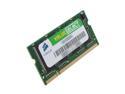
CORSAIR 512MB 200-Pin DDR SO-DIMM DDR 266 (PC 2100) Laptop Memory Model VS512SDS266
Pros: Simple to install
Cons: none
Overall Review: Replaced 284meg in my Dell 5100 with 2 sticks of 512. Made a nice improvement running multiple applications and swapping between users. Well work the price.
7/16/2007See more detail
Gorgeous
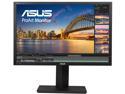
ASUS ProArt PA248Q Black 24" (Actual size 24.1") 6ms (GTG) 16:10, 1920 x 1200, IPS, 100% sRGB, Color Accuracy Delta E< 5, Flicker Free, HDMI, D-Sub, DisplayPort, DVI-D LCD Monitor
Pros: Great colors, bright, fast, slim and lightweight, awesome stand, very adjustable, simple clean lines
Cons: dead pixel
Overall Review: I love this monitor. It's fast, great for FTS gaming, the colors make all my photos seem so much better. Text is crisp. The connectors are generous, I'm using the USB hub. BUT I really wanted no dead pixels. Mine had one. If you look at it with a magnifying glass you'll see that behind the red green blue elements there's a dark spot on a lower layer. I tired a pixel fixer and you could clearly see the color elements changing but behind them it was black. Still I loved everything else so completely I ordered a second. It doesn't have any dead pixels that I've seen but I'm afraid to look too close. Once I see them I keep looking for them. My advice is don't look. Asus warranty is for zero bright pixels and up to 5 dark pixels. WOW glad I've only got one. I guess I'm supposed to get used to it. Try not to look.... oh there it is, 2 inches right of center.
10/6/2012See more detail
I like it
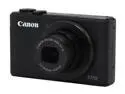
Canon PowerShot S110 Black Approx. 12.1 MP 5X Optical Zoom 24mm Wide Angle Digital Camera HDTV Output
Pros: sensor size, low light capability, front ring, WiFi to smart phone, HDR, wide angle, face recognition, on camera editing tools
Cons: Location of flash is right where I want to hold the camera and most of the time it has to push my fingers out of the way. Gonna break it someday.
Overall Review: I've been happy with my purchase of this camera. I'm just an amateur but I enjoy trying to capture a good image. I especially like the low light capability. I don't like using a flash indoors. It's a big improvement over my previous camera. HDR is such a great idea. Yes you are supposed to use a tripod and I can see some blur but some shots are better with a bit of blur and all the detail that HDR can bring out. I use the WiFi all the time to send pictures to my smart phone. Takes a bit to learn that you have to connect to the WiFi coming off the camera then start the Canon software on the phone but after that, easy. As for picture quality I'm happy. Read the detailed reviews at the digi camera sites for a professional opinion about that.
10/12/2013See more detail
Cool and Quiet
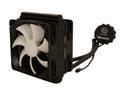
Thermaltake WATER2.0 Performer Closed-Loop All In One Liquid CPU Cooler Dual 120mm PWM Fans 120x25mm CLW0215
Pros: 2 fans, thin radiator, excellent cooling, quiet under normal operation
Cons: none
Overall Review: Reviews showed that the larger radiator didn't add that much to the cooling capacity. I really liked the idea of the push pull fan arrangement. I like that I can hook all the fans up to the motherboard and view and control them from Asus Fan Xpert2. You can't control the pump RPM, it's fixed. I've been really impressed with the temperatures. A before and after test reduced the temps by 20c. My PC is so much quieter that now I'm hearing other sounds I could not before. The pump is totally silent. It does gurgle for the first few minutes while the air bubbles are sorted out but after that nothing. I can't feel any vibration when touching the pump. Pumping the CPU heat straight out the back improves the case temps and lets my other fan concentrate on the graphics card and other internal heat sources. Really really happy.
10/6/2012See more detail
Just Right
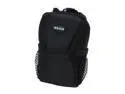
DOLICA WB-10189 Black Point & Shoot Nylon Slim Case
Pros: Fits my SD870IS perfectly, like it was made for it. Solid construction, rain hat, velcro belt loop, good padding
Cons: no room for more than the camera, like the charger, but that's what I wanted
6/17/2008See more detail
Bought SATA needed PATA
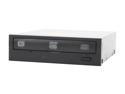
LITE-ON 20X DVD±R DVD Burner With 12X DVD-RAM Write 20X DVD+R 8X DVD+RW 8X DVD+R DL 20X DVD-R 6X DVD-RW 16X DVD-ROM 48X CD-R 32X CD-RW 48X CD-ROM Black SATA Model LH-20A1S OEM BK
Pros: SATA interface, wide range of media types
Cons: None that I found in the drive itself
Overall Review: Just cause you got a SATA port available don't mean it will work. My 3 year old MB would recognize the drive in Windows but the BIOS would not select it as a bootable device. RMA's it for a PATA drive.
8/23/2007See more detail