
Your Browsing History


Anthony W.
Joined on 05/20/04
0
0
product reviews
- 78
Good PTZ camera

TRENDnet TV-IP851WIC 640 x 480 MAX Resolution RJ45 Wireless Day / Night PTZ Cloud Camera
Pros: A Sub $200 PTZ Wireless IP Camera – right now an excellent price with discount and promo code: I was very surprised by this camera; Trendnet has made great improvements over prior versions. I have used the IP410 and IP110. The new Trendnet Cloud makes it very easy to connect to your camera from anywhere via multiple devices. Setup: Was very easy using the locate software. I didn’t bother using the WPS, since my router WPS is useless. The cloud connect feature makes it very easy to connect to the camera from external locations. The new Trendnet Cloud is a great feature for simplifying setup and connectivity. Screen images are very clear for 640x480. The iOS web cam viewer is nice with easy to use pan and tilt control. Android Apps video works quite well, but the pan tilt and controls are pretty much non-responsive. PTZ: The pan and tilt functions work and respond accurately. Only compliant is you have to keep clicking for continuous movement instead of click-and-hold as with other cameras. Motion detection works pretty well, must play with sensitivity settings to get just right. Send to email works good via port 25, was not able to get SSL connection working, may be issue with my ISP. I don’t have an FTP, so wasn’t able to test that. This by far the easiest IP Camera to setup – great job Trendnet.
Cons: Screen images – Field of view is very small, would like to see at least 110+ degrees. This is an indoor camera so If bright sunlight from a window is in the background a good portion of image will be washed out. Installing the camera upside down and using Mirroring for the horizontal and vertical view does not flip the left-right, up-down controls, everything is the opposite.
Overall Review: Of all IP cameras I have this is the best sub $200 PTZ camera.
5/11/2013See more detail
NO RELIABILITY
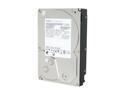
Hitachi GST Deskstar 7K3000 HDS723020BLA642 (0f12115) 2TB 7200 RPM 64MB Cache SATA 6.0Gb/s 3.5" Internal Hard Drive Bare Drive
Pros: Amount of storage, price
Cons: Not reliable, used only for backup, very limited hours. Drive now failed after only 12 backups. Backup consists of only using robocopy to copy changed files
Overall Review: First Time I have used Hitachi drives. I purchased 2 of these drives to use for backup, since usage would be limited. Should spent more for Seagate or WD.
3/8/2013See more detail
Awesome Monitor
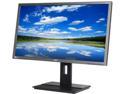
Acer 28" 60Hz TN UHD LED Backlight Monitor 2 ms DVI, HDMI, DisplayPort B286HK ymjdpprz UM.PB6AA.003
Pros: Connects very easy. Display port cable included. Light weight, less than 12lbs without stand. Best price for a 4k monitor. Runs at 60hz no issues. Very clear screen
Cons: Price - otherwise none. May run into some issues with icons and menu's appearing super small - Windows 8.1, this may be corrected in Windows 10.
Overall Review: If you want to run a 4k monitor, make sure you have sufficient hardware. MAC users, don't complain about monitors designed for PC's. I have three monitors (1920x1200) connected to SLI via R9-270. This is the first 4k monitor, will be adding two more to run 3 monitors at 4k across board.
2/13/2015See more detail
Nice Features - Expected Better Performance
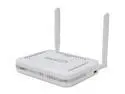
SonicWALL 01-SSC-4887 TZ 205 Wireless-N Secure Upgrade Plus Program Hardware with 3 Years of the Comprehensive Gateway Security Suite
Pros: Handles complexity of Internet access and much of the management needed by a SOHO - may be over-priced. Of course you need to be an experienced Network Engineer to setup or purchase the setup assistance support. Picked up a great sales price.
Cons: Performance is limited, I expected better from a dual CPU router. I have one machine downloading windows updates and it has the CPU pegged at 98.67% utilization. And yes you do need competent networking skills to set this up.
Overall Review: I work from home have approximately 60+ devices hitting the network. Been struggling with the top of the line home routers like the Link sys EA6900. Thought this dual CPU router would perform better. I have a 40UL/5DL internet circuit. Running multiple video streams and downloads, this router barely performs better than $150 router. I wouldn't recommend any lower than the model 215, and maybe even go higher. When you pay premium monthly fees for an internet circuit, then place a weak router in the middle, you may as well only have DSL.
11/14/2014See more detail
poor quality material

Microsoft L2 Sculpt Touch Mouse 6PL-00003 Gray 3 Buttons Touch Scroll Bluetooth Wireless BlueTrack Mouse
Pros: portable, connects easily and quickly to blue tooth systems. comfortable to use
Cons: poor quality plastic. the silver trim cracks, than sticks out and catches on everything. Hot glue fixes that. Mouse will only sync with one device at a time, so if you want to share between your laptop and tablet, you have to resync every time. Touch scroll response is inconsistent.
Overall Review: bought two of these, both cracked in about same amount of time. still function, just needed hot glue hold together. I would not purchase again.
3/12/2014See more detail
Not 8.1 Compatible
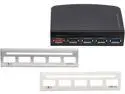
SYBA SD-HUB20092 i-Powerbooster USB 3.0 Hub for Internal or External Use & Apple Fast Charging
Pros: Inexpensive and Fast when working
Cons: Not compatible with Windows 8.1
Overall Review: I have used this unit for over 2 years. It is fast when working, doesn't always connect flash drives when plugged in. Does not work with Windows 8.1 Pro x64.
12/26/2013See more detail