
Your Browsing History


Christopher R.
Joined on 02/13/08
0
0
product reviews
- 4
Nice, but HUGE
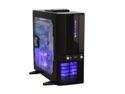
APEVIA X-JUPITER G-Type X-JUPITERG-BK Black Aluminum ATX Full Tower Computer Case
Pros: This thing looks awesome. The black with blue LEDs is a good coloring in my oppinion (then again those are 2 of my favorite colors). This thing can move a lot of air thanks to having 4 fans stock with a slot for a 5th fan. There is plenty of space to put any extra wires you might have. My PSU has a ton as it isn't modular and it was hard to get them all to fit in my old mid case, but they fit no problem in this case. The screwless install for things is easy to install and being able to see the temps is cool too.
Cons: So far there are only a few main cons I've found. First is that if you want to see the temps in F instead of C it takes a bit of work and it isn't in the instruction manual (a rep posted it somewhere else but I can't find it so I'll post what I remember down in the other thoughts). Next is the sound cords, they aren't long enough to reach where they go on my 780i MOBO, but luckily I didn't plan on using them (all of the other cords reached just fine though). Third is that only 2 of the 4 fans are LED. The last thing is that there is 1 more fan slot than provided fans. Overall I didn't think any of these things were bad enough to knock off an egg, but other people might want to know about them.
Overall Review: This thing really is huge. If you haven't ever seen a full tower in person you will probably be surprised by the size (I know I was). Some people might want to go with a mid if they don't want something too big. And here is how you change the C to F (this really should be in the manual) You have to take off both sides of the case. This will expose 6 clips for the front panel (3 on each side). Once you do those the front will come off and you can see the back of the LCD screen. On the back you are able to change it to the other format if you want.
9/18/2008See more detail
DoA, Won't Post
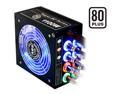
ABS Tagan BZ Series BZ1100 1100 W ATX12V / EPS12V SLI Ready CrossFire Ready 80 PLUS Certified PipeRock type modular cable with colorful LED Active PFC Patent Piperock Modular Power Supply
Pros: Looks great, modular, nice case to hold all of the accessories.
Cons: I go to install it and the MOBO instantly throws the POST code FF and the computer doesn't boot, though all of the lights and fans come on. If I hook up my backup PSU the computer starts just fine, but this PSU just won't start the computer
Overall Review: I'm RMAing this one and hopefully the new one will work
4/8/2009See more detail
Not Review, But Question
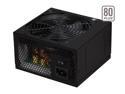
hec Zephyr MX 750 750W Peak Output ATX12V V2.3 / EPS12V V2.91 SLI Ready CrossFire Ready 80 PLUS Certified Active PFC Power Supply
Pros: I can't comment on this particular model, but I have the 650w version and it runs just fine with my current setup (C2D and 8800GT in SLI)
Cons: non-modular cables is my biggest gripe
Overall Review: My question is this: I'm going to be getting a GTX280 GPU and it recommends something rated at 40amps on the +12 volt line. While this PSU says its only rated at 19amps per 12volt line, but it has 4 of them. Would this PSU work for my system as long as I didn't use too many 12volt rails? I'm kinda hoping that that it has 76 total amps, but given it has 4 rails the max it could put out under load is 19 per rail (76/4=19). I don't know a whole lot about PSUs so I don't know if it works this way or not.
1/11/2009See more detail
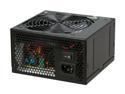
hec ZEPHYR ZEPHYR650 650W Continuous @ 40°C ATX12V V2.2 / EPS12V V2.91 SLI Certified Active PFC Power Supply
Pros: Lots of cables, and they are long enough to reach pretty much anywhere. It powers my 780i mobo and SLI 8800GT graphics cards with no problem. The looks on this are nice and the blue glow matches with the rest of my LEDs
Cons: Lots of long cables. The cables are both a good and a bad thing. The long cables wouldn't be a con if they were modular so that a person could remove all of the unneeded cables, but with how they are currently it can be hard to get them all to fit in the case and you are going to need to stuff the unused ones somewhere. Currently they are in the external drive slots since I'm only using one of them, but I don't know where I would put them if I was using more slots. Currently using a mid tower, so hopefully when my full tower comes in it won't be as bad for trying to find a place to put them.
9/14/2008See more detail