
Your Browsing History


Andrew S.
Joined on 02/05/06
0
0
product reviews
- 3
worth it
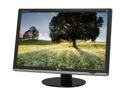
LG W3000H-Bn Black 30" 5ms Widescreen LCD Monitor w/ HDCP Support 370 cd/m2 3000:1 w/ 4 USB ports
Pros: I decided on this monitor after watching prices and reading reviews of a number of different 30" monitors. I chose this one because the response time seems to be a bit better than the Samsung 305T (I play games sometimes), and it is $500 cheaper than the Apple display and the Dell 3008WFP (which had its price lowered a bit recently). Besides cost, I'm very happy with the response time, Far Cry 2 doesn't have much noticable lag or ghosting, and looks great at 30". Regarding back-bleeding: this monitor has the least amount of back-bleeding than any LCD monitor I've ever owned or used. It's really that good. Another reviewer said LG used a large number of back-lights and it seems to have paid off: the lighting is very even and widescreen movies viewed from my couch look great when I used to notice the back-bleeding whenever there was a dark scene. Lastly, no dead pixels! Always the most frightening thing in buying a new monitor is that it will show up with 7 dead pixels.
Cons: The colors are a little weird. They were worse when I first turned it on, but after about half an hour or so (while I was fiddling with calibrating it) I noticed they got better. After running it for a week, the default calibration seems to be "good enough", and the monitor seems to have broken in. Additionally, if you read on some forums, etc., you can see that this panel suffers from some strange shimmering, especially for whites. That is, if you move your head back and forth on a white window, it looks like it's shimmering. While I can notice this problem, it's worse up close and I've got the monitor sitting far enough back from my keyboard it's not too bad, but a clearer white would have much been better.
Overall Review: Given how much cheaper this monitor is from other current generation 30" monitors, it's a good deal for a gamer/casual user. Somebody doing graphics design work might want one with no shimmering, but since I use this monitor and my PC as my television (since I don't have one), it suits my needs perfectly. You notice a lot of people complaining about the lack of HDMI or requiring a dual link DVI, but do your research and understand what you're buying before you drop $1k on a monitor and you'll minimize your risk of disappointment.
4/29/2009See more detail
Poor software support
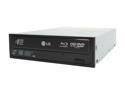
LG Black 6X BD-ROM 16X DVD-ROM 40X CD-ROM SATA Internal Blu-ray/HD DVD-ROM & 16X DVD±R DVD Burner Model GGC-H20L
Pros: Quiet drive, plays discs. Does as advertised.
Cons: No software support for playing blu-ray discs for any operating system besides windows. Linux users are left out in the cold. The only way I can play blu-ray discs in linux is to use something like AnyDVD in windows and rip them to disc. If I had to do it over again, I would not buy this blu-ray drive until there is better linux support, less DRM on the discs themselves, and HDCP of course is just a pain in the neck no matter what operating system you are running.
Overall Review: Make sure you have a drive cover because the blinking blue activity LED will drive you nuts while trying to watch a movie. Or electrical tape works well too.
2/3/2009See more detail
Excellent case
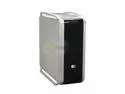
Cooler Master COSMOS 1000 RC-1000-KSR1-GP Black/ Silver Steel ATX Full Tower Computer Case 650W Power Supply
Pros: Lot's of pros: The cable containment system is great. There's lot's of room to work inside the case. I like the acoustic foam in the side panels. There are three case fans that are not deafening when they are on (but they aren't silent either). The little tool-box that comes with the case is great, along with the cable ties, this is a small thing, maybe 5 or 10 bucks worth of parts, but turned out to be incredibly convenient and made setting up the case a joy! The case is easy to open and close, which I love because I've been enjoying tinkering with the insides of the PC ever since I built this new one (about a month ago).
Cons: The hard drive cage is the only real issue I've got with this case. If I put my 1 TB Hitachi in the top row of the cage, the whole case starts to vibrate and moan while the hard drive is spinning. If I put it in the bottom row, there isn't adequate cooling. I was getting hard drive temps creeping up to 47 degrees C after about half an hour of normal use. Depending on your comfort level, this might be a bit too high. My solution to this is to remove one of the fans from the top of the case and mount it on top of the hard drive cage. This is easy to do, you just use the extra plastic fan mount that comes with the case (thanks again coolermaster!) which fits into some slots on top of the hard drive cage. The only next thing to do was to edit the fancontrol script to use the hddtemp instead of a pwm temp from the motherboard. One other minor quip, the side panels have a tendency to get misaligned while reattaching them and don't go back on as easily as they could.
Overall Review: This case is a monster! Be aware that this case will take up a lot of room. This isn't necessarily bad if you have the extra floor space. Also, the little plastic dohicky that fits over your video card doesn't seem to do much, I'm leaving it out.
1/17/2009See more detail