
Your Browsing History


Charles C.
Joined on 03/25/07
0
0
product reviews
- 13
THE BEST COOLER
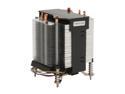
MASSCOOL 8WA741 92mm Ball CPU Cooler
Pros: I have bought many of these coolers in the past couple of years and I can say for certain this is The Best Cooler you can buy, not just for the price but for the performance and how good it cools! There are two arrows on top of this cooler, point one of them down to the bottom of the case and the other pointed to the back of the case, this will blow the air to the back of case, hopefully right into a 120mm fan you already have mounted there, ( for good case cooling ). Control the speed of this cooler with your Bios or a fan speed program. It does not need to run wide-open all the time, I have mine set to about 50% at idle, and even under load it never speeds up, but I have 4 120mm fans in my case anyway.
Cons: Yes, you must remove your motherboard to install this cooler, but this IS NOT a con. What you get is a cooler that is mounted to your MOBO with a backing plate, it has spring loaded screws to hold it snugly to your CPU, this is not the case with those plastic twist locks that are common on 90% stock and after market coolers, they break,they flex your MOBO when trying to install them,they do come loose some times for no reason and if that happens you will fry that CPU. Most boards have a Bios control that will shut down a pc when the cpu gets hot or if the cpu fan fails, if yours has this be sure and set it! READ your mobo instructions!!
Overall Review: This cooler stands 4 and half inches tall, around 4 inches square and 1 inch from the base to the first cooling fin. You need a mid tower case around 8 inches wide to handle this cooler. My Rig: Cooler Master Centurion 534 RC-534 SKN2,Abit IP35-E,3 Gigs G-skill F2-6400CL5D,Nvidia 8600GT,HDA Xplosion sound card,320gig seagate 7200.10,500gig seagate 7200.10,2 liteon dvd burners,Wolfdale 8400 clocked to 3.6Ghz, 4 120mm case fans, and moded this case with a plexiglass side panel where one of the 120mm fans blow right on my sound and vid card,north and south bridge and memory, you cannot have too much case cooling! My advice, build your own PC, save some money and get what u want and not have it bogged down with Bloat-ware, from your local OEM!!
5/2/2009See more detail
THE BEST
ARCTIC MX-2 (4g) Carbon-Based Thermal Compound, Non-Electricity Conductive, Non-Capacitive
Pros: I still think this is THE BEST paste on the market! Have used it many times on everything, even put it under my electronic control module in my truck.Fist thing I used it for was under my Wolfdale 8400 cpu,still cooling after 2 years.Buy this, you will not find a better product,IMHO.
Cons: NONE!!!!! When you first open your tube, squeeze out just a little on a paper towel, sometimes, their is a bit of liquid at the beginning of the tube that is not thick enough to be put under your CPU, this might be the reason some people say this product does not work. It should be thick and sticky. you will have plenty of paste to do 4- 8 cpu`s.
Overall Review: Put a sweet pea size blob on the center of your CPU and carefully install your cooler.I hate those lousy push lock coolers, their a pain to install and they come loose all too often, I buy coolers with spring loaded screws with back plates, they are a pain too, you have to remove MOBO, but at least they hold more pressure and stay that way.You can also buy kits that will let you change your push-pin cooler to spring loaded screws and back plates, such as,XIGMATEK,ACK-17363, that support LGA-775 and 1366, sold here at the EGG! Hope this helps. as always, THE EGG,ROCKS!!!!!!!!!!!
7/31/2010See more detail
None Better
MASSCOOL 8WA741 92mm Ball CPU Cooler
Pros: OK, seems some are having trouble with this unit, WHY? I don`t know,other than tech knowledge is set way too high.#1- when mounting, flip the backing plate so that the long end of the inserts are towards the back of the case Not going up through the MOBO!Thus,Not creating that GAP, some people are complaining about. #2- yes you can get to the fan and change it, look at the bottom of the unit where the black FAN CAGE connects to the metal heat sink bracket,gently push on the two levers on either side with thumbs while index and pinky finger push up gently on fins and wala, the cage separates from the metal part. The fan is held in place by some sort of plastic friction fit plug or something? If the fan is a little loose add a touch of glue, drill holes in cage where the holes in the fan line up and use zip ties or something. Put a new 92mm fan in and use the screws that you use to hold a fan. get crative.
Cons: NO CONS!!! You may want to lap the copper base, if your serious about your rig. (make flat and smooth).
Overall Review: #3- use Arctic Cooling MX-2 thermal paste, it`s non conductive, meaning, if you apply too much and it oozes out onto the board it won`t fry it! Better to have too much than too little. #4- if your temps start to climb over a period of time, either change your thermal paste,add some case fans, or get some compressed air and clean out that Heat Sink, Ya know PC`s suck in a lotta dust and THINGS, so clean it once a month if your rig sets on the floor. When building your first couple of rigs, take your time, think things through,do it right the FIRST time. I have used many of these COOLERS and have never had a problem, not one! I hope that some of my comments are a help, these are great coolers, and, THE EGG ROCKS!!!!!!!!!
9/13/2009See more detail
THE BEST
ARCTIC MX-2 (4g) Carbon-Based Thermal Compound, Non-Electricity Conductive, Non-Capacitive
Pros: This is the best thermal compound on the market, bar none. It does not conduct electricity, has no curing time to speak of and will drop temps lower than any other compound on the market! I use MX-2 only, I threw away all the arctic silver ? and all the rest I have tried. This is a No Brainer paste. I do not see how anyone can make a mistake applying this compound to their CPU, accept by not applying enough. For those of you that are new to building your first PC, buy this compound and forget about reading anymore about thermal compound/thermal grease, this is the only one to buy!
Cons: NONE!!!!!!!!
Overall Review: For the beginners, to get an idea of how much compound to apply, put a glob in the center of your heat-sink or 2 small lines and press it down on a piece of glass and look at how it spreads, this will give you a good idea of how much to apply. Clean the heat-sink with 91% Alcohol after each test run, 91% alcohol leaves very little residue. Also, if you plan to overclock or just don`t like stock heat-sinks, get one with spring loaded screw locks instead of those $%#*$ plastic twist locks. My personal choice is a Masscool 8WA741, this cooler is sorta big, you will need a mid-tower case around 8 inches wide to handle it. But for the price and how good it cools, it has no match!!
5/2/2009See more detail
GREAT COOLER!!
MASSCOOL 8WA741 92mm Ball CPU Cooler
Pros: This Cooler is the best at any price,had an AC Freezer 7 Pro,it works well,but NOT as well as this cooler,7 Pro uses cheap push and twist locks,I don`t care for these kind of locks.This Masscool has spring loaded screws and a plastic backing plate that have metal inserts in the screw holes,That are a little thicker than the backing plate,I think they are meant to go up into the MoBo to act like line-up pins,but I turned mine the other way,they look like metal studs on the back of plate,a little close to my case with MoBo installed,so I put pieces of electrical tape on them befor I installed it.May want to check your clearence between MoBo backing plate and your case? Another reason I like this cooler,it moves a lot of air,74.41 cfm,check the specks on your favorite cooler.And yes this cooler fan can be loud running full speed,a 92mm fan spins pretty fast to move that much air.But it cools so good it should never have to run full speed,mine runs at about 20%,it never speeds up.
Cons: none!!!! The fins are thin to give more surface area,thus, this helps this cooler to work as good as it does.I have had no probs installing these Coolers.Your case needs to be around 8 inches wide to use this cooler and have plenty of room to spare.This cooler is perfect for an Abit IP35-E,they are cheap too and as good as any 300.00 board,the boards have a double cold boot,it does`nt bother me one bit, or go with the Abit Pro.Same board,more money!
Overall Review: If you have this fan plugged into the MoBo cpu socket,controll it with the MoBo BIOS,also system fan and aux,if your board has this feature.I installed a plexi-glass window on the side of this COOLER MASTER Centurion 534 RC-534-SKN2-GP case,with a 120mm fan installed in it to blow right on my Vid card,north & south-bridge,and memory.I have 4 120mm fans,2 intake & 2 exhaust,all round cables or sata for good air-flow.My rig,upgraded from a e-4500 OCed to 3.3 to a wolfdale 8400,OCed to 3.6.Abit IP35-E,G-Skill 6400 mem,seagate 320Gig 7200.10,Evga 8600gt,Antec Trip3 550 watt psu,2 Lite-on sata dvd burners,All bought at NewEgg.Temps with MX-2 thermal grease,34c idle 46c Ortho`s.A good cooling case and heat-sink should keep your CPU temps around 10 degrees F,of room temp.
3/14/2008See more detail
EGGCELLENT CASE
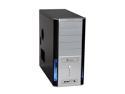
Cooler Master Centurion 534 RC-534-SKN2-GP Black / Silver Aluminum & Mesh bezel / SECC Chassis ATX Mid Tower Computer Case
Pros: Bought this unit 7 months ago,I am very pleased with it.Installing my MoBo into case and wired it up in no time.Two front USB ports,one fire wire,audio headset and Mic,down low,so if you plan to sit this PC on the floor may not be the best choice for u.No prob 4 me,its on my desk.It has great Kooling effect with the mesh sides in front.It came with 2 120 fans.one front one rear,I replaced them with 2 87cfm fans for more air flow,the stock fans would have been just fine but i like to over-Kill my cooling.I have a total of 4 120mm fans,2 intake,2 exhaust.Keeping the guts of ur PC cool is the key to better over-clocking and life span of ur PC! you don`t have to spend a lot of money to get a good case,buy this one and mod it.
Cons: Did`nt come with see through side panel, so I cut out a nice shape and added some plexiglass,cut a hole in it to mount a 120mm fan blowing right on my vid card,north and south bridge,and memory.Rosswell 120 with blue led lights,ooooha! Oh, the fourth 120mm fan is in the Antec trip-3 psu.
Overall Review: My RIG,this case,Abit IP35-E MoBo,Wolfdale 8400 CPU,defaults at 3Ghz,overclocked to 3.6Ghz very easy and stable.G-Skill f2-6400cl5d mem,PSU Antec TP3-550 RT,Evga 8600GT Vid-Card,Seagate 320 7200.10 Sata hdd,cpu cooler Masscool 8WA741 R,two lite-on sata DVD burners,all round cables for better cooling,HDA Xplosion 7.1 sound card,the Abit board came with very good onboard sound,but this is a tic better,lol,Logitech THX 280 watt 5.1 surround sound system,THAT ROCKS!!!!!! This setup works for me and a couple of my friends, before the upgrade to the 8400,I had a E-4500,defaults at 2.2 gigs,overclocked to3.3gigs,thats a 50% over-clock,no prob with this board!!!! These Abit IP35-E boards love G-Skill memory.ALL of these items were bought right here at NewEgg,Great people,Great service and there when you need them!!!!!! ALSO, EGGCELLENT PRICES!!
3/13/2008See more detail