
Your Browsing History


Stephen R.
Joined on 01/11/04
0
0

product reviews
- 5
Bought for 64tb RAID 10 drive, just works
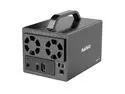
MAIWO 4 Bay RAID Enclosure for 3.5 inch SATA Hard Drive with Two Fans, Support UASP 4K HDTV, 64TB USB3.1 Type-C 5Gbps Speed, RAID 0/1/3/5/10 Clone Large Normal
Pros: Well documented Solid metal construction Works as expected High throughput in RAID 10
Overall Review: I put 4 16tb Ironwolf Pro NAS drives in this and configured it for RAID 10. This created a 32tb redundant array which when formatted ext4 came out just over 29tb. It worked immediately. The enclosure is about as small as it could be, all metal, and it has two fans with a slide switch to choose high speed, low speed, or off. At low speed my drives seem cool enough and the fans are not audible. The power is controlled by a simple slide switch which means it will power back up if it was on when power failed. A 12V external brick is included. RAID mode is selected using dipswitches, the settings are documented in English and Chinese. It makes sense. Be sure you read and do the part about resetting the unit after selecting RAID mode. I'm using this array with Channels DVR software on Kubuntu. I can record 6 simultaneous video streams with very low CPU utilization and zero dropped frames. It has slightly exceeded my expectations. I'd buy this again.
2/20/2023See more detail
Superb RAID 0+1 w/2TB Drives
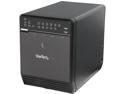
StarTech.com S354UFER Steel and Plastic 3.5" Black 4 Drive eSATA USB FireWire SATA RAID Enclosure
Pros: Works as described, with 4 Seagate 2TB hard drives in a RAID 0+1 array I've had not a single burp in about 6 months of usage. You use a series of button presses while watching the detailed front panel LEDs to select RAID mode. The enclosure idles down when no live computer is attached, then mounts gracefully at startup every time.
Cons: The drive installation involves a few plastic parts that are possibly fragile, but ten minutes later that will never matter again.
Overall Review: I'd buy another at a good price.
12/27/2010See more detail
Works with Time Machine
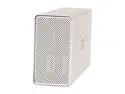
Fantom Drives G-Force MegaDisk 1.5TB USB 2.0 / Firewire400 / Firewire800 3.5" External Hard Drive MDC1500
Pros: Very fast, quiet, attractive, looks good next to Mac Pro. Fantastic throughput using firewire 800. Time Machine copied 462gb in about 3 hours, woof!
Cons: Pre-formatted for MS Wormware
Overall Review: To use with a Mac, be sure to selectt the parent item, not the volume, in Disk Utility and first repartition the drive as HFS+ Journaled.
10/31/2007See more detail
Used 4 for a RAID 0+1 Installation
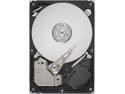
Seagate BarraCuda 7200.10 ST3750640AS 750GB 7200 RPM 16MB Cache SATA 3.0Gb/s 3.5" Hard Drive (Perpendicular Recording) Bare Drive
Pros: I've long preferred Seagate drives for their reliability and relatively quiet operation. I put 4 of these in my new Mac Pro, creating a RAID 0+1 array, it's yummylicious!
Cons: None
9/21/2007See more detail
Lovely RAM, my Mac Pro Loves It
Seagate BarraCuda 7200.10 ST3750640AS 750GB 7200 RPM 16MB Cache SATA 3.0Gb/s 3.5" Hard Drive (Perpendicular Recording) Bare Drive
Pros: Slid right in to the memory cards on my 8-core 3GHz Mac Pro. just lovely!
Cons: None
9/21/2007See more detail