
Your Browsing History


Randolph S.
Joined on 01/21/06
0
0
product reviews
- 9
Interesting Concept
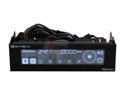
BitFenix Recon Fan Controller
Pros: -All sensor and temp sensors and controller channels work properly. -networking interface works for fan controlling as described -does what it needs to do -comes with replacement 3pin fan extensions and temperature probes.
Cons: none at this time
Overall Review: I've always wanted a temp monitor/fan combo that I didn't have to squint at to see anything. Sure, I could have purchased some of the other options that are available but I didn't want to use two 5.25 bays or have things trailing out the back of the case. It's a rare thing to find "EXACTLY" what you want, but this happens to be one of those rare times.
8/12/2012See more detail
Works with cavets
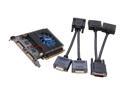
Galaxy 52GGF4AM5UXX MDT GeForce GT 520 (Fermi) 1GB 64-bit DDR3 PCI Express 2.0 x16 HDCP Ready Multi-display Video Card
Pros: - Works with 3 or 4 monitors. - EZY Display software works with latest drivers (301.42) - Small footprint - Relatively quiet fan for its size - untapped potential
Cons: - The EZY Display software tends to favor span even when you have it set to separate monitors mode. - EZY software doesn't play nice when another video card is set to main screen - untapped potential
Overall Review: I tried this card on its own with 4 monitors and as the 2nd card in a 2 card setup where the main monitor was connected to the other card. The 4 monitors on the Galaxy MDT 520 setup consisted of 2 Dell 1708FP at 1280x1024 and 2 Hanns G HH221 at 1920x1024 Under this setup you are unable to mix monitor types/sizes on the same port. The resolution is split evenly across the two monitors no matter what sizes you connect. Your best bet is to team monitors of the same size. The display software worked pretty well here. In the 2 card setup I have a 460GTX I use as my main monitor while the 520MDT handles the other Hanns G and the 2 Dell screens. The first problem is that the EZ display software will only recognize more than 2 monitors if one or the other port on the card is set as the main screen. The other issue is that the ports on the 520 are always spanned. Again, you are best served by running identical monitor types. With better software this cards full potential would be unlea
9/5/2012See more detail
big big big
OCZ OCZMPBMRG Behemoth Regulator Mousepad
Pros: Ho!y cow this sucker is huge. The OCZ Behemoth is roughly like 2 normal mousepads and then a pinch more for good measure. My previous mouse mat was a basic el chepo that I built up using vinyl flooring left over from a repair project. Needless to say I was used to a nice THICK padded mouse mat that was easy on my wrist. The only problem is that my hand routinely slid off the sides of the mat. Anywho.... enough with my life story:) This pad is huge and plush (especially if you buy two and stack em up)
Cons: Manually detaching my pets from the thing. It's not a pet bed!:)
Overall Review: I know this guy is designed for lasers but there is this certain old optical left handed optical I can't give up. In the past I had a problem with my mice feet being eaten up, leading to semi annual replacement. In any case the mouse flows freely across the mat and I swear the feet are actually starting to repair themselves!!!!
7/11/2010See more detail
utter trash
BELKIN F5D7230-4 Wireless G Router 802.11g
Pros: its out of stock, hopefully forever
Cons: Terrible thermal design(getts hotter than hades in the summer) constant dropped connections older than dirt firmware range like a 47 year old catcher
Overall Review: garbage
1/5/2010See more detail
Fantastic
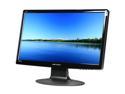
Hanns-G 21.5" LCD Monitor 5 ms D-Sub, HDMI HH-221HPB
Pros: Beautiful monitor, great price, bonus speakers
Cons: bonus speakers are horrible:)
Overall Review: Got two of these for a dual display
8/19/2009See more detail
Rock solid
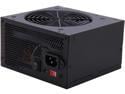
Thermaltake TR2 W0070 430W ATX 12V 2.2 Power Supply
Pros: 430 REAL watts of power you say? year WARRANTY you say? Slick black mirror finish you say? Free shipping and a 10 or 15 buck rebate you say??? How much? 39????
Cons: None I say.
Overall Review: This is without a doubt the absolute best power supply money can buy under 60. The ONLY way this thing could get any more bang for the buck under its hood is to come with a adapters for proprietary psu's(namely dell)
10/27/2007See more detail