
Your Browsing History


Jonathan M.
Joined on 12/26/01
0
0


product reviews
- 5
Western Digital Red Plus 8TB (WD80EFBX)
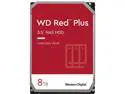
WD Red Plus 8TB NAS Hard Disk Drive - 7200 RPM Class SATA 6Gb/s, CMR, 256MB Cache, 3.5 Inch - WD80EFBX
Overall Review: Needed to upgrade from my 3TB Western Digital Red (WD30EFRX) that was quite long in the tooth and getting full. Used Acronis to clone the drive and transfer roughly 3TB of data. Hottest it got during that 6 hour period was 51°C. Average normal use is 43°C so does not run hot at all despite being in the lower chamber of my Fractal Design Define C case with no direct air cooling. Completely silent even during intense writing and reading.Some people have noted screw holes not being standard but I did not find this at all on the 8TB model. Has all standard screw holes, two on each side and 6 on the bottom.
4/7/2021See more detail
Air Cooling Dream!
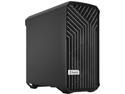
Fractal Design Torrent Compact Black Steel ATX Mid Tower Computer Case ATX Power Supply
Pros: Absolutely moves a ton of air. I have the front 180mm fans set at 50% PWM and very quiet yet dropped my CPU temps 10ºC under load (coming from a Fractal Design Define C). Dropped my 8TB Western Digital Red temp from 44ºC to 36ºC because some air does get into the top bay compared to my Define C.
Cons: Cable space is the only negative although I had no issue closing my side panel without the need of the screw. You just need to ensure you route the cables as close as possible. I had to remove a 2.5-inch mount due to the USB 3.2 front panel cable but that was primarily due to my motherboard using a side angle USB 3.2 connector and how I had to route the stiff cable.
Overall Review: I have been waiting for this case since the original Fractal Design Torrent was announced. Was very easy to route cables when you plan in advance knowing the limited room in the back panel. No need for any exhaust fan because there's so much positive pressure from the front. Moved my old Noctua NF-S12A PWM chromax from exhaust on my old case to a bottom intake on the Torrent Compact. Will add another. I didn't use the fan hub because my motherboard has so many fan headers.
2/22/2022See more detail
140mm cooling in the size of a 120mm cooler confirmed!
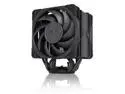
Noctua NH-U12A chromax.black, 120mm Single-Tower CPU Cooler (Black)
Overall Review: Got this to replace a BeQuiet Dark Rock Pro 4 that I didn't like the size of, didn't like that it covered my RAM, didn't like the fan retention brackets and didn't like the use of proprietary fans. Yes, the 135mm and 120mm fans on the DRP4 use brackets in the middle of the fan frame so if you ever wanted to replace or upgrade them you were out of luck! Swapped out to the Noctua NH-U12A and yes, RAM is completely visible and accessible. I like that I can use any 120x25mm fan as a replacement or upgrade (not likely even needed). It's a lot smaller. Temps are comparable and in most cases less. That says quite a bit to compare against a dual tower cooler. I am using the PWM fan controls on my motherboard to limit fan speed to 85% max and it's not that audible compared to the DRP4.
2/19/2022See more detail
Perfect layout, looks great and worked right out of the box!
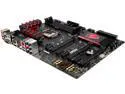
MSI MSI Gaming Z97A GAMING 6 LGA 1150 Intel Z97 HDMI USB 3.1 USB 3.0 ATX Intel Motherboard
Pros: Really like the shielded and PCB separated ALC1150 onboard sound. One of the few lower priced Z97 boards without PCI slots, no need for those anymore. 8 phase power for the CPU (a minimum requirement for me). Has USB-C 3.1 port for future transition to that interface. Red ports are gaming enhanced ports for better connectivity and power.
Cons: Foam I/O panel really required some force when installing the motherboard. Good quality and has functionality but unexpected. Wish it had more USB 3.0 ports but I understood that adding the USB-C port removed a pair.
Overall Review: This was an upgrade from a very old Core 2 Quad and P45 chipset. The UEFI GUI interface was drastically different than traditional BIOS interfaces that I was used to. Wasn't too complicated for me to figure out though. Should be an "easy" and "advanced" look though. Not overclocking at all, didn't get a "K" processor but the Core i7 is fast anyway. So far all stress testing has passed and it's quite a stable motherboard. Using a PCIe 11N wireless card, not using the Killer network adapter so I can't say much about that.
1/14/2016See more detail
Excellent low power solution
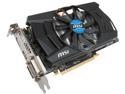
MSI R7 265 2GD5 OC 2GB 256-Bit GDDR5 PCI Express 3.0 HDCP Ready CrossFireX Support Video Card
Pros: Got this to upgrade from a Radeon HD 6870, which was long in the tooth and used way too much power (2x6-pin PCIe) for the mediocre performance with today's games. I appreciated the much shorter length (8 inches vs 11 inches) and use of a single 6-pin PCIe cable. My framerate jumped about 80% in most games and this graphics card is a lot cooler. Idle at 30C, load at 52C.
Cons: None
10/13/2015See more detail