

Your Browsing History


JAMES W.
Joined on 03/25/19
0
0
product reviews
- 3
ASUS ROG Strix Z690-E Gaming MB BIOS Severely Damaged This CPU
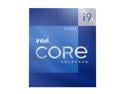
Intel Core i9-12900K - Core i9 12th Gen Alder Lake 16-Core (8P+8E) 3.2 GHz LGA 1700 125W Intel UHD Graphics 770 Desktop Processor - BX8071512900K
Pros: It gets 5 Stars because INTEL did give me a New INTEL i9-12900k!
Overall Review: I can not edit or post a new review about the ASUS MB that caused my CPU to fail, so I am writing a review on my CPU instead. I had the i9-12900k, for a whole 7 days before the ASUS motherboard I had "BIOS" that is no longer available on ASUS's website ended up damaging the CPU, and I spent the next 90 days going through 4 more Motherboards, 3 different power supplies, and 3 different sets of DDR5 to figure it out, it was in fact the ASUS motherboard BIOS that damaged my CPU, in the first place, the CPU could no longer see any DDR5 slot except the last one furthest from the CPU. Be it a 2 or 4 RAM slot MB, it did not matter. My CPU IMC multi channel abilities were severely damaged by the ASUS ROG Strix Z690-E Gaming MB BIOS. This CPU is getting 5 stars because INTEL did recently replace my CPU with a new Intel i9-12900k. Verifying the ASUS MB and its severely defective BIOS, is what severely damaged my CPU.
10/8/2022See more detail
Not Sure If I have a Bad Motherboard or Other Issues.
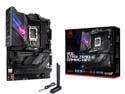
ASUS ROG Strix Z690-E Gaming WiFi 6E LGA 1700(Intel® 12th&13th&14th Gen)ATX gaming motherboard(PCIe 5.0, DDR5,18+1 stages,2.5 Gb LAN,Bluetooth v5.2,Thunderbolt 4,support up to 5xM.2,1xPCIe 5.0 M.2)
Pros: See review, worked fine at first.
Cons: A lot of Issues!
Overall Review: I have issues, just bought a new ROG STRIX Z690-E GAMING WIFI, on June, 19, 2022, assembled it on June 27, after I received a new CPU Intel LGA1700 Retention Kit for a EVGA CLC 280mm Liquid Cooler. BTW Temps are fine. Initially I had stock UEFI BIOS VER. 0604 x64, date 09/24/2021, after several days started to keep getting a code 55 Q Codes LED issue. My Memory Controller can not seem to make up its mind. Memory Freq. was 4000MHZ using stock BIOS Version, but also changed in BIOS to 3600MHZ for my DDR5, all by itself. So I updated to BIOS V1505. I am using 4 CORSAIR Vengeance 32GB (2 x 16GB) 288-Pin PC RAM DDR5 5600 (PC5 44800), which is on the QVL. It ran for 4 -5 hours with no issues, except Armoury Crate after installing Corsair ICUE, could not find the DDR5 in auto scan. Kept getting notifications it was saying it was there, but could not find it in auto scan. I did have a AORUS GeForce RTX 2060 Xtreme 6 G installed at the time, (was a left over from a previous build). It now is Windows 11 Pro getting errors on boot, I stripped down everything, including all the apps., to just the basics, using a basic keyboard and mouse, Now when it is turned on, will sometimes boot to windows, sometimes not. If I open my EDGE browser my monitor goes on the fritz badly, lines everywhere across the screen. This has happened even during going into BIOS settings. In BIOS all the DDR5 is visible all 4 sticks are visible same exact specs. DDR5 is running at 4000MHZ. My mouse pointer will freeze on screen, nothing will install. I changed out HDMI cables, I am now using the back ports for the monitor. Uninstalled all the apps I could, took a while because monitor screen kept fritzing out, colors everywhere, horizontal lines all across screen. I initially installed installed Windows 10 Pro from a USB, and updated to Windows 11 Pro with NO issues, no error codes, no Windows or QCodes. Changed out Power supply too, not help. Have same monitor issues, freezing up issues, Windows error issues, whether using the GPU or MB outputs. Also changed out those cables. Also monitor will only run in HDMI mode. Display port not work either way. With the GPU all NVIDIA driver updates were installed. At last attempt even though latest driver was already installed from NVIDIA, update claimed I was only running Windows 10, would not reinstall it. Windows has no available updates either. I am posting here using a Desktop iMAC, only way I can stay up and running online. Also went to Intel updated all drivers, and ASUS website as well, verified they are all correct. ASUS ROG STRIX Z690-E Gaming WiFi 6E LGA 1700 Intel 12th Gen ATX Gaming Motherboard- PCIe 5.0, sealed box Intel i9-12900K, sealed box. 4 CORSAIR Vengeance 32GB (2 x 16GB) 288-Pin PC RAM DDR5 5600 (PC5 44800), not even tried running at XMP. Sealed boxes. EVGA CLC 280mm Liquid Cooler, not over tightened either, just turned screws equally just snug. EVGA 850 Watt T2 Power Supply Dell - 27" LED QHD G-SYNC Monitor Windows 10 Pro from a USB, updated to Windows 11 Pro, via MS Update, BTW will only install Windows 10 if you turn off Fast Boot in BIOS Settings, set to other OS, after install go back into BIOS reset to Boot from Windows Boot Manager. SAMSUNG EVO PLUS NVMe M.2 SSD In first slot. No errors on SSD AORUS GeForce RTX 2060 Xtreme 6 G (had it on to but as I said removed it also). Any ideas I would appreciate it?, thinking at the moment I have a bad Motherboard. Read online somewhere was possibly a recall on this board due to the Memory Controller.
7/1/2022See more detail
It is what it is, exactly as it says it is.
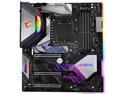
GIGABYTE Z390 AORUS XTREME LGA 1151 (300 Series) Intel Z390 HDMI THUNDERBOLT 3 USB 3.1 Extended ATX Intel Motherboard
Pros: Not sure if it matters but I am a Journeyman in Electric Motor and Transformer Repairs, with electronics knowledge. Received mine, in perfect condition, perfectly packed, no damage, no missing parts, all still sealed in plastic bags. So far everything works, no bad slots, no bad anything. Bought a Intel i9-9900k just for it. Lucked out on buying DDR4 ram no longer available on Newegg, only from Corsair. Dominator Platinum Special Edition Torque 32GB (4x8GB), DDR4 DRAM 3200MHzC14 Memory kit, limited edition #0419 Samsung B-Die. Temps are 34 degrees C, Its on Newegg site, just not available, at XMP total boot time is about 15 seconds. Just a nice white light strip across the top, no RGB to interfere with Overclocking. My board is currently running on auto in BIOS, XMP enabled, CPU at 4700MHZ at 28 degrees C., just using a CoolerMaster Masterair MA410P bought from Newegg. It also has been running at 5000MHZ as well at 32 degres C, no issues. Waiting to get a excellent water cooler before I try Overclocking. Also still looking for a excellent video card at the right price. Hey, its a top notch board, deserves top notch addons. After comparing/reviewing all the Intel Extreme ATX motherboards on the market for the Intel i9-9900k, in this board's price range, this has most, (all my opinion), the qualities, options, and then some, the other boards do not. I received a full color Manual with my board. Installed easily in a Corsair Vengeance C70 case, right angle board power plug no issue. But, I did make custom offsets extenders for the board to sit a little higher in the case, to insure the RGB strip right side of board was sitting at least 1/8 inch off the case. If you do not put in the special insulating washers in this case anyway you will have the board installed to close to the case, also the board will be off by 1/8 inch at the preinstalled offsets center screws, and bend the board at the center screws if you try to install it, without the washers. A little time consuming, but if you want it right, do it right the first time. The board has 4 RGB headers on it 2 digital 2 other. Connect everything right it should all work as Gigabyte says it should. It does for me, Gigabyte apps included. Its a lot of addons, you just need to work with them.
Cons: NONE, all the problems I have read in reviews can be solved by reading the manual, going to Gigabyte's site, and Microsoft if you are using Windows 10 any version, and using common sense. Please read my other thoughts, it is something I learned by doing things 1 at a time. And very important. My idea running MS File Checker was from reading about other boards with other issues, after others just installing other apps on Microsoft site, but not like mine.
Overall Review: For starters, if you have any issues and you running Windows 10, version 1809, make sure all your updates are up to date, after you install all the apps from Gigabyte, do 1 very important thing. Go to Microsoft and get the info to Run the System File Checker tool (SFC.exe). Even though I did a clean install of Windows 10 Pro, from a USB drive, Evo 850, all updated, in my case, after installing the Gigabyte apps, the install appears to interfere with windows and causes corruption of files. BSOD many times after apps installed. File checker repaired all mine, zero issues after that. And current version of bios is F5. My personal opinion of those saying Gigabyte UEFI Bios are confusing, as opposed to Asus, my advice is read, many simple complaints/issues are easily found in the available info on the Gigabyte website, and the manual for this board I already have downloaded. As for Asus products/support, I have had issues with their boards update/support issues, the updater hardly ever worked, did update Bios, etc., manually. Giving Gigabyte a try instead. This is a higher tech board, more knowledge is required to use it. Have a DOA board on arrival, I say check your power supply first. Install ram that does not work, use MS File Checker. Its a high tech board, learn how to use it, take your time, and you will find the board does all it says it does. I would recommend this to anyone who wants a top of the line motherboard. As I have said its high tech, buy it, be careful how you install it, including its addons, your addons, you will end up greatly rewarded taking your time doing it. UPDATE MY REVIEW:After having my motherboard for a month, I have read there is a lot of confusion reference Gigabyte App Center and RGB Fusion is junk, not work etc., That is not true. To install Windows 10 Pro /Windows 10 as GPT and not MBR, (MBR limits your abilities), do the following, start with a new SSD or HDD, or just overwrite the drive you have, VERY IMPORTANT, CLEAR CMOS SETTINGS ACCORDING TO YOUR BOARD INSTRUCTIONS, mine turn off PC, turn off power supply, hold reset button, turn on power supply, turn on PC, will automatically go to UEFI BIOS, set UEFI Bios accordingly, UEFI BIOS enabled, disable CSM, enable Secure Boot, enable Fast Boot. I did a clean install from USB, Windows 10 Pro retail version. Was installed as GPT. Return to UEFI BIOS, disable Secure Boot, disable Fast Boot, leave CSM disabled. The Gigabyte App Center and all installed apps with it including RGB Fusion will work as intended. If you have issues with some of the apps. some settings can be found in UEFI BIOS. Many of the settings say, Not configurable unless, a option is enabled/disabled, you might think that means the setting does not matter, it does, you have to enable/disable a setting, set the options within it, they are not visible unless you do this, then return to the main option to your desired setting, default, etc., it is one of the reasons some say Gigabyte UEFI BIOS are confusing. As a example, I found if Secure Boot is enabled in UEFI BIOS, many of the apps will not work, and Windows boot Manager will be your only option for Booting. I also Installed a Gigabyte AORUS Xtreme Ge Force RTX 2060. No issues. Also be leery of Windows 10, May 10, 2019 update, I installed, it would not recognize my addon PCI express sound card. Uninstalled it everything worked fine.
6/13/2019See more detail