




 here!
here!
I’m your shopping assistant for PC builds, upgrades, and everything tech.
Got questions? Ask away!
Start a conversation
here!
I’m your shopping assistant for PC builds, upgrades, and everything tech.
Got questions? Ask away!
Start a conversation

Joined on 07/31/10
Had a lot of trouble getting the RAM to be stable
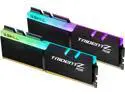
Overall Review: I bought this along with an MSI PRO Z690-A DDR4 motherboard and an Intel i7-12700K and this memory refused to be stable using the XMP profile. I had to slow it down to 4000MHz to make it work. This was listed on the mobo's QVL so I'm not sure what went wrong there. I would not recommend this RAM to anyone else using a MSI PRO Z690-A DDR4 motherboard.
Good headphones attached to a bad bluetooth device
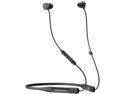
Overall Review: I've finally decided I hate this headset and maybe all bluetooth headsets in general. This is the fanciest bluetooth headset I've tried and initially, I was very impressed with it. The sound quality was great and the neck band form factor helped with my fear of losing an ear bud. However, I couldn't find a use case for it where it excelled. If you try using this thing with a Steamdeck or a Nintendo Switch, you'll notice the audio is really delayed. You can get around this by plugging in the headset to your device with a USB cable but then you're wearing a very awkward pair of wired headphones. This also disables the microphone so you may be better off with an old fashioned pair of 3.5mm jack wired headphones. Recently, I've needed a headset I can take calls with on my work laptop. I thought this would be the perfect fit for the Blue BYRD but instead, the headset likes to randomly disconnect and shut off when I'm not using it. To make things worse, I really have to struggle with the power button to get it turned back on sometimes. It's not clear if I'm pressing the power button too hard, or not hard enough, or if this headset is just a buggy piece of doodoo. I've read a few possible solutions on how to fix this but my work laptop is very locked down so I can't engage with most of them. This experience drove me to digging up an old USB headset that was in my basement for 10+ years. It was very dry-rotted BUT provided a way better user-experience and still sounded just as good as it did when I got it in... the early 2010s? I don't know if Newegg is ever going to stock this item again but they shouldn't because it sucks.
Made my pc build take a weekend instead of an afternoon
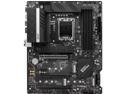
Pros: -It's a *mostly* functional and standard mobo. -I like the M.2 screws. You screw them in before putting the drive in and then there's a little plastic bit on top that spins around and latches the NVME drive in place. The included heatsink also helps secure the drive. My last mobo just had a regular screw and it was incredibly tiny. I would drop it and lose it under the video card or cpu fan all the time.
Cons: -I may never trust a mobo's QVL ever again. -The row of 4 USB connections on the back may not have enough power for anything you plug in.
Overall Review: I am forced to learn something new about RAM every time I build a new PC and this was probably the MOST I've ever had to learn for a build, and I blame this mobo. I bought this board along with an i7-12700k and some G.SKILL ram (productID# F4-4400C17D-32GTZR). Since DDR5 RAM looks just as expensive and scarce as video cards, I decided to just get really good DDR4. The RAM I picked is listed on the QVL for this board. That SHOULD mean someone at MSI tested this RAM and mobo combo and decided it would work as advertised. In my experience, F4-4400C17D-32GTZR RAM can not be stable using the XMP profile provided for it in the MSI bios. I spent my weekend learning about the MANY timing and voltage options in the MSI bios and running a day's worth of memory tests to figure out how to make it stable. The sensible thing to do would've been to RMA the RAM and get something slower and cheaper but I eventually figured out how to underclock it to 4000MHz (down from the advertised 4400MHz) which made it stable. 4000MHz, CL17 is still pretty fast but still, why wouldn't an XMP profile work? A few more experiences like this and I'll be ready for a computer engineering degree. I also had some trouble with the USB connections on the back but it was way easier to solve. I have 4 USB devices to plug in back there (keyboard, mouse, microphone, speaker pre-amp) so I put all four on the same row. This gave me a lot of "Not enough resources for your USB devices" errors and I noticed only the pre-amp wasn't working of the four item. I moved it down to the USB3.2 connector below the row of four and that fixed it. My guess is the row of 4 usb ports just doesn't get enough amps to support what I had in it.
Kinda sus
I received the item I ordered on time but it came with a lot of questions. The item I bought is a MSI Pro Z690-A DDR4 motherboard. Even though this is NEWEGG, the item came from a *different website's* truck in *that other website's* packaging. Normally expensive PC hardware comes in a cardboard box with extra padding but my mobo was just in a thin plastic bag. As a result, the box is damaged and there's quite a few scuff marks inside the box. Even weirder, the package was addressed to my home address but the name on it was someone I've never heard of. I almost didn't open it! If there's someone on my street named Lewis who also ordered the same motherboard at the same time, then I'm sorry. The board itself looks fine and it does appear to be what I ordered. I'll find out this weekend for sure if it's broken or not.


