


Your Browsing History


James K.
Joined on 04/27/20
0
0
product reviews
- 5
Card is smashing Cyberpunk
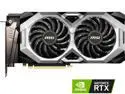
MSI Ventus GeForce RTX 2060 12GB GDDR6 PCI Express 3.0 x16 ATX Graphics Card RTX 2060 VENTUS GP 12G OC
Overall Review: Paired with slightly outdated Ryzen 5 CPU and an M.2 drive this card is killing it. Settings near max on Cyberpunk 2077, full crowd load, maxed reflections, all of it - still getting 60 fps on 1080p. 12 GB of VRAM is amazing. If itll handle Cyberpunk itll handle anything out there right now. Price is fair. It is hungry though, needs an 8-pin and a 6-pin power input. I was running SLI before so nbd for me but need to be aware if youve only got a single power plug available, its not going to be enough.
3/16/2022See more detail
Board DOA
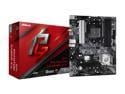
ASRock B550 Phantom Gaming 4/ac AM4 AMD B550 ATX AMD Motherboard
Pros: Arrived on time
Cons: Dead on arrival
Overall Review: Needed to upgrade from a micro-ATX to an ATX board. First non-ASUS motherboard Ive bought in 20ish years (there was a good sale). Installed all components (all functional on previous board) and board wouldnt POST. GPU and BIOS light were red. Thoroughly troubleshot and could not determine the issue. Bought an equivalent ASUS board (Prime B550-Plus AC-HES) out of frustration and moved all the components across from this board and had zero issues, completed POST and booted Windows on the first attempt. Can only assume this board was non-functional on arrival. Lesson learned. Will never buy another ASRock product, because apparently their QA/QC process is, It *should* work. Will not use Neweggs return policy because Im not sure I have all the bits it came with and couldnt be bothered to repackage it all and print labels and haul it to a post office and whatever, its not worth my time. This board is trash. If you dont mind repackaging everything and hauling it to the post office, waiting in line, all that jazz to make the return, then by all means roll the dice. However, if you have better things to do with your time, dont buy this board. I wholeheartedly recommend choosing ASUS instead.
1/22/2026See more detail
High Tier Air Cooling
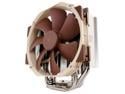
Noctua NH-U14S, Premium CPU Cooler with NF-A15 140mm Fan (Brown)
Pros: Timespy/Cinemark benchmarking stays below 80°C. No thermal throttling at all. Easy installation.
Cons: Not exactly a con, but make sure the beige/brown matches your case aesthetic before you install it and immediately order the black fan replacement like I did.
Overall Review: This is truly top-tier air cooling. I have nothing bad to say about it. Extremely quiet even under load. On my X870E-H it doesnt overhang the RAM slots at all, only partially covers the top M.2 slot but sits high enough where you can swap the drive out without having to remove the cooler. Phenomenal cooler and exactly what weve come to expect from Noctua. Another winner. I got seven years with no maintenance out of my last Noctua cooler, the entire lifespan of the build (so far, its still working, Im just handing off the PC) and I have no reason to expect any different from this one.
2/7/2026See more detail
Good RAM, Bad Native Support
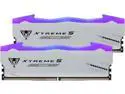
Patriot Viper Xtreme 5 M 48GB (2 x 24GB) 288-Pin PC RAM DDR5 8000 (PC5 64000) Memory (Desktop Memory) Model PVXR548G80C38KM
Pros: You get 48GB of solid quality 8000mts RAM from a reputable brand at a competitive (relative) price point.
Cons: You cant just set EXPO and have it work. Unlikely to actually get 8000mts due to hardware limitations. Not recommended for novice builders.
Overall Review: Its good RAM, but not great for someone whos used to setting the EXPO profile and calling it good. Ive never had to fight this hard with RAM to achieve stability. Worth noting that I have it paired with a Ryzen 9 9900x CPU Maybe results would be better with a high-end Intel processor, but maybe not. I feel like its most likely a skill issue. My equipment (ROG STRIX X870E-H) is rated for 8000+ mts, but setting the Expo profile for this and walking away results in instability that results in being unable to successfully post and bios reopening in safe mode. I suspect its because 8000mts at 1:1 is difficult to achieve. It could be that its overheating, so maybe this can be solved with a RAM cooler but I dont know. Virtually everything Ive been able to find for this kit (which is precious little) indicates you need to manually set all the timings, but because its not a common kit theres not a lot of information available. I cant even find good documentation from the manufacturer with recommended settings, which is a letdown. I can achieve stability and get Windows to boot by setting the clock speed to 6000mts, fclk to 2000hz, and setting a 1:1 ratio. Need to leave everything else set to auto. Fine. So what? Well because its a large kit the timings arent as tight as youd get with a 32GB kit. So youre basically getting a 48GB 6000mts kit with worse latency than an actual 6000mts kit. Your Timespy CPU benchmark scores will struggle to hit the averages for your CPU because the vast majority are on native 6000mts kits with less latency. Still probably worth it at this (again, relative) price point, and scores are still better than anything AM4/DDR4. In theory, you should realistically be able to comfortably get 6400mts out of this at 1:1 with like 32-36-36-38 timings but on auto it defaults to 48-48-48-76 or something. Setting 32-36-36-38 gives you instability and no post. Im going to keep messing with it and try to get better results but this is not easy mode memory at all. Overall, good memory, but not recommended for anyone used to being able to set a XMP/EXPO profile and forget it, and definitely not a good kit for novice builders. If thats you, Id go with a 32GB 6000mts kit over this one and skip the frustration, at least until more information is available online.
2/7/2026See more detail
Not 3600
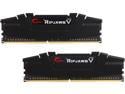
G.SKILL Ripjaws V Series 32GB (2 x 16GB) 288-Pin PC RAM DDR4 3600 (PC4 28800) Desktop Memory Model F4-3600C18D-32GVK
Overall Review: This RAM is *overclockable* to 3600 MHz. It is not 3600 MHz RAM. Its 3200 MHz RAM. However, after overclocking to 3600 any and all modern PC games will crash every 3-5 minutes. Reclocked to 3200, no crashes. Disappointing. First and last G. SKILL RAM purchase for me. Im going back to Corsair RAM, which Ive used for years in multiple builds and never had any issues. Dont know why I thought switching was a good idea.
3/11/2023See more detail