
Your Browsing History


Fabian M.
Joined on 01/27/15
0
0

product reviews
- 2
Overall setup is great now for the SSD.......
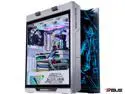
ABS ROG Gundam Limited Edition Gaming PC - Windows 10 Pro - Intel i9 11900K - GeForce RTX 3080 - G.Skill 32GB 3200MHz - 2TB Intel M.2 - STRIX Gundam 360MM AIO
Overall Review: I pretty have the same opinion as the other reviewer as far as setup, quick boot time, LED, and the overall aesthetics. Now as for the SSD while it's true that the C drive is only 446GB as oppose to the 2 TB as advertised and that is because the drive has been partitioned rendering most of the space unused. After accessing the partition window through the search bar next to the start, you'll find that the disk is split into 4 parts. 100 MB EFI System Partition, C: 446GB, 498 MB Recovery Partition, and 1460.6 GB Basic Data Partition (basically unused). Right click on the last partition and select the Change Drive Letter and Paths option, Select the Assign the Following Drive Letter and on the drop down box choose which letter to assign it then select the OK button, this will now show the new drive in the This PC window. You can check the images I've uploaded to have a better understanding of the step. One last thing when I tried installing the Stream Launcher in the new drive for some reason it wouldn't let me install it and the reason why is because it needed a folder to install into so I went and created a folder in the drive and it installed without any more issues. I also and installed Battle.net and Ubisoft Connect launchers to see if it does the same thing but those didn't give me the same issue like with Steam. So I'm not sure if it's just me but just in case if it happens to any of you that is the reason why
7/8/2021See more detail
A good replacement modem
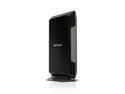
Netgear Nighthawk DOCSIS 3.1 CM1200 Multi-Gig Cable Modem, CM1200-100NAS
Pros: Small device that doesn't take up space Good for Gbps speeds Easy Setup Doubled my data transfer rate from 400Mbps to 800Mbps
Cons: Can only use one port out of the four (will explain further) It is only a modem not a router
Overall Review: The modem is small and easy to setup, only took me a couple of minutes and I was ready to go. The thing you need to remember is that modems and routers are technically two separate devices though there are modems that have both built in which allows you to connect multiple devices to it as well as WiFi capabilities. This product only has the modem aspect so it supports only one device or an external router as the other ports are used for multiple WAN IP addressing from your ISP. So if you wish to connect multiple devices you will need an external router connected directly to your modem and connect to that router. All in all it is still an amazing product as long as you're aware of what it's capable of.
9/3/2021See more detail