
Your Browsing History


Cristofor C.
Joined on 05/08/07
0
0
product reviews
- 8
Good for gaming?
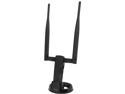
Rosewill RNX-AC1200UBE2 - Dual Band Wireless AC1200 Adapter - IEEE 802.11AC a / b / g / n, Up to 867 Mbps (5.0 GHz) + 300 Mbps (2.4 GHz) Wi-Fi Data Rates, USB 3.0 Interface
Pros: I've been using this since 08/2014 I was hesitant and did a lot of research before buying this, but needed to use wireless instead of ethernet. I use the low frequency network from my router as it is more stable. 100MB upload test = 3.1Mbps (my max for my connection) 200MB download test = 31.8Mbps (also my max) The tests were performed using a site that allows you to download large files (in comparison to flash based speed tests) to ensure reliable readouts. I play CS:GO regularly (2200+ hrs) which gives you a constant monitor of your latency, packetloss, and choke. I've never dropped connection due to wireless card I've never experienced a latency spike I've never experienced packetloss unless server side issue (everyone was experiencing it) While watching HD streams on source I don't buffer unless the fault of host/server All of the above are excluding times when other people sharing the network are downloading or burdening the connection; as this would happen regardless of wireless/wired connection. I have the card directly plugged into a USB 3.0 slot in the back of my tower, with antennas parallel of each other pointed towards the room with the router. In between the rooms is a laundry room, with the water heater. The router sits on another computer in the house. Even with this electrical interference I have not experienced any issues. When the internet has gone out, the software is easy to manage and disable the card should you ever need to jump over to cell phone tethering setup. GREAT PURCHASE!
Cons: Some games lose sync when using wireless. But this is no fault to the card itself, this is inherent when using a peer-to-peer connection and doesn't happen on all games. This is not a strike against the card itself, just a problem that exists. Games that I know of that have this issue: Dying Light, and Dead Island
Overall Review: If you have to buy a wireless solution and are concerned if it will hinder your gaming experience, buy this card.
2/4/2015See more detail
Overclocked to 4.4GHz for over 2 years w/ h100i
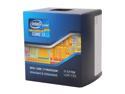
Intel Core i7-3770K - Core i7 3rd Gen Ivy Bridge Quad-Core 3.5GHz (3.9GHz Turbo) LGA 1155 77W Intel HD Graphics 4000 Desktop Processor - BX80637I73770K
Pros: - Great CPU for the money (just over $300 when I bought it) - Novice to overclocking, this CPU has many guides for a lot of different motherboards (I use an ASRock z77 extreme4) - After several attempts and BSOD's to find a stable stopping point this thing has held up for 2 years strong with good temps (20c idle, 40-mid 50 under heaviest loads)
Cons: - Current price, no idea why it is what it is now. Last of stock until no longer available?
Overall Review: There's probably newer versions of this thing for much less. There's a lot of CPU comparison charts out there you can find to do research and find out.
9/29/2016See more detail
Replacement for Zowie Celeritas
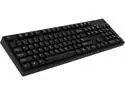
Rosewill Mechanical Keyboard with Cherry MX Blue Switches - RK-9000V2
Pros: - Heavy and sturdy, not quite as heavy as the Celeritas but the pads on the bottom 100% keep it from sliding around unless completely on purpose - Blue switches are great, responsive, nice tactile sound. I have used Cherry Browns until this keyboard, WPM increased from 105 to 123 with 0 error rate - The angle is great, slightly higher towards the back which compensates for not having the elevating flip feet which makes stability a problem for other keyboards. - Very clean low profile keyboard. I really like the fact it doesn't look like anything "special". Looks just like a standard keyboard but feels better than anything I've used (and I have used many, many keyboards). Along with the "clean" look the Rosewill stamp above the numpad is just polished plastic, no lit-up logo or obnoxious print.
Cons: - The LED is bright, but not bright or distracting enough to warrant removal of an egg (imo). If your room is dark, and monitors asleep, it's strong enough to illuminate the ceiling.
Overall Review: The Celeritas apparently was discontinued when Benq took over Zowie, or merged with them or whatever happened with that. That keyboard had Cherry Browns with a Cherry Black spacebar (which between 2 different ones is overly sensitive until you break it in a bit). I was extremely depressed to learn I couldn't get that same keyboard again without getting a used one for much more than when it was on the market. The only thing this keyboard doesn't have that the Celeritas did is the RTR feature. I didn't use that feature at all, so no loss for me.
9/29/2016See more detail
Sick mouse
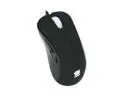
ZOWIE GEAR EC2 “Black” Optical Gaming USB Wired 2000 dpi Mouse
Pros: Have been using this since 03/2012 and have been through tons of mice. 3 native DPI settings, no hardware accel on the lens..just a great mouse
Cons: The mouse5 (small front thumb button) seems a bit flimsy, a friend of mine with the same mouse had this button break/stop working.
Overall Review: I am considering moving to the FK1 but have yet to move away from this mouse. Extremely pleased with this purchase.
2/4/2015See more detail
Best monitor NA
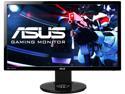
ASUS VG248QE 24" Full HD 1920 x 1080 1ms (GTG) 144Hz DVI-D HDMI DisplayPort Built-in Speakers Asus Eye Care with Ultra Low-Blue Light & Flicker-Free Backlit LED NVIDIA 3D Gaming Monitor
Pros: 144Hz refresh rate is absolutely worth it, night & day difference This is the only monitor NVIDIA made a G-Sync DIY kit for - should speak volumes Perfect size for FPS, don't have to look around the monitor yet everything is a good size to notice other players
Cons: Silverlight has an anti-piracy recording protection that creates a static overlay when trying to view videos that use this software. So, HBOGO and Netflix will go static if you don't lower refresh rate from 144Hz to 120Hz. Of course this is to no fault of the monitor, just throwing this out there.
2/4/2015See more detail
Beast
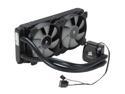
CORSAIR Hydro Series H100i Extreme Performance Water/Liquid CPU Cooler. 240mm
Pros: i7-3770k OCed to 4.4GHz Under heaviest load never seen it exceed 53c Idles avg 20c (16-24) I don't even use the push-pull atm, just the 2 fans that came with it. Extremely pleased with the performance of this cooler.
Cons: No cons, instructions were easy to follow and installing this was a piece of cake.
Overall Review: #noregrets
2/4/2015See more detail