

Your Browsing History


Bruce S.
Joined on 12/20/03
0
0
product reviews
- 4
Amazing Value -- Update #1
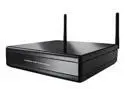
LINKSYS DMA2100 Media Center Extender
Pros: Very easy to configure for wireless access.
Cons: Was time-consuming to get standard video (i.e. not high def) working over the wireless network reliably.
Overall Review: This is the first update to my review around 11/10/2008. To get the wireless feature to work reliably, it took several hours searching the Web. Then, the fix was simple. Use network tuning, which is with a task of the menu for the media extender, to maximize signal strength. This involved positioning the wireless router, the media extender, and its antennas. Now, the picture and sound no longer break up with the wireless connection.
11/11/2008See more detail
Amazing Value!
LINKSYS DMA2100 Media Center Extender
Pros: Very easy to set up to a wired network. Works in a nearly identical fashion to Media Center in Vista Home Premium. Remote control is useful. Box is very compact. Remote that comes with my HP computer controls the box. Supports both standard def and high def. Best of all, the sound quality is excellent. Exceeds my expecations. Amazing value!
Cons: Remote seems cheap. Buttons on remote are small and not well placed.
Overall Review: After less than one day of use, the pros and cons are my initial impression. If you have a Vista-based Media Center, then you should have this Media Extender!
11/7/2008See more detail
Best USB 2.0 Enclosure For Hard Drive So Far
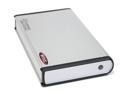
BYTECC ME-740U2 Aluminum 3.5" IDE USB2.0 (type B) External Enclosure
Comments: This is the third USB 2.0 enclosure, and apparently the best, that I have bought from NewEgg in the past few months. The case is very attractive and relatively compact. The design, quality, and "fit and finish" seem very good. It does include a power on-off switch. The case is relatively compact for a 3.5 inch drive. The case assembled relatively easily, despite the lack of any kind of instructions. The case did not require installation of drivers from the enclosed CD on either of the two test machines. One machine runs Window 2000 and the other machine runs Windows XP home. To minimize distractions during operation, I chose not to attach the lead for the disk activity light. A test of the performance of the case was just completed. 18 gigs of files were copied in 25 minutes. The hard disk in the enclosure is a 250 gigabyte Maxtor drive. The jumper that came attached to the Maxtor was removed prior to mounting in the case. The case does become warm. In closing, this case gets "two thumbs up." Finally, it's a shame that the manufacturer provides such an apparently good product, yet provides poor documentation for software setup, and no documentation for hardware setup.
5/5/2004See more detail
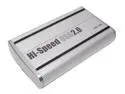
macally PHR-100A Aluminum 3.5" IDE USB2.0 (type B) External Enclosure
Comments: Excellent value. Appears to have a quality design and manufacture. Easy to assemble. Works well so far (i.e. used for a couple of hours). Very quiet because it does not have a fan. Enclosure gets only slightly warm with a Western Digital 120 GB drive. Two minor flaws: (1) LED is too "eye-catching" because it is somewhat large, switches colors between blue and red, and is bright; (2) power switch is omitted.
4/22/2004See more detail