
Your Browsing History


mark s.
Joined on 03/26/04
0
0
product reviews
- 5
Works Great
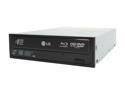
LG Black 6X BD-ROM 16X DVD-ROM 40X CD-ROM SATA Internal Blu-ray/HD DVD-ROM & 16X DVD±R DVD Burner Model GGC-H20L
Pros: Plays HD-DVD's and Blu-Ray with no problems, once I got rid of the packaged player.
Cons: No problems with the hardware. However, I could not get the included PowerDVD to work. The BD advisor indicated my system should work. Uninstalled, reinstalled, updated, changed monitors. Nothing worked.
Overall Review: Found different HD player software available. Installed it and I'm watching HD movies. No issues, hassles or headaches. A64 X2 4600+, LG's GGC-H20L, 2gig Ram, Seagate 320gig HDD, 8600GT, Mitsubishi 1000U, ALC850 audio.
2/11/2008See more detail
Did'nt work, but found alternative

CyberLink PowerDVD Ultra 7
Pros: Played standard DVD's just fine.
Cons: I could not play HD-DVD's or Blu-Ray. Tried uninstalling, reinstalling, updating and different monitors, nothing worked. The BD advisor indicated my system should work. For me, this software was a waste of time and money. What a disappointment.....until I found an alternative that does work.
Overall Review: ArcSoft makes a HD-DVD/Blu-Ray player that works great, TotalMedia Theatre. Downloaded the trial version, installed it and watched Hi-Def movies! No headaches, no hassles. A64 4600+, nForce4 MoBo, 8600GT, 2gig ram, 320gig HDD, Super Multi GGC-H20L, Mitsubishi 1000U, ALC850(the on board audio sounds better than my Audigy SE).
2/11/2008See more detail
Performance on a budget
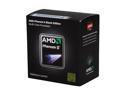
AMD Phenom II X2 555 Black Edition - Phenom II X2 Callisto Dual-Core 3.2 GHz Socket AM3 80W Desktop Processor - C3 Revision - HDZ555WFGMBOX
Pros: Fast, cool and stable. Unlocked all 4 cores (set EC firmware to HYBRID and Advanced Clock Calibration to AUTO). Noticable performance increase over my previous processor (Athlon 64 [email protected]) and MOBO.
Cons: NONE
Overall Review: Phenom II X2 (now X4) 555 Black Edition Callisto 3.2GHz 64 Freezer pro CPU cooler. Gigabyte 770TA-UD3. bios F1. 4gig Kingston DDR3 1333 XFX GTX260 896 MB Win 7 64bit
4/10/2010See more detail
HDD manfacturers use decimal
WD My Passport Essential 250GB USB 2.0 2.5" External Hard Drive WDME2500TN Black
Pros: Harddrive manufacturers use decimal. 1gig = 1000x1000x1000 in decimal. 1gig = 1024x1024x1024 in binary. So, here's how to figure the USABLE size, using this drive as an example: 250GB divided by 1.073741824 - this is the decimal to binary conversion number(GB) = 232GB.
Cons: Your milage may vary depending on the format and partitions ect. I'm sure there are many of us who do not have an in depth understanding of the binary system. So, instead of making condencending remarks (in this instance) towards an individual, I felt it would be more helpful (for all of us average people) to provide a simple way to calculate the USABLE harddrive size.
Overall Review: Basically, as the HDD's get larger into the TB range, you can expect to lose up to 10% of the advertised size.
10/25/2009See more detail
good for the money
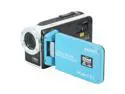
SANYO Xacti VPC-WH1 Blue 1/6" CMOS Sensor 2.5" 150K LCD 30X Optical Zoom Waterproof HD Dual Camera
Pros: Water/weather proof. Uses SD / SDHC. Compact and lightweight. Loads to PC quickly. Included software is adequate. Battery charge good.
Cons: At the price - none that would matter, but probably the 2M camera feature.
Overall Review: The still picture quality is only 2M, so if you currently have a camera that takes stills at 5 - 10M, you'll be very disapointed. The HD @ 720p is ok, seems a bit soft no matter what the internal adjustments are set to, I've seen better from comparable camcorders. Using a class 6 SDHC card seems to improve image quality. The software that came with this camera is from Arcsoft and I've used their products to view HD-DVD and BD on our HTPC. It does the job resonably well as far as playback and editing. I've had the camcorder in the pool, down to 3ft without issues. I do suggest drying it off and allowing it to completely dry before opening any of the compartments (common sense). It doesn't take vids in low light situations very well (does'nt have a light source for video but does have flash for camera), however, a lot of the more expensive HD camcorders also struggle with this issue. Bottom line: For the money, it's a good camcorder with good features and it's water, rain and beer proof
9/26/2009See more detail