
Your Browsing History


Joshua B.
Joined on 11/04/04
0
0
product reviews
- 7
Amazing!
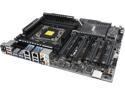
ASUS X99-E WS LGA 2011-v3 Intel X99 USB 3.0 CEB Form Factor Intel Motherboard
Pros: Very awesome motherboard. I guess I knew what I was doing or maybe I was lucky pick of a board. What I have done was that I downloaded the bios from the ASUS website 801 BIOS and put it on a empty USB Flash drive. Gone to the motherboard BIOS and went to advance and then tools then went to EZ flash 2 and update the bios first. *Do update your motherboard bios before anything else.* If you are looking to RAID then go to Advance in the BIOS and go to PCH Storage configuration and set the SATA controller to [RAID Mode] and do put your SSD hard drive in the top 4 SATA slots to RAID Stripe 0 to combined SSD hard drives. Is when you first boot up keep pushing ( Ctrl ) and ( I ) and put it on 64kb or 128kb I likes 64kb more stable and clean writes on your SSD drives. I am not much of a expert on overclocking. I just knew about overclocking the memory rams to DDR4 2400 and put Intel core voltage to manual and put core voltages to 1.081000 and it will go to 1.088V on it own. Then put memory voltage at 1.21000. Turn BIOS post screen logo off. It cool it pick up my USB razor mouse and USB keyboard. I put one video card in before flashing BIOS on the motherboard, I do recommend a 1200 or stronger power supplies. Don't skimp out on cheap power supplies on a good big motherboard workstation.. I dig this board I love it and I am not sure it able to do 4 ways. But SLI working fine. I can't wait to add a Intel Xeon E5- 2687w V3 and some DDR4 3200 speed
Cons: I don't like that fact that the bottom of the memory slots are the type of slots that you have to seat the memory on the bottom first, Then snap the top memory in. I wish the bottom of the memory slots are pin pushed in. *Make sure you memory are seated good* Plus the Bios need able to change multiplier factor and able to change turbo requency for your core and able to change how many cores you can used on the CPU die and few other overclocking ability as well as able to turn your CPU fan header so your BIOS doesn't asked for a Fan when to Post and wanted to bypass this ignoring warning messages on the BIOS.A little disappointed that the last 4 SATA slots doesn't support 10Gb/s SATA and doesn't support RAID just ACHI SATA media storage.
Overall Review: My system CPU : Intel Xeon 1650 V3 Motherboard : ASUS X99-E WS Memory : 16 GB G.skill DDR4-2400 no heat sink But will add another or get G skill DDR4-3200 for an upgrade soon. Video card : 2x NVidia 780 GTX TI overclocked to 954mhz and 1866mhz memory no turbo boost. PSU : Corsair 1200 watts power supplies. Keyboard : Razor Blue LED Mouse : Razor Blue Deathadder 3.5G CPU Heatsink : Thermalright True Spirit 140 Power Case : Rosewill Ultra Black Hawk Super Tower Blu-Ray : 2x Liteon 12x Blu-ray Brunner Fan Controller : Lamptron CM615 Sound card: Creative Sound Blaster Recon3D Professional Audio and add the I/O panel on the sound card. CPU Fan: 2 x CRYORIG 140mm PWM Sytem Fan CPU thermal paste : Arctic Sliver 5 High density Heatsink for x99 chipset : 4040 aluminum plate of 1/8 thin. Then 2 3/4" by 2 3/4" long and hight and glued liquidmetal or hard core caulking glue and put the heatsink back on the board for extra cooling
1/2/2015See more detail
Great fans
4 / 8 / 16 / 32 / 64G GB USB 2.0 Metal Flash Memory Stick Storage Thumb Pen Drive U Disk Ring
Pros: I bought two of these for my CPU Thermalright True Spirit 140 Power heatsink and I have to say they moves some air more fins on the rotor axle great RPM for less noise for quite of air that moves. Wish it had three more like fins tuck under one from another fins for extra blades ;)
Cons: Yeah I found a few. I didn't get the other two color of the rubber mounted that you can switch colors on. But it ok it black.
Overall Review: It would be great if you got a rads and this moves some air with some fan controller.
1/16/2015See more detail
Great stable rams
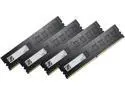
G.SKILL Value 16GB (4 x 4GB) DDR4 2400 (PC4 19200) Desktop Memory Model F4-2400C15Q-16GNT
Pros: Great stable Single sided G Skills memory. I think these SK Hynix or Samsung I am not sure on the ICS. Booted up with no problems on the ASUS X-99-E WS motherboard Stay cools and no heatsink needed. Don't overclock these to 2666 not worth it get warm. Just set it 2400 and set your 36 latency to 35 and keep them at voltage at 1.2
Cons: none.. Beside the price is little to high.
Overall Review: My system CPU : Intel Xeon 1650 V3 Motherboard : ASUS X99-E WS Memory : 16 GB G.skill DDR4-2400 no heat sink But will add another or get G skill DDR4-3200 for an upgrade soon. Video card : 2x NVidia 780 GTX TI overclocked to 954mhz and 1866mhz memory no turbo boost. PSU : Corsair 1200 watts power supplies. Keyboard : Razor Blue LED Mouse : Razor Blue Deathadder 3.5G CPU Heatsink : Thermalright True Spirit 140 Power Case : Rosewill Ultra Black Hawk Super Tower Blu-Ray : 2x Liteon 12x Blu-ray Brunner Fan Controller : Lamptron CM615 Sound card: Creative Sound Blaster Recon3D Professional Audio and add the I/O panel on the sound card. CPU Fan: 2 x CRYORIG 140mm PWM Sytem Fan CPU thermal paste : Arctic Sliver 5 High density Heatsink for x99 chipset : 4040 aluminum plate of 1/8 thin. Then 2 3/4" by 2 3/4" long and hight and glued liquidmetal or hard core caulking glue and put the heatsink back on the board for extra cooling
1/2/2015See more detail
It does what it does
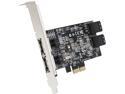
SIIG SC-SA0R11-S1 PCI-Express 2.0 x2 Low Profile Ready SATA III (6.0Gb/s) 4-Port Hybrid RAID Controller Card
Pros: Frist great company of Newegg they got good customer services by phone and always been my store for online shopping. Great black PCB Raid card. I used this for an older motherboard that doesn't have a support of a 6.0 Gb/s speed for 3 or 4 SSD in Raid 0. And I needed more hard drive room I was runing out. Must update firmware and download driver before using on card and update your SSD firmware on your SSD drive for better long lasting and perform good. I did it before I used the card becasue I don't want any issue before just staright up using this card without a update. Could save you time and prblems. This card doesn't get hot at all it got a small chip. I may used this card someday as for Hybrid support for it does have a setting in the BIOS for ability for 3 Reg hard drive and one SSD drive for a Hybrid or two SSD and two reg hard drive. I am very patient guy when it comings to loading seeing splash screen when frist booting up your computer. it slow posting but it good when you needed to get in the BIOS screen for the card. I don't know about the Raid 5 or anyother options so i can't comment on any other stuff for you to know how it perform.
Cons: None so far. Thanks newegg and SIIG
Overall Review: I would buy a different card for one reason faster speed of bandwidth and more SATA slots for the heck of it. I would look into a PCIe 2.0 x4 or greater card. I wish they do make a larger card and not so expensive. Like having 6 to 8 SATA that are doing 10 Gb/s ;) This card is great don't get me worng it showed faster speed than a 3Gb/s on my motherboard. Used the motherboard for storage.
9/6/2014See more detail
Great little player
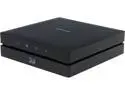
Samsung 3D Blu Ray With Full Web Browser And Wi-Fi, BD-ES6000 (Refurbished By Samsung)
Pros: Awesome little player it got apps and browser from smart apps software and connect to any devices phone to table and other things. It little slow at loading Blu-ray disc and looking at and flipping to other apps it got a slow internet browser but it works and Wi-Fi internet. I would update it firmware to get the best out of this player. It sure is small easy to carry it around and I had no problems with it or any scratch from the disc. I stuck a 4k movie and it updated a firmware and updates and it started playing it went from downscale to 1080 but @ 120 hz I was freaking out and it wasn't even in 3D. But I am not sure if it will play at 4K resolution. But when you do have a 120Hz or better it will go into 120Hz in 3D, But reg Blu-ray movies it will do 60Hz
Cons: Nothing beside it slow sometime at some apps at loading and loading blu ray. But I can take my time. I thought it won't do it job but just wait and let it update and load it plays.
Overall Review: I would buy another one If Samsung would build another small player like this and updated it technology inside this player and have 4 GB of rams and and dual core CPU inside of it and able to do 4K resolution and faster drive inside of it. I would buy it in a heart beat.
2/8/2014See more detail
One of the best for the price for smart TV
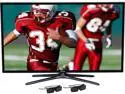
Samsung 40" Class 1080p 120Hz Smart 3D LED TV - UN40F6400AFXZA
Pros: This is a nice TV for the money at this price. It couldn't get any better I wish it was. This Samsung 120 Hz TV with a 480 Hz CMR have a good picture quality. It rated #2 in consumer report for a 40" in it class in the mag right after I bought this for a bed room. I looked at all the reviews everywhere I went for this price range from 900 bucks to 600 for a better TV and it technology I could got a 50" to 46" for this price. I was going to go with the 42" LG 6400 might be a better choice for 3D. But for the dual core processor and being a Smart TV and having 25 different apps extra things on a TV. From this TV you would need to calibrate the picture setting in every HDMI or video source you go into, even when you are in Netflix and Amzon apps even in other apps. Don't forget to update the firmware before calibrate. It got lot of support for other features and plus added on extra in picture setting. To get the most of you TV is having the setting on from Auto motion is by turn on custom and put the LED Clear motion to on and then set your picture setting as lowering your backlight and contrast and brightness. And turn off Micro Dimming. To get most of your sound from the speaker on the TV you would need to set the equalizer and set the sound setting to stander even in other source as HDMI or Blu-ray or Xbox one. I wouldn't go any higher as a TV from 50 inch from a 1080P LED TV it get uglier in picture quality from viewing from 7 ft. and closer. It depends how far away you are from a TV and how big your viewing area is. I would get a 4K TV for anything that is bigger than 50 inch get a better picture quality and distance that you are closer in. Anything from below 50" with a 4K have to get a nice close range like bed rooms and small rooms or small living rooms some broadcast and TV station and some will not support 4K till next yr some channels or cable boxes and Sat boxes will downscale from 4K out of the 1080p. The screen is kind of glossy it flat and almost smooth from mantle semi and will get light reflexing and outdoor shines made for dark rooms and non light hitting the TV. It made for better in picture quality because of the tight well made LCD that are smaller you can shine a LED flash light into the screen and see rainbows color reflexing coming off the TV. It got a fast channel changing. It start up fast when you turn of logo in setting. No bad pixel. The stand is not that bad it black into dark grey metallic color. It does tilt back a little doesn't move back and forth. But move left to right about 6" not much to swivel from the stand toe. The TV was made in October 2013. Glad it was a new model. It does have good Wi-Fi it little slow but I think they could do little firmware update it could go little faster. It got tons of setting too. Bluetooth headset if you need to hook up and even glasses and keyboard and mouse and other remote too. The remote is a cool touch pad take awhile to get used to.
Cons: Frist things I found out about this TV is that it does have a juddering issue in some 3D films from Netflix or Amzon and some channel if you turn on 3D. The two glasses that came with the TV are shudder active. They run the battery down quick when watching over maybe 5 movies of 3D the power was down little more than half ways and they are 60 hz glasses cheap that respond from a 120Hz panel. I bought (Active shutter 3D glasses For Samsung Panasonic 3D TV Bluetooth Rechargeable) < just copy this and put it in search from Ebeay it have a 120Hz shuttering and works up to 35 hours and it USB recharge great for this TV. Got rid of most of the shutting issue but still little bit it deepens on if you had been watching over 4 to 5 movies from Netflix seam to me that it doesn't clear the memory when things are done using or some things it take awhile for it to come out of it shutting for awhile like 5 to 10 min it goes to normal But when viewing 3D on Blu-ray no issue at all. It got 2 GB of memory rams inside the TV. Another issue I found was that when using the internet bowers sometime it crashed viewing some webpage it just sit there and does nothing. Sometime watching like CW or NBC or ABC watching TV shows from the website sometime it crashed sometime it locked up when viewing and watching TV shows from the net and come commercial make it locked up. And while you are in the internet bowers some of the Picture setting are not available some of the things are turned off or greyed out made me mad. The internet browsers is kind of slow. Need a flix bad about that. I found a few things that when having hook up from the video input and components are 1920 x 1080 @ 30p doesn't have a setting to set it to 60p or 120p meaning this is a Hz panel refresh level. Some of the HDMI hook up will say 1920x1080@60p. When running the Blu-ray in 3D it will turn it self into @120 from the HDMI cable. I wish they allowed us for change and have a setting for our changing Source from each HDMI setting and viewing from TV cable and input setting they need to fix that. I like to know that my panel is doing 120Hz and 60Hz and 30Hz that are locked from the signal. Not some automatic. Another things is I found is that I got no screws.. yes you heard right I have no screws for the back panel I had to make sure not don't go over 4/16 or 6.35 mm if it did it would go threw the screen. I had to find and buy a small bolts and nuts for the stand. They forgot to put 8 screws in the box and no HDMI cable. I called Samsung about this and they hardly understand English and I kept calling back and forth to find a good person that speak well and understand well enough in English. They are going to send me screws and HDMI cable take over a week. They try to tell me to go a few stores and store people wouldn't even help me out for some screws.
Overall Review: This is a great TV for the price for finding a smart TV at 40" If you want something little better and save up little more cash and get a 240hz of CMR of 720 from a F7100 model it better. I have this TV too for the living room but it even greater for 3D compare to this by having a better glasses make the world different though. But The LG is great too for 3D for being a non active as passive for 3D but you will see lot of lines patterns have to dial it setting from moving side to side on each movies or shows or Netflix steaming to get the 3D to look right. But far as with this TV I bought a SAMSUNG 3D Bly Ray With Full Web Browser And Wi-Fi, BD-ES6000. Great little small 3D compact discplayer and with Anynet+ (HDMI-CEC) with BD Wise it does link up to this TV is awesome make 3D movies and picture quality and remote signal a huge improvement. When having this disc player in 3D you can tell the @120p came on while watching Blu-ray movies. The universal tool setting from the source make a big different on this TV able to connect and turn on any device and able to control your cable Box or Dish or direct TV onto the TV and the Blu-ray have to set that up to turn on and off for any of your device from it. I also bought a Samsung 40" 2.1 Spoundbar With Wireless Sub And Bluetooth, HW-E450C and it makes a huge different in sound in a bed room. It a clear sound have to buy a optical cable to able to turn up and down from the remote from sound from the TV it got a setting in the sound setting for you to control it and putting on tursound from DTS make little bit of improvement for surround sound. It sure did took awhile to get used to from it being so clear motion on these TV make some things and some channel out there look fake and you can tell some films and actors out there starting to make you think twice how bad they are in acting and some arts from movies that they didn't do well or good job in making 3D animation and kind of look sharp and over lace on a layer on the films when watching a lot of the movies and TV shows made me think they were made in cheap video camera. One things for sure I played a 4K movies in my Blu-ray player it updated the firmware and movies started to look even more in depts in1080 and @120p Hz without the 3D I was little impress. The video appTV quality on Netflix/3D movies and amzon is amazing. I wish they would allowed me to download other apps from the browser to added more apps I think Samsung.com have some I am not sure. I wish CW and NBC and ABC have some apps too. If you got basic cable and they say it HD don't believes them they have it set where they wanted you to have box to improve the picture quality some of my channel I found was great looking and the rest just really awful from Suddenlink. Oh another things is TiVO works great with the remote have to set it and it also work with smart channel. The smart channel have a list where you could do more things and record and get a plans for the Tivo or any DVR sys
2/8/2014See more detail