
Your Browsing History


Anthony U.
Joined on 05/01/08
0
0
product reviews
- 5
Great CPU

Intel Core i9-12900K - Core i9 12th Gen Alder Lake 16-Core (8P+8E) 3.2 GHz LGA 1700 125W Intel UHD Graphics 770 Desktop Processor - BX8071512900K
Pros: - Fast, Fast, Fast! Lives up to it's reputation. - Runs relatively cool in my setup. After reading reviews I was expecting it to run hotter in stock configuration (I am not overclocking). - Latest and greatest. Support for DDR5 and PCIe 5.0 when those become a thing.
Cons: None really. Cost? Sure it's a little pricey but if you want the best....Early adopters and enthusiasts always pay more. To each their own I guess. If you want to save some dough then get the 12700K- it will still perform well, but it just won't be the best as of today. This is not a con per se, but while I love the packaging for it's looks and feel, I wonder how much cost Intel could save by using plain Jane packaging and pass that savings to the consumer. Maybe it's just pennies anyways, who knows.
Overall Review: I am a middle aged guy, novice builder and my midlife/COVID crisis was building a top of the range computer so I did. I am not a serious gamer and mainly play race sims and flight sims (F1, Project Cars, MSFS2020, XPlane etc) and I run stock settings on everything. I sometimes edit video clips for personal use and I'm definitely not a pro. I have daily driven this setup for about a month now and here's what I found out: It would be an understatement to say that coming from a I7-6800K, this CPU just crushes everything I throw at it. Rendering a 4K clip that used to take around 10 minutes now takes about 10 seconds! And as far as temps go, idle temps are 30C and during gaming sessions the CPU runs below 70C, and although it spiked to 93C at the start of CinebenchR23 runs before the fans kicked in, it averaged 80C during those tests where best score was 27104 which seems pretty good. I am using 360AIO cooler. Max CPU power draw was 232W during stress tests. From what others have said, I expected this PC would be a heat pump in my room, but that has not been my experience. The ambient room temps have gone up a couple degrees to 72F/22C, but it has also been triple digits in Chicago lately so I say that's a wash. The temps coming out the top of my (closed) Lian Li Dynamic EVO case during stress tests was 84F/29C. Other thoughts- Being the novice I am, I read many reviews and watched countless YT videos on this CPU and my other components and it seemed that I would need to mess with BIOS settings to change voltages and profiles because of the thermal issues. But I wanted to run everything stock so that I could find out if an "average" user like me could just drop it in and make it all work and work well. I think it does, and if that helps another builder like me assuage their fears of messing with the BIOS and just see it work with no hassles, then all the better. At this point I would have to think that all the others out there that have thermal issues either had defective or substandard CPU's, or there were other issues with components or assembly of said components. I think each system is different, and people don't always follow the same procedures. I also heard about the DDR5 issue when 4 sticks are used. I used (4) 32GB sticks in stock 4800Mhz trim and it worked from the first boot, so there again, it can be done and to be fair, I think those other issues stemmed from trying to OC in the XMP profile. If you can live with a clock speed just a little lower, 4 sticks will work. Bottom line- This CPU is a beast. I have not run into thermal issues with my stock setup. I would highly recommend it to anyone who wants (or can afford) the best. You will not be disappointed. But do your research on your build components for compatibility- some things just work with others and some don't. Maybe I got lucky that mine all worked from the jump. Your mileage may vary. Build components other than the 12900K (I will review these separately): ASUS Strix Z690-E Motherboard 128GB (4x32GB) Crucial DDR5 4800Mhz ASUS RYUJIN II 360 AIO Cooler EVGA RTX3090 FTW3 GPU Corsair HX1200 PSU Samsung 980 Pro 2TB NVMe PCIe 4.0 - OS drive Samsung 870 EVO 4TB 2.5" SATA - Storage drive Lian Li 011 Dynamic EVO Black w/Front Mesh option 3- Noctura 120 fans - bottom intake 2 - Noctura 140 fans - front intake 2 - Noctura 140 fans - Side intake 1 - Noctura 120 fan - rear exhaust 3 - Noctura 120 fans - Top AIO exhaust Windows 11 - Clean install
6/23/2022See more detail
Works Great but noisy
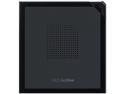
ASUS USB Type-C External DVD Drive Model ZenDrive V1M (SDRW-08V1M-U/BLK/G/AS//)
Pros: - Plug and play - USB C - Software is optional on CD. Will work without it.
Cons: - Loud - Very lightweight plastic. Will vibrate easily. - USB cord is very short, only 9" long
Overall Review: Plug and play right out of the box with USB C, well done! You do not have to install the included software if you just want to play or rip CD's/DVD's, but the software is valuable to those that can use it. I only used it to rip some older CD's I had and it is as fast as any other drive I've used. The only cons are the loudness of the thing while operating and the cord is very short. It is entirely made of plastic and it's only 1/2" thick and it is very lightweight (and fragile). When it spun up to rip, it started to vibrate and if it is not on a cushion surface, you need to put something on top of it or it gets really loud. Laptops are fine but you better have easy access to a USB C port on your desktop PC because I measured the cord at 9". I had a USB C port in the top of my case but I don't see how it would work if you had to plug in at the back. But there's plenty of cable extensions out there to make it work if you need it. If you can live with the sound then this is a nice little external drive that works great.
2/8/2025See more detail
Awesome GPU
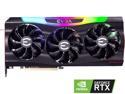
EVGA GeForce RTX 3090 FTW3 ULTRA GAMING Video Card, 24G-P5-3987-KR, 24GB GDDR6X, iCX3 Technology, ARGB LED, Metal Backplate
Pros: -Outstanding performance -Relatively quiet unless at full tilt boogie -RGB good and not outrageous if you're into that sort of thing -Metal backplate is ready for water cooling (some systems may need it!) -Let's be honest- this is overkill for most users but I love it
Cons: -Ridiculously expensive although dropping rapidly in July 2022 -Takes up 3 slots -Heavy, will sag a bit in most cases. I used the support included and it works well -Can run HOT during gaming sessions. If paired with a 12900K, you better have a plan for cooling your case
Overall Review: This card is a beast and not for cash strapped individuals. As stated, I think this card is overkill for most, but for those of us that want overkill and can afford it, you will not be disappointed. Availability has gotten better in Q2 2022, and now prices are really dropping near the eve of the RTX 40 series launch. A lot of the reviews have mentioned thermals, and no doubt, this card runs hot while gaming- my max so far was 85C. But for everyday use, this card runs around 50C. But that heat is pumped into the case, so you'd better have a nice case that can handle a lot of fans. My Lian Li Dynamic EVO is great. I have 3 bottom fans pushing air right onto the GPU so that may be a big help too. Get at least a 1000W PSU as well. This card uses 3 PCIe 8 pin connectors, and I wouldn't daisy chain these. This card can suck 400W easily, and has spikes to almost 500W at times so be warned. It will be interesting to see how pricing and availability shake out in the second half of 2022. Will prices crash to below MSRP? Will NVIDIA sellout most stock before the 40 series release? A lot of techies are making bold predictions. My advice? If you're waiting for 40 series and you're prepared to spend $2k on a new card anyways, I'd give it another month or 2 and wait for the official launch date, and look at the 3090 again. I bought mine in May 22 for $1600. If they drop to under $1k- say $800- I'd buy the 3090 no question. But everybody is different. Enjoy! Other items in my build: Intel I9 12900K CPU ASUS Strix Z690-E Motherboard 128GB (4x32GB) Crucial DDR5 4800Mhz ASUS RYUJIN II 360 AIO Cooler Corsair HX1200 PSU 1- Samsung 980 Pro 2TB NVMe PCIe 4.0 - OS drive 1- Samsung 870 EVO 4TB 2.5" SATA - Storage drive Lian Li 011 Dynamic EVO Black w/Front Mesh option 3- Noctura 120 fans - bottom intake 2 - Noctura 140 fans - front intake 2 - Noctura 140 fans - Side intake 1 - Noctura 120 fan - rear exhaust 3 - Noctura 120 fans - Top AIO exhaust Windows 11 - Clean install
7/13/2022See more detail
Great Fan
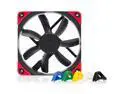
Noctua NF-S12A PWM chromax.black.swap, Premium Quiet Fan, 4-Pin (120mm, Black)
Pros: Well built Comes with removable colored rubber pads for the corners Quiet in my case
Cons: None
Overall Review: These fans seem to have better build quality than some I've used in the past. Very quiet inside my Lian Li 011 Dynamic Evo case. I'm not a big fan of RGB or colors, but these all come with colored rubber pads for the corners so you can color match you system. They just work, and work well. Thanks to VNBHUB for getting them shipped so quickly. Would definitely recommend.
7/13/2022See more detail
Perfect adapter for me
USB 3.0 19 Pin / 20 pin Male to Front Panel towards to USB 2.0 to Motherboard Header Box 9 Pin / 10 pin Female Adapter Converter Joiner Housing Cable
Pros: Exactly as described. Arrived pretty fast from Hong Kong
Cons: None
Overall Review: Most people would ask "why are you downgrading to USB 2.0?" I wanted more front I/O ports, but my motherboard only had 1 USB 3.0 header and I needed 2. My case only has USB 3.0 I/O cables. The other 2 ports going down to USB 2.0 are just for phone chargers anyways. In my computer case, the bottom fans were just a little to "thick" and I couldn't use a regular adapter. This worked perfect for me and I even got to tuck the wire away behind the MB.
6/8/2022See more detail