
Your Browsing History


Raymond O.
Joined on 08/16/10
0
0
product reviews
- 16
Great Camera
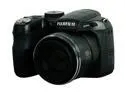
FUJIFILM FINEPIX S1800 Black 12.0 MP 18X Optical Zoom 28mm Wide Angle Digital Camera
Pros: Hello everyone. I am a 53 year old outdoors person. Have been shooting compact point and shoot type cameras for 37 years; hiking, camping, backpacking, skiing and rock climbing. Have been wanting something with a zoom for taking pictures of birds etc. Right out of the box, this camera produced very good results, really easy to use. The controls and internal program are intuitive and easy to operate, makes shooting in the field a breeze. I use the electronic viewfinder, as LCD displays are (always) unreliable in daylight. Walking along, target is spotted. Right hand finds the camera (nice size, easy to handle but still compact) right thumb finds the ON button, without having to look. Keeping eye on target, the camera turns on very quickly. This bumps (pushes) the lens cap off (by design) and you’re ready to shoot. Electronic viewfinder is excellent, viewable under large hat, through prescription sunglasses, no problem. Provides relevant focus and lighting info on the fl
Cons: None. The optics and image processing in this camera are of high quality. On-board memory gives me enough space for about 9 or 10 pics, shot with default (4000x3000 pixel) settings, easy to expand with SDHC card for under $20 bucks. Wonderful pics - some of the birds I shot - without even reading the instructions - were far enough away that seeing them with the naked eye was not easy, and still the camera with full 16x zoom, produced nice images. The shoulder strap is very good, enough webbing to tie the strap on securely with single fisherman’s knott (never trust the little plastic three bar-slides) and get the camera on over a hat, or worn over the shoulder, bandoleer style. After shooting, I plugged the camera into my PC, turned it on. Ubuntu Linux recognized it immediately, no need for additional software. Everything worked perfect. What a fun camera, and what a great value.
Overall Review: Regarding “cheap feeling buttons” - reviewer must me referring to the “play” (tolerance) built into the scroll ring, by design. This is to keep the scroll ring from being inadvertently activated, or broken during very active use, since it rests next to the body while hiking. The USB connection interface is very solid, latches to all the compartments are well made. Very nice. All tools have inherent limitations. The goal is to understand the tool, and it’s limitations, and adapt accordingly. For sure you can (always) spend more and probably get more powerful features - and for shooting with a zoom, a tripod (or mono-pod) is often needed anyway (I found a tri-pod for $15 bucks, works fine). For the money? Really fun camera, big smiles. Great pics. Just amazing. Thank you newegg, the camera arrived quickly via UPS, everything was great.
9/9/2010See more detail
Excellent
Adobe Illustrator CS5 Full for Windows
Pros: New palettes are very nice, basically this is perfect software. Illustrator is a real powerhouse and isn't really that hard to learn.
Cons: None - this is the standard.
Overall Review: Get a small Wacom tablet for this program, it will really help you navigate around and of course do the drawing, use the pen tool, etc. As will most Adobe products this one is also well supported with training videos from Total Training; an excellent way to learn this wonderful application.
8/12/2011See more detail
Photoshop (still) Rules
Adobe Photoshop CS5 for Windows - Full Version
Pros: The new palettes are very nice, other new features/tools very nice also. Obviously, this is highly evolved and exceptionally well developed software. Nearly perfect. BTW, running this right now on a (stripped) win7 32 bit platform with only 2 gigs of RAM and 1 gig on the graphics card - works fine. LOL. File sizes less than 200 megs, no problem.
Cons: None. Worth the price, this is the real deal.
Overall Review: Such nice software to use. So well organized and set-up for the end user. The Adobe Bridge file browser comes with this, and is also very good and super useful. Bridge seems more powerful now than w/ CS2. Get a Wacom Intuos tablet for this (and illustrator) you will not be disappointed. There are Wacom brushes already in Photoshop, and (of course) it supports the pressure sensitivity etc. in the Wacom tablets.
8/12/2011See more detail
High Quality - Super Quiet

ARCTIC Freezer 7 Pro - Compact Multi-Compatible Tower CPU Cooler | 92 mm PWM Fan | for AMD AM4 and Intel 115x CPU | Recommended up to 115 W TDP
Pros: Second time around for this cooler, both times it's impressed me how quiet and cool it is. Using it to cool a 2.8 ghz Athlon II x2 65 watt chip. Very low temps. Nice to know it works well on hotter chips, too. May need to upgrade chip in a year or something...
Cons: None. Totally worth the money for sure.
Overall Review: Have tried less expensive coolers with similar design; these are worth the extra $'s, IMO.
7/30/2011See more detail
Great mobo
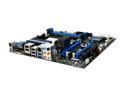
MSI 890GXM-G65 AM3 AMD 890GX USB 3.0 HDMI Micro ATX AMD Motherboard
Pros: Simple, easy set-up; forward compatible features etc. First MSI board, guess I am a convert (from Gigabyte).
Cons: None. Glad I spent the money and got a great motherboard.
7/9/2011See more detail
Better than Intuos 2!
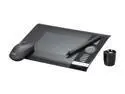
WACOM Intuos 4 Professional Pen Tablet - Small/Black
Pros: Hello everyone, been a Wacom Intuos user since 2004. Had a 9x12, wore it out. The wear pattern (using Photoshop/Illustrator) was about 3"x3" - in the center of the tablet. Smaller tablet is better fit,, faster to navigate the UI, and still delivers all the drawing room I need for anything. Using space-bar/hand tool in Adobe - to drag the work into the target area - becomes second nature. New button and scroll ring layout is good. Tablet is nice and thin.
Cons: None. These tablet's rock! "Nothing unlocks the power of Photoshop like Intuos!"
Overall Review: Mounted tablet with keyboard on a large masonite clip board (with clips removed) using it like an easel. The easel (mounting board) is attached to the table so it can't fall, but still slides into my lap for the correct angle to draw upon, pretty much. Been using this system long time; double sided/padded mounting tape (Scotch) works fine for attaching tablet (and keyboard) to art easel.
7/9/2011See more detail