
Your Browsing History


Matthew B.
Joined on 05/11/04
0
0
product reviews
- 3
Its Corsair. what else would you expect?
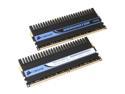
CORSAIR XMS2 DOMINATOR 2GB (2 x 1GB) DDR2 800 (PC2 6400) Dual Channel Kit Desktop Memory Model TWIN2X2048-6400C4D
Pros: my last sticks were pc3200LL corsairs and went well above their rating without page faults. now, with the enhanced heat spreaders i have been able to hit 1066MHz with 2.2V with this memory. They say all Micron D9 chips are created equal: well maybe they are, but the ones sent to Corsair come out with something more than what the competition is putting out. EPP and DHX are sure to make their way into all of the other's performance line, but for now there is no better ram.
Cons: the sticks are quite tall; over the atx board clearance for the memory section of the board. this may be a problem for some SFF or HTPC people. the sticks require some airflow, and if you are watercooling your cpu you might have to add cooling especially for your memory. unfortunatly, this kit does not come with the clip-on cooler.
Overall Review: since this memory can reach 1066 with such small increase in voltage it drives the value through the roof. perfect for overclocking, unique technology, looks great for windowed cases, and is certified for sli. excited? get out your check books.
11/6/2006See more detail
Worst mouse installation ever
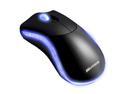
Microsoft 9VV-00001 Black 7 Buttons 1 x Wheel USB Wired Laser Habu Gaming Mouse
Pros: Once you get it working, the habu mouse works flawlessly. its a mouse and does everything you would want a mouse to do. the swappable thumb buttons are a nice touch and allow you to find a more comfortable way to use your mouse.
Cons: This is by far the worst mouse i have ever had to install. little did i know that if i put Microsoft Habu on the same riser as my G15 keyboard (not the 1.1s on the keyboard, but right next to it on the back of my computer) it would not be recognized. Also, if i update the firmware on my mouse today, when i reinstall my computer later i must install the version of the drivers released today, then use it to install the firmware for the new drivers, and then install the new drivers. oh, and i forgot, while you are doing this you cannot use your Habu mouse... you have to have a second mouse. A mouse, that asks you during install to have a second mouse. Really? Once you install the drivers with the mouse on a specific usb port you are recommended to never move it. At various times during my usage of the mouse, loading up my mouse configuration it has failed to recognize that i had the mouse installed or its firmware version.
Overall Review: cont. from cons: when you mouse is not detected, the config software will simply give you a popup saying that it cannot be detected, giving you no advice as to how to fix it or even letting you manually detect it. these issues are known by microsoft since product launch well over a year ago, but remain for whatever reason. i would buy the mouse again, since i now know how to get it to work and i have enjoyed its sensitivity and looks. but for the rest of you, let me ask you this, do you really want to buy a mouse that requires another mouse to install?
4/9/2009See more detail
Near-perfect hardware with flaws everywhere else
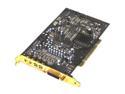
Creative Sound Blaster X-Fi XtremeMusic 7.1 Channels 24-bit 96KHz PCI Interface Sound Card
Pros: Beautiful sound and look for a pci card with and an extensive amount of entry level audiophile software. CMSS3d and the 42bit crystalizer alone are worth the price of the card allowing for sound audible from all channels in headphones, use of all speakers even with 2 channel media, and improved quality of mp3 sounds or video. There is lower CPU usage and a noticable increase in range and fidelty over even the most advanced onboard solutions in games. Plus, you get EAX5 support and OpenAL support: sound will play as the authors intended, or as close as is possible today.
Cons: The card is poorly supported by creative. The drivers were unstable on my machine and contained a great deal of bloat-ware and high use memory processes (50mb overall). My machine BSOD'ed at least twice from installing and the sound dropped out a couple times weeks after install which could only be resolved from complete uninstall/install. I experienced severe SCP once while playing DVDA discs, but it disappeared with a reboot. BE AWARE THAT MANY PEOPLE EXPERIENCE SCP ISSUES THAT NEVER GO AWAY AND CREATIVE WILL NOT RMA FOR IT. Switching from game mode to entertainment mode is extremly annoying... if you forget your games will not sound as good.
Overall Review: Microsoft has announced that it is not supporting hardware acceleration for Direct Sound in Vista DX10, which could very well mean that games will have no performance benefit. HDCP will be enabled in 2010 and will only support output through an HDMI cable, which the X-fi doesn't have. If you are a casual game player or have cheap 5.1 speakers you won't get much value from X-fi. Although headphone audio is amazing and microphone sound is crystal clear. HTPCs all have to have one. Even with all the problems with this product it has been worth the cost for me.
10/9/2006See more detail