
Your Browsing History


Daniel U.
Joined on 04/15/08
0
0
product reviews
- 11
Nice and Quiet
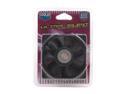
COOLER MASTER SAF-S84-E1 80mm Case Cooling Fan
Pros: Quiet (13dB). According to Cooler Master has 50,000 life time expectancy.
Cons: Air flow is only 16 CFM
Overall Review: Has sleeve type bearing, NOT superflow/fluid type as mentioned in newegg description
5/11/2009See more detail
Has Driver and minor Design issues - FIX bellow
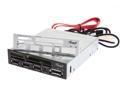
Rosewill RCR-IM5001 - 75-in-1 Internal Card Reader Hub - 3 x USB 2.0 Ports / eSATA Port / Extra Silver Face Plate / Molex Power Cable - Fits 3.5” Drive Slot
Pros: 3 USB ports + card reader. I paid only $15 shipped! USB and SD work and transfers are fast. (I haven’t tried eSATA or other card formats). Hardware installation was easy, package has everything you need for 3.5" slot. No manufacturing or physical defects on my unit.
Cons: DRIVERS, DRIVERS, DRIVERS! Plug and play (Vista x64) installs generic Windows drivers which are inadequate (see below for fix). Annoying bright blue LED is always on. SD slot could be better marked, 2/3 of SD card stick out when inserted. (There may be issues with eSata or other card formats but I haven't tested that).
Overall Review: When you boot the computer for the first time after install (Vista 64bit in my case) windows installs generic drivers. You get 5 identical "Generic external drive" icons that are always there. You can't "Safely Remove" a single inserted card. You can only remove all of the drives at once - but that prevents the reader from working until you reboot the computer. SOLUTION: Get better driver! Do not download from Rosewill site (their driver is out of date and is in .RAR archive format which Windows can't unzip internally). Download directly from Realtek site, go to Downloads > Computer Peripheral ICs > Card Reader Solutions > Card Reader Controllers > Software. There is only one drivers for all models (V6.1.7600.30118 at the time I write this), download it, unzip it, make sure all your cards and usb ports on you card reader are empty, then run Setup. Lo and behold: generic drive icons disappear, and a proper unique icon only appears when you have a card inserted; safely remove works
6/2/2010See more detail
Good sound, Bad cable
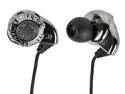
Enhanced Bass Hi-Fi Noise Isolating Earphones - Silver
Pros: Surprising good sound for the price range. Comfortable to wear. (Wear the cable over the ear). The cable is thin and pliable like a piece of string. This means that it doesn't stay over the ear as intended. They should have added some wire or stiffening to the to the over the ear part of the cable. That would also isolate/reduce the friction noise. And just like a piece of string it is prone to entanglement. The high point of these phones is the sound. The bass is quite good.
Cons: Cloth cable is the main drawback. It conducts friction noise so you will hear every time your collar or your body touches it. And just like a piece of string it is prone to entanglement.
Overall Review: The high point of these phones is the sound. The bass is quite good.
12/11/2013See more detail
Good but has flaws
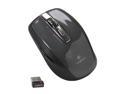
Logitech Wireless Anywhere Mouse MX for PC and Mac - Black
Pros: I had M515 before this one and really liked it use on any surface ability. But my M515 developed a double clicking problem (as well as continuing problem with batter cover coming loose) so i decided to "upgrade" to Anywhere MX. Yes, it MX has better build quality, has two extra thumb buttons, and it does work on glass surfaces (unlike M515). However it is not a comfortable in hand and it is noticeably heavier.
Cons: But most annoying for me is the slight defect mine has with its wheel. I like using the wheel in the no-friction mode (makes for a really fast scrolling). But the wheel on mine is slightly unbalanced. When i touch to stop it often it sill continue moving either up or down making the screen yo-yo for a few moments. It sometimes continues scrolling for a half a page until the wheel finds rest (as i said it's unbalanced so it wants to find that point of lowest gravity). This behavior is so annoying that now i had to switch to clicking/friction mode for the wheel.
Overall Review: Speaking of clicking. Clicking noise is quite loud.
12/11/2013See more detail
Comfortable but defective
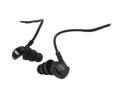
MEElectronics M6P Black Noise-Isolating Sports 3.5mm Sports Headset with Microphones (Bulk Packaging)
Pros: Pros: comfortable, nice design, low cable noise, good for sports, inexpensive (i paid $13)
Cons: poor quality control, mine is defective, has a cable break/short near the microphone. I keep loosing sound in one ear unless cable is bent just the right way. Also, low sound level even when volume dial is turned all the way up, (all my other phones are much louder at same setting).
12/11/2013See more detail
Frustrating Keyboard, Wireless problems
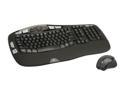
Logitech Wave Pro Desktop Black USB 2.4 GHz Wireless Keyboard & Mouse Combo
Pros: Wireless, ergonomic keyboard, useful & large media buttons, esp. sound up/down. Mouse in nice, one of the best i owned -- when wireless works properly (see below)
Cons: Keyboard hard to speed type on, keys are very sticky, especially the Ctrl and Space keys. Wireless reception is unreliable. My keyboard & mouse are only 2-3 feet away from the receptor yet more than once a day it loses reception for a few seconds - in middle of the typing something. It's frustrating. Same thing happens with the mouse, it loses connection for split second. Enough to irk you when browsing, even more so when gaming. I tried moving the receiver from back of the case to front usb -- it doesn't help. FYI: my reception problems are not due to wireless interference i use wired LAN, and they are not due to devices going to standby mode to preserve battery -- the problems happen in middle of work.
Overall Review: I don't recommend Logitech Wave Pro combo for office work, and especially not for gaming.
6/28/2010See more detail