
Your Browsing History


Miles R.
Joined on 04/25/05
0
0
product reviews
- 13
Awesome RAM after proper configuration!
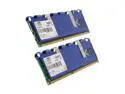
Mushkin Enhanced Blackline 4GB (2 x 2GB) DDR3 1333 (PC3 10666) Dual Channel Kit Desktop Memory Model 996652
Pros: Fast Cheap Good looking
Cons: Settings in most motherboard need to be changed manually.
Overall Review: For all the people having problems with Gigabyte motherboards (freezing) make sure you do the following: Set the timings to 7-7-7-20 Set the RAM voltages to 1.750 You might have to increase the northbridge voltages up .100-.150 volts in order to get the system stable. This was my problem for the longest time until I pretty much figured it out!
10/26/2009See more detail
BIOS Needs Work
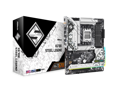
ASRock X670E Steel Legend AM5 ATX Motherboard. 4xDDR5 slots, PCIE 5.0X16, AMD Cross Fire, QuadM.2 slots, Dual LAN ports 1GB and 2.5GB , WIFI-6E,7.1 HD audio, HDMI 2.1, DP 1.4 ports
Cons: -Connection issues with Wi-Fi. The wireless device stops responding and ends up freezing the whole system. I've tried the latest BIOS and drivers to no avail. -ECC memory support was broken until the latest 1.14.AS06 BIOS. -Long boot time, it takes a while to train the memory.
Overall Review: Hopefully AsRock sorts out the BIOS issues with this board. 300 USD for the motherboard and they can't get their networking working properly out of the gate.
12/31/2022See more detail
Came with the V002 Firmware!

BenQ XL2730Z Black-Red 27" 1ms (GTG) WQHD Widescreen 2560 x 1440 LED Backlight TN Panel Adaptive-Sync (Free Sync), Auto Game Modes, Ergonomic Professional Gaming Monitor
Pros: - No dead/stuck pixels! - Has an adaptive sync range between 40-144 Hz. - firm stand that is very adjustable.
Cons: - TN panel. - The puck is kinda useless.
Overall Review: Mainly wrote this review to let people know newegg is shipping out monitors with the updated V002 firmware that fixes AMA (Advanced Motion Accelerator) + FreeSync. This should reduce motion blur now that it works with Freesync. You can check which firmware you have by turning on your monitor while holding the menu button (2nd button from the power botton) and then pressing the menu button again which opens the service menu.
6/25/2015See more detail
You NEED to lubricate the fan!!!
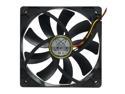
Scythe SY1225SL12SH "Slipstream" Case Fan
Pros: These fans move quite a bit of air, not too loud and work great with vertically mounted radiators.
Cons: Do NOT mount these fans horizontally (sleeve bearings will break rapidly) Before you install these fans make sure you put something like 3-in-1 electric motor oil in them or they will not last long. If you wait until you start having problems it would be too late. Do NOT use WD40, it's a cleaning agent and will only build up sludge (plus it evaporates too quickly).
Overall Review: I had one fan completely halt on me and the other was close to stopping. I didn't take the other users advice and I regret it. Even though I added the oil and got it to spin again, it won't last much longer now.
2/24/2011See more detail
Would have been great...
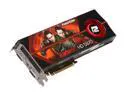
PowerColor Radeon HD 5970 (Hemlock) 2GB GDDR5 PCI Express 2.1 x16 CrossFireX Support Graphics Card AX5970 2GBD5-MD
Pros: -Fastest single PCB video card on the market. -Great overclocker -Great value (2 5870s for $200 less)
Cons: -Drivers -Length (not a problem) -Power consumption (not a problem) -See "Other"
Overall Review: Had to RMA the card because either PowerColor went cheap on the VDDC Phase chips or they are defective. Either way it makes the card under volt while under full load due to high voltage regulator temps causing crashes or artifacts.
12/17/2009See more detail
One final thing to consider...
Mushkin Enhanced Blackline 4GB (2 x 2GB) DDR3 1333 (PC3 10666) Dual Channel Kit Desktop Memory Model 996652
Pros: Value!
Cons: Wasn't free!
Overall Review: If you don't have a Phenom II with the C3 stepping and have 4 RAM modules running in dual-channel mode (at 1333 mhz). You will likely run into stability problems and would need to tone down the clocks to 533 Mhz. It's a CPU erratum and not the memory's fault.
11/5/2009See more detail