
Your Browsing History


Paul G.
Joined on 04/23/03
0
0
product reviews
- 21
Excellent RAM disk
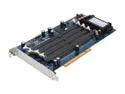
GIGABYTE GC-RAMDISK PCI Others RAM Drive Add-On Card
Pros: really easy set up. cheap answer to 4Gb XP limit.
Cons: mid size card, needs some spacea round it, but not too demanding
Overall Review: Really easy to install. You need one free PC slot, with some space around it, and one free SATA port. fit the Ram (for me 4 x 1Gb Kingston DDR400 ram as recommended by Gigabyte) then installed the card in its slot, boot up, and its instantly recognised as a disk. didn't need any drivers or disks. then just follow the same procedure as any normal new disk- go to Disk Management> Format and Initialise. give it a drive letter and you are away. I just point Photoshop to it as my primary Scratch disk and now I have an extra 4Gb RAM for PS, as well as my regular system ram. you can also point Windows Virtual memory file to this and make a set amount for that. There is a CD included, but no idea why its there, and didn't need it.
1/12/2006See more detail
Yes, they spoiled it
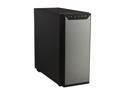
Antec P280 Black Aluminum / Steel Super Mid Tower Computer Case
Pros: Affordable, decent quality. Gig.
Cons: Bigger, fatter, wider - too big now, compared to P180 series. Cheaper plastic sides. replacing gun metal finish. Interior more 'economic' also. Plastic drive trays of poor quality.. Top fans not so great.
Overall Review: If you are looking for the P180/ P182 replacement, and found yourself here, thinking - this is it? No, it isn't. Did they have a great thing and ruin it? Yes they did. The P180 series was simply awesome quality. The P280, is nothing like its predecessor, except a vague family heritage. Plastic has replaced metal, the size has bloated a few half inches here and there, to the point where instead of being muscular and compact, it's now too big. The side panels are in cheap black plastic instead of the lovely gun metal of before. (front door stays same though). They just went and spoiled it. I suppose money had to be saved, economies made, blah blah, but - what a shame. The case certainly needed updating. USB3 is now the norm, the old partition between PSU and MB which was praised at the time has gone. The cable management is much better, (at the cost of extra width). The drive bays are plastic side-load, not the removable multi-trays of drives like before. Nothing wrong with plastic but this is cheap plastic... I'm sad, but have little choice. Got 2 P180/ P182's here, but need the USB3 convenience for new system. Antec - you had something wonderful, why did you go and cheapen it? Just a light update of perfection was all we needed, but instead, you let the accountants design it. Fail. Arghhh.
12/6/2013See more detail
TB2 version now out so these are discounted
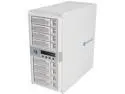
areca ARC-8050 RAID 0/1/1E/3/5/6/10/30/50/60/Single Disk or JBOD 8 x 6Gb/s 3.5" Drive Bays Two Thunderbolt Channels 8-Bay Thunderbolt to 6Gb/s SAS RAID Storage w/ LCD
Pros: Just to note that Areca have bought the Thunderbolt 2 version of this out now, so if you think 10Gb/sec is not enough, and you need TB2 @20Gb/s (!) then you can pay $600 more for the TB2 update. And... it comes in Black. apart from that, it's identical to this. As getting anywhere near the TB1 limit is impossible with current drives, or anything in the foreseeable future, I can't see a reason to go for TB2 except bragging rights.
Cons: Maybe, just maybe some large capacity SSD drives will come out in 3+ years that have 1gb/sec each and are affordable to ordinary mortals (dream on) - in which case a simple array might hit the TB1 buffer. I suspect that's a decade away though, plus those SSD drives will not fit regular HD trays, when they do arrive.
Overall Review: Get this while its on 'Sale'.
6/1/2014See more detail
SLOW!

Patriot Stellar Series 64GB OTG USB 3.0 External Storage For Android Smartphones/ Tablets- PSF64GSTROTG
Pros: small. light.
Cons: So small, I expect I'll loose it. No real key ring hook, SLOW: despite being 'USB3' This flash drive is achingly slow - about 20mb/s compared to the (older) patriot 64Gb Supersonic Magnum (!) 64gb drive, which works at 125mb/s. You are definitely sacrificing speed for size. If you really need the tiniest drive, then ok, get this. Otherwise, look elsewhere. If I could return it hassle free, with no restocking fee, I would.
2/3/2014See more detail
Great Board - only choice for TB2?
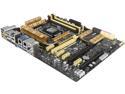
ASUS Z87-DELUXE/QUAD LGA 1150 Intel Z87 HDMI USB 3.0 ATX Intel Motherboard
Pros: This is Asus premium Z87 motherboard. Top of the line, best they can do. Yes it has Thunderbolt 2, not 1, and C2 stepping. All the connectors I could want, and the auto tune feature makes overclocking a 4770K easy as pie. I don't normally bother with OC, as I want a long life, super stable workstation, but this made it really as simple as pressing one button and letting Asus software find its stability point. Be sure to download the Thunderbolt drivers from Asus website. Might have problems without them.
Cons: Only thing missing is an e-SATA port on the back, otherwise its ALL there.
Overall Review: I needed Thunderbolt for a super fast 20Tb Raid arrays. (Areca ARC-8050) To move very large photoshop files around, and its great to be able to connect once and be super fast between storage and machine.
12/22/2013See more detail
Sofa so good
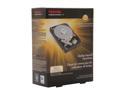
TOSHIBA PH3300U-1I72 3TB 7200 RPM 64MB Cache SATA 6.0Gb/s 3.5" Internal Hard Drive Retail Kit
Pros: Got it on the daily deal. would have liked another, but discount code only gave it up for '1 drive per customer'. 3 year warranty. Shows 35 degrees operating temp, the 5 other Hitachi 3Tb (5400rpm) in the array are showing 37/38 degrees, so its running cooler.
Cons: This is a retail box unit, but had no mounting screws in the box. No real problem, but worth knowing.
Overall Review: This is a: Hitachi HDS723030BLE640 Firmware is: MX6OAAB0 (bought April 7th 2013) Put it into my Areca raid bay to expand capacity another 3Tb, took 48hrs to migrate the array, constant read/write, with hard use on the drive for all that time. no problems, all done. There are some people giving this drive low ratings here due to unfamiliarity with running a drive greater than 2Tb in their 32bit OS system, or not using GTP initialisation, etc. You cannot blame Hitachi/Toshiba for your lack of tech saviness! Red up on it people, especially if you are on a 32bit older Windows OS.
4/13/2013See more detail