

Your Browsing History


Wiley M.
Joined on 02/11/04
0
0
product reviews
- 49
Do your homework before the install!
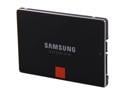
SAMSUNG 840 Pro Series 2.5" 128GB SATA III MLC Internal Solid State Drive (SSD) MZ-7PD128BW
Pros: As long as you understand what your system can and can't do, and you've gathered info about the pre-install prep you need to do...you'll have a good experience. Though this is NOT a plug-n-play experience, it is relatively easy to get your system and the new hardware up and running (and optimized) when you have browsed some "how-to's" online. You'll quickly note that Samsung provides little or no necessary installation information in the 840 Pro box. I am happy to report that my install of the 840 Pro 128GB went VERY SMOOTH, and is hitting the max performance benchmarks without any problem or compromise. Happy, Happy, Joy, Joy!
Cons: None at this time. 04/30/2013.
Overall Review: Check online for guidance about choosing an appropriate power scheme, partition alignment, benchmark utilities, SATA 6GB cabling, drive-cage adapters, defragging, search indexing, drive caching. If you're going to boot from the ssd, you can read up on Samsung's included "Magician" utility.
4/30/2013See more detail
Good Card, BAD Company!
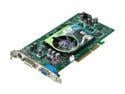
BIOSTAR GeForce 6800XT 512MB GDDR2 AGP 4X/8X Graphics Card V6802XA52
Pros: The card functions as advertised. No complaints for this "fast enough" AGP card. I haven't had any problems with a little over-clocking, so I can't comment on the goodness or badness of the fan. It does what it does to my satisfaction.
Cons: Biostar has a history of not paying their rebates. A third-party fulfillment company stonewalls any requests for information, saying..."When we get paid, you'll get paid." It's December 13, 2006. I sent the rebate info in before the end of July 2006. Phone conversations with staff at Biostar are rife with excuses and promises, but nothing happens. At this time I'm well-convinced that I will never see a check for my rebate. I advise that you avoid purchasing products from this company if you are considering them on the basis of their rebate.
12/13/2006See more detail
Not for you if you want to use Synology Surveillance Station. No Windows or Mac UI.
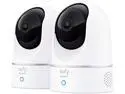
eufy Security Solo IndoorCam P24 2-Cam Kit, 2K Security Indoor Camera Pan & Tilt, Plug-in Camera with Wi-Fi, Human & Pet AI, Voice Assistant Compatibility, Motion Tracking, Homebase not Compatible
Pros: Works fine on a cell phone.
Cons: Though Eufy claims that all of their cameras are compatible with Synology (NAS) Surveillance Station, this camera, the 2K, is not and will likely never be. Also, ONVIF does not support this camera. Eufy's lack of transparency is a thing to behold. All of this information comes from Synology (not a competitor), not from Eufy. The only Eufy support of any use, is restricted to cameras that have a dependency on their HomeBase app. This camera is not supported by HomeBase. Also, the 2K cameras are only supported for use on cell phones. Your Mac or Windows PC have no camera management console.
Overall Review: Restricting the management of the 2K camera variations to cell phones is a total blunder that makes these cameras of limited use. Making a broad. inaccurate claim of compatibility with Synology's NAS Surveillance Station is unfortunate and minimizes Eufy's credibility.
8/13/2021See more detail
It is slow and too big, but it works.

Kasa Smart 3 Way Switch HS210 KIT, Needs Neutral Wire, 2.4GHz Wi-Fi Light Switch works with Alexa and Google Home, UL Certified, No Hub Required, 2-Pack
Pros: The switch will work after a few attempts. Only one switch is required in a 3-way circuit. The sale price made a purchase possible, even though there aren't any real-world reviews yet.
Cons: I'm not sure why the HS210KIT switches I received are so slow to respond to an Alexa command, unlike any of the other TP-Link smart devices I've used. It's a real irritation. Even worse yet is the issue I have had to work around: The switch's size makes for a very difficult installation in a 3-gang box. I'm pretty concerned that the other two switches that I want to install in that box, simply won't have enough room. The depth of a switch is roughly twice that of the mechanical 3-way Decora switch it replaced. When I consider the mass of the bundles of Romex wire that feed into, and out of, the 3-gang box, it is unlikely that I'll get all of the switches changed. At the very least, I will have to pay another $40 to get parts that will extend the depth of the box a bit, and a special face plate that will cover the unavoidable gap that is created. I have two more 3-gang boxes that need to get this same treatment. Yikes! Time to rethink doing this project.
12/22/2018See more detail
Keurig the brand, is nearly DEAD!
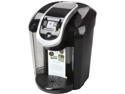
Keurig 2.0 K350 Brewing System
Pros: None! Run AWAY!
Cons: I was given this K350 for a birthday present. It was purchased at Newegg on 10/31/2014. I had a Keurig about 3 years ago, enjoyed it for about 4 months, and it quit. Replacement machines quit similarly 2 more times until Keurig refused to send another. I guess this current machine was thought to be a perfect gift. WRONG! The Keurig branded machines are no more reliable than the old machines (built-in failure potential) that gave horrible service. Also, the new draconian DRM scheme to force unsuspecting customers to purchase Keurig K-cups ONLY will certainly be the death of this shyster company. And good riddance. Please do not give Keurig products to anyone you are friends with, or any of your loved ones. They don't need the grief that this company causes.
Overall Review: Don't get caught up in the seasonal sale prices on Keurig products. They are in trouble and their chance of survival is slim at best. Find another means to make delicious coffee. You'll be MUCH HAPPIER with your purchase.
11/13/2014See more detail
Frustrating performance
NUANCE PaperPort 14
Pros: Theoretically, the essential functions of document management are incorporated in this version of PaperPort,
Cons: All functionality depends on consistent and accurate indexing of documents that are stored. For several versions now, including 14, this necessity has be broken. Their tech support is impossible to work with and their draconian registration/activation process and ongoing anti-piracy techniques make it almost impossible to keep the program running. Note... Nuance is actively trying to get acquired. Samsung is in deep negotiation, but they would only retain the voice recognition technology. All other Nuance product categories would be terminated. Investigate before you make a purchase.
8/28/2014See more detail