
Your Browsing History


Bryan S.
Joined on 11/15/05
0
0

product reviews
- 4
Nice upgrade from my previous 28" 1080p monitor
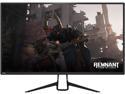
Pixio PX329 32" 165Hz WQHD 2560 x 1440 Wide Screen Bezel Less Display Professional 1440p VA AMD Radeon FreeSync Certified Gaming Monitor Compatible with Xbox (120Hz & VRR) and PS4
Pros: Very sharp and clear display 165 Hz refresh is nice So much more desktop real estate @ 2560 x 1440 Lightweight Display Port cable included Good price 32" of flat not curved panel
Cons: Display port cable is a bit short for my setup Monitor stand legs were hard to assemble as I couldn't get the screws to stop trying to cross-thread
Overall Review: I've only had this monitor for a day, so I have no long term experience with it yet. Having said that, for me, this monitor is everything it's advertised to be. I gave it only 4 stars mostly because I dislike the included monitor stand legs. It was hard to run the screws all the way down. Definitely needs a better designed stand. Other then that, I like it and would recommend it.
4/4/2019See more detail
Problems right out of the box
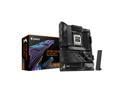
GIGABYTE X870E AORUS ELITE WIFI7 AM5 LGA 1718, ATX, DDR5, 4x M.2, PCIe 5.0, USB4, Wi-Fi 7, 2.5GbE LAN, EZ-Latch, 5-Year Warranty
Pros: All the features I wanted and nothing I didn't.
Cons: - To access the CMOS battery, you have to remove the heatsink which requires screws from the underside of the motherboard to be removed. - Won't finish POST due to RAM issue. - Lack of available tech support.
Overall Review: I've been solely using Gigabyte motherboards for over a decade with no issues. Overall nice board with all the features I wanted. Out of the box using memory from the compatibility list, the board doesn't complete POST. The diagnostic LED code is initially FF but then displays C5 and the DRAM light is lit. The RAM, brand new, is correctly inserted into the DDR5_A2 and DDR5_B2 slots. Basically, seems like the same problem Garret W posted in his comment dated 6/28/2025 2:02:48 AM. Gigabyte chat support was unavailable. There's no tech support phone number to call. Submitted an esupport request, but it's stuck on "Forwarded". At this point I would say don't walk away from this board, RUN!
7/20/2025See more detail
Good overall board
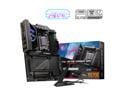
MSI MPG X870E CARBON AM5 ATX Gaming Motherboard, 4x SATA 6Gb/s, AMD Wi-Fi 7,USB 4.0
Pros: - It just works - USB stick with drivers - Not picky about RAM used - Minimal LEDs - Physical switch to turn LEDs off - Printed quick start guide - Quick latch no tools needed heat sinks - Quick latch M.2 drive retainers - BIOS battery is easy to get to - BIOS settings out of the box work well - Diagnostic and component status LEDs - Power and reset buttons on motherboard in a convenient location - Ample USB A and C ports - Dual Ethernet ports 2.5 & 5GB - EZ PCIe release button and it actually works well - Additional PCIe mb power connector
Cons: - Longer boat times especially with BIOS changes - Fans don't come to full speed until the OS is at the login screen - The horizontal USB 3.0 front panel headers - Two devices show as unrecognized even though I loaded all available drivers - POST beep is disabled by default - No 10GB Ethernet port - Can't remove the M.2 heat sinks with the video card in place - You need the CHK number listed on the mb power connector header to register the product
Overall Review: My Gigabyte X570s Aorus Master failed after a little over three years. I loved that board and setup. I initially replaced it with a Gigabyte X870e Aorus Elite WiFi 7 mb. Even using RAM from the compatibility list, that board would not finish POST with a C5 diagnostic LED code. I returned it and ordered this MSI mb. I thought about getting the Gigabyte X870e Aorus Master, but didn't want to take the chance on another board with memory issues. Also, the Master mb has less highspeed I/O connectivity. The MSI Carbon is the board I should have gotten to begin with. The layout is slightly better than the Gigabyte Master layout. Everything just mostly works first go around. The quick release stuff actually works well. It does take longer to boot then I would like at about 40 seconds. I'm still getting used to the new look and feel of the BIOS. I love that MSI included the drivers on a USB stick. The biggest downside of this board for me is the horizontally mounted USB front panel connector headers. Other than the longer boot times, this is an excellent solid board. Specs for this build: - MSI MPG X870e Carbon WiFi - AMD 9950X - NZXT Kraken 280 AIO - Kinston Fury 2x32GB CL30 - Samsung 9100 Pro 2 TB m.2 - Existing Corsair HX750i PSU - Existing ASUS ProArt GeForce 4080 Super - Excising Samsung 980 Pro 500GB M.2 - Cooler Master HAF-XB case
8/3/2025See more detail
Good solid proc
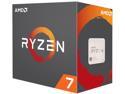
AMD Ryzen 7 1st Gen - RYZEN 7 1800X Summit Ridge (Zen) 8-Core 3.6 GHz (4.0 GHz Turbo) Socket AM4 95W YD180XBCAEWOF Desktop Processor
Pros: I'm a long time AMD user, but this is a good proc for a good price. So much better and much more stable then my AMD FX-9590. It runs cooler as well (95w vs 220w).
Cons: None
Overall Review: I would definitely recommend AMD's Ryzen 7 proc series.
5/15/2019See more detail