
Your Browsing History


Marco B.
Joined on 03/08/06
0
0

product reviews
- 20
x8 x8 x8 - yes please.
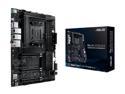
ASUS AMD AM4 PRO WS X570-ACE ATX Workstation Motherboard with 3 PCIe 4.0 x16, Realtek and Intel Gigabit LAN, DDR4 ECC Memory Support, Dual M.2, U.2, and ASUS Control Center Express
Pros: Just like the title says - x8 x8 x8 on a 570 board is great. I use this board for a high performance router and firewall with two 10gb Intel cards with 2 ports on each of them. I also have an LSI RAID controller and with x8 x8 x8 they all get the bandwidth they need. Couldn't find this on other boards for some reason and although this board comes with no bells and whistles it is built well and supports ECC memory which if you need that makes this board especially appealing.
Cons: As someone else mentioned in another review this board comes with two Ethernet ports - both are 1gb and only one is Intel. That means if you really were to use both at the same time you need to use two different drivers from two different vendors which means you'll most likely encounter issues where you want to do one thing on both NICs and simply can't. Maybe you want to increase the ring buffer on the RX to 4096 but only one of the interfaces can be set that high or maybe you want to implement interrupt moderation so you have lower latency but again only one driver and NIC supports your settings. Why give us two ports from different vendors?
Overall Review: I bought and use this board in a system that never turns off and is on 24 hours a day. I have no regrets about buying it and would recommend it to others with similar purposes as mine. Remember to register your Asus motherboard - if you ever need it serviced it makes life a lot easier. :-)
5/23/2020See more detail
Listen to reason...
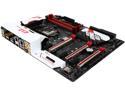
GIGABYTE G1 Gaming GA-Z170X-Gaming 7 (rev. 1.0) LGA 1151 Intel Z170 HDMI USB 3.1 USB 3.0 ATX Intel Motherboard
Pros: Excellent motherboard sensors, well built, BIOS has all the settings required to get high memory overclocks at low latency, spacious layout
Cons: First off, if you are not looking to run tri or quad-SLI there is really no reason to buy this board. I only purchased it because Newegg initially sold the new skylake processors with a bundle deal and so I chose the bundle that included this board since there were limited options. Although the BIOS has good support for overclocking processor and memory there are other things that are missing that is hard to understand. For example, you can't turn off the non-Intel SATA controller/ports - meaning the operating system will still use the resources that you probably wanted to use for something else. The software that Gigabyte bundles with this board simply do not work properly or have limited feature sets. To use the apps they require an installing of a second mandatory Gigabyte app called App Center so even if you are only interested in a single application that is bundled you will be installing at least two. Another example is the bundled Intel Extreme Tuning Utility which may have worked properly with the original BIOS but if you want to use the latest BIOS (which fixes several serious bugs) you will find that by loading the tuning software that the "proposed" changes don't reflect what you've set manually yourself. Worse, now you will have to go to your BIOS and change the settings back. Dual Bios technology sounds great but it's not fun when it doesn't work and you get caught in a loop watching each fail and trying to start the other. I couldn't get things stable again until I removed every single device including GPUs, etc. and removing the CMOS battery for an hour. Finally, no matter what I was unable to get both of my GPUs running in PCIE 3.0 x16 mode. The one card in PCIE slot 1 (x16) would run at x16 but the second card which was located in slot 2 (x16) would only run a x2. It didn't matter what kind of expansion card I used - I have an x8 RAID controller that would only work at x2 in that slot. The only way I was able to get a functional SLI setup that didn't lose on the performance side of things was by putting the second card in the slot right next the 1st GPU which is designated as slot 1x8 - at which point both cards would run at x8 (PCIE 3.0). The problem with that setup was that my two 980 GTX Ti's were right up against each other and airflow was extremely hampered for the 1st card causing heating issues. I tried every trick in the book and ultimately I concluded that it was a faulty slot. Like I said, it didn't matter what else was plugged in only two lanes worked. Remember this. When it comes to a Gigabyte product you only have one way to get support. That's through email. There are no forums and basically you are on your own if you happen to get a tech support person who only gives you the canned responses like "did you reboot" or "reinstall", blah blah blah. Honestly, if something goes wrong this is one of the most frustrating vendors in the business so be warned...
Overall Review: I finally decided to RMA this board and knowing that it was going to take a long time to get back I went ahead and purchased a Gigabyte GA-Z1Z0X-Gaming 7 from Newegg. Basically the same board minus stuff you probably never wanted in the first place. GPUs plugged into the slots recommended by the manual for SLI and they both are in x8 PCIE 3.0 mode as expected. But here is the part that just infuriates me and why I will avoid this vendor in the future if I can. I just checked my RMA status via rma.gigabyte.us and despite filling out all the information describing my problem in detail and also opening up a support ticket which is mandatory to even get an RMA open and despite putting hours into trying to get the board to have two working PCIE 3.0 x16 slots with every possible combination I can see that my RMA status was just updated to "No trouble found after tests with multiple configurations" which tells me that it wasn't even removed from the box I sent it back in. I'm supposed to believe that they took my board out and put it on the test bench and stuck two GPUs in slot 1 and 2 (assigned to x16) and it worked... Pffft. Now they will send me back my board (you pay for the shipping there) and I will just open up another ticket and do the whole thing again back and forth until one of us gets tired of it. At least I live near their RMA US HQ down here is SoCal but what about the poor people who live out of state? This whole thing has left such a bad taste in my mouth - especially since RMAing anything is something I haven't had to do in over 10 years with any equipment I've purchased. This is an expensive board. For me, it may end up becoming an expensive paperweight. Thanks, Gigabyte.
12/6/2015See more detail
Forget playing games - I get 8 hours of sleep now!
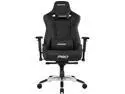
AKRacing Masters Series Pro Gaming Chair, 4D Adjustable Armrests, 180 Degrees Recline - Black (AK-PRO-BK)
Pros: This chair - I can't describe it - when you sit in it you feel like magical secret powers were revealed the day you sat in it and raised your sword and said "by the power of Grayskull!" Forget hours of gaming - I finally get 8 hours of sleep a night. This chair is the chair that is handed to people when they die and go to heaven. Easy to put together but difficult to take apart or break or bend or twist or just even watching it fall apart slowly like every other chair I've had.
Cons: Do I sound like I got one?
Overall Review: It's expensive but you get what you pay for - maybe not every time - but in this case 100%.
4/24/2021See more detail
Low Latency with High Density has arrived.
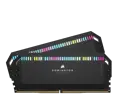
CORSAIR Dominator Platinum RGB 64GB (2 x 32GB) DDR4 3600 (PC4 28800) Desktop Memory Model CMT64GX4M2C3600C18
Pros: 64 GBs with only two sticks. (only route you have for 2 DIMM slot boards) Tight timings despite being dual ranked. Micron Part Number D9XPF (MT40A2G8VA-062E:B)
Cons: Nothing that I can dock a star for but the RGB is not my preference and it's very bright and of course to control it requires using additional software installed from Corsair. Also, please realize that the heat spreaders on these things are very tall - adapt accordingly.
Overall Review: I've got an Asus Maximus Apex XII and a 10900k processor. I'm limited to only two DIMMs so if I want 64 GBs of memory I'm limited to kits that are 2 x 32. I've been putting off buying something because I was not wanting to sacrifice bandwidth or latency just to have additional memory but when I saw these I figured I'd just go ahead and see what they can do since I could find hardly any reviews out there and Reddit/hwbot has some info on kits that were built on the same ICs but nothing binned like what we see in these Dominators. After about a week of dialing everything in and running the stability tests I feel I need to pass to ensure 24/7 stability I was really shocked at these high density modules: Main Timings: 16-18-18-36 1T @ 3600 Mhz @ 1.4v The 1T is what really makes these special because it was not at the expense of raising secondary or tertiary timings. In other words, I'm still running these at at amazing 56-56--57-57-6-6-6-6 RTL/IOL (IOL Offset 21). TRFC is 587 which is high BUT NOT for 32 GB DIMMs. Here are some further values for timings just to show you how good these DIMMs really are: RAS To RAS Delay (tRRD): Same Bank Group: 6T, Diff. Bank Group: 4T Write Recovery Time (tWR): 11T Read To Read Delay (tRTR): Different Rank: 5T, Different DIMM: 5T, Same Bank Group: 7T, Diff. Bank Group: 4T Read To Write Delay (tRTW): Different Rank: 13T, Same Bank Group: 13T, Diff. Bank Group: 13T Write To Read Delay (tWTR): Same Bank Group: 27T, Diff. Bank Group: 22T Write To Write Delay (tWTW): Different Rank: 7T, Same Bank Group: 6T, Diff. Bank Group: 4T Read To Precharge Delay (tRTP): 6T Write To Precharge Delay (tWTP): 29T Four Activate Window Delay (tFAW): 16T Write CAS Latency (tWCL): 14T Refresh Period (tREF): 65535T Conclusion: 32GB Sticks that read at 56596 MB/s, write at 55852 MB/s and copy at 51111 MB/s and get you an unbelievable latency score in AIDA64 of 42.2 ns all at 1T command rate? These Corsair Dominators are something special.
8/8/2020See more detail
High quality high capacity memory
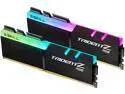
G.SKILL TridentZ RGB Series 32GB (2 x 16GB) DDR4 3866 (PC4 30900) Desktop Memory Model F4-3866C18D-32GTZR
Pros: Does DDR4 4000 at 18-18-18-28 2T on my Asus Maximus XI Apex (prime95 stable 24 hours) at 1.5 volts. There is more room for improvement if you are willing to invest even more time into these sticks.
Cons: I've owned these for a while and they were a lot more expensive than what is current listed. RGB lighting is can't really do true color representation. You'll never get a pure red and have to settle for a dark pink or a dark blue will be more of a light blue. Basically I have little to complain about other then to complain about stuff I don't even care about ;-)
Overall Review: Overclocking high capacity dual sided DIMMs is not the same as your standard 8 GB single sided DIMMs. There are several RAM timing settings that only apply to either single sided or double sided DIMMs and knowing the difference can really help you get the best performance possible. I have a 9900k that seems to have a fairly strong IMC but still need to make sure I give enough volts to the VSA and VCCIO settings to be stable. Bottom line - this a great kit. :-)
8/30/2019See more detail
I believe them when they say they are hand picked ICs.
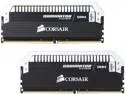
CORSAIR Dominator Platinum 16GB (2 x 8GB) DDR4 2400 (PC4 19200) Desktop Memory Model CMD16GX4M2B2400C10
Pros: Ridiculously low latency, solid manufacturing, ascetically pleasing despite no "RGB" and very responsive to additional voltage.
Cons: Nothing. They exceeded my expectation.
Overall Review: Forget the fact that these do 10-12-12 at 2400 mhz - I am currently stable at 4133 mhz at 1.55v with 18-19-19-39 - amazing. When I say stable I mean Prime95, 12 hours, etc. I was able to do 12-12-12-28 at 1.95v but there was a lot of instability but there is no doubt that if I had the time to dial in the memory settings on my Asus Apex MB I could get them stable enough for some bench marking for sure. I've gone through several sets of G.Skill Trident Zs and on a whim decided to purchase these since I assumed they would be Samsung B-Die chips and sure enough they were. Really nice job, Corsair. Well done!
6/21/2017See more detail
seller reviews
- 2
Great Price & Fast Delivery
What more is there to say? This was the best price on the internet at the time and the delivery speed was fast and the product was in perfect condition.
On-time
Delivery
Product
Accuracy
Customer Service
Satisfactory
1/12/2013See more detail
These guys are not Newegg Quality
I ordered two stereo headphone/ear buds on 12/12/2012 @ 9:46 PM. I also ordered a Lenovo Ideatab from Newegg at the same time. I got the Lenovo 2 days later and the tracking # the day before. As for the ear buds from this vendor - Firemall LLC - well - it's 12/16/2012 and i just got an email with a tracking # which isn't even valid (meaning, it's not a # that can actually be used for tracking according to the US Postal Service) and yet they are charging me $12.95 for shipping for a 5 to 7 day delivery time which probably cost them $2.45 max from USPS. This is the first time I've ever felt compelled to complain before the product has even arrived. Seriously - if it takes them 4 days to give me a tracking #, and then the tracking # isn't even valid for tracking and they choose to ship it via the cheapest possible method with the longest delivery time and then charge me a shipping price which is almost as much as the product I'm ordering - well - maybe I'll just stick to Newegg next time.
On-time
Delivery
Product
Accuracy
Customer Service
Satisfactory
12/16/2012See more detail