
Your Browsing History


James B.
Joined on 01/04/05
0
0
product reviews
- 8
Install needs help
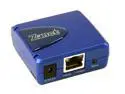
Zonet ZPS1000 Pocket-Sized Print Server RJ45 USB 1.1
Comments: This tiny server has been working well for me. If you have experience setting up networks, you won't have any problems. If not, these instructions may help: 1) Get an ethernet crossover cable and direct-connect the printer server to a computer (make sure all firewall and A/V are off). 2) Set the computer's IP address to 192.168.5.2 (the server's is 192.168.5.1). 3) Plug in the server's power supply and attach the printer (make sure it's on). 4) Ping the server at a command prompt (c:\>ping 192.168.5.1) and check for a return (if you don't get one, check connections, computer's IP, ect.) 5) Open a browser and enter 192.168.5.1 in the address. You should see the server's screen. Make sure it recognized the printer. 6) Edit the default IP setting in the server to an address within the DHCP range of your router (like 192.168.0.40 if the range is 192.168.0.1 - 192.168.0.51). 7) Remove the crossover cable and hook up the print server to the router. 8) Edit the router's setup so that the server's IP address is always assigned through DHCP. 9) Use the server's setup CD on each computer to allow the wizard to walk you through it. Note: If this is a new printer, make sure each computer using the printer has the drivers already installed.
10/31/2005See more detail
Not found on Google
Tyris 17" Active Matrix, TFT LCD SXGA LCD Monitor 8 ms D-Sub, DVI T701DB
Pros: Looks like a great deal, except
Cons: NewEgg is the only place you can find this monitor and there are no other references on Google. Also, there is nothing in the manufacturer's site link here
Overall Review: Until I can find a review or more info I'll have to pass.
4/10/2006See more detail
Lasts a long time
COOLMAX CX-400B 400 W ATX v2.01 Power Supply
Pros: Running w/o probs 24/5. Pretty, quiet, adequate connectors, sheathing.
Cons: Shiny case show fingerprints if you open your computer case and touch it (just picking a nit).
Overall Review: Biostar micro M/B, AMD 4000+ 939, one 160GB HDD, one floppy, one DVD-RW, one CD-RW, USB card, graphics card.
1/2/2008See more detail
DVI-D
Acer 20" TFT LCD WSXGA+ LCD Monitor 5 ms D-Sub, DVI AL2016WBbd
Pros: No dead pixels. Very good value.
Cons: Hieght not adjustable.
Overall Review: Not a show-stopper but, the DVI is -D and my video card is not. -D has the blade connector on one side. Make sure your vid card has the right connector. There are about 4 flavors of DVI.
8/4/2007See more detail
Everything I needed
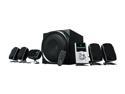
Logitech Z-5500 505 Watts 5.1 Digital Speaker System
Pros: Auto-sensing of inputs, built-in amp, programmable control of all speakers with test mode, great sound. Hooked up to DVD (digital), XBox, MP3, VCR and all sound excellent (esp. digital).
Cons: Short cable from control to amp.
Overall Review: Mine had detachable wiring (older models didn't)
4/24/2006See more detail
Fast, quality, inexpensive
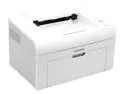
Samsung ML-2010 Personal Up to 22 ppm Monochrome USB Laser Printer
Comments: Been using this printer on my home network for about 2 months. It's fast, simple to set up, manual duplex is very easy (and has on-screen diagram), good quality printing. As many have said, it's a bit noisy. The noise level drops when it hasn't printed for 10 minutes or so. I always look to NewEgg first.
10/11/2005See more detail