

Your Browsing History


Robert S.
Joined on 02/11/07
0
0
product reviews
- 4
nice idea & some issues
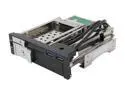
KINGWIN KF-253-BK 2.5"&3.5" Multi-Function Hot Swap Rack w/ USB 3.0 Hub
Pros: Looks nice. Works with my OCZ SSD as well as my Hitachi 2TB drive. has blue led for each drive as well as an on/off switch.
Cons: You have to view that led light at just the correct angle to be able to see the red activity flashing. The modular connector at the end of the USB cables fits what? My MB does have 2 3.0 usb on the back panel but nothing internal so now what? Sata data connectors are flimsy feeling compared to those on a MB..
Overall Review: It's what I needed and I hope I can figure out a way to use the usb ports?
1/28/2013See more detail
Will not function without opsys
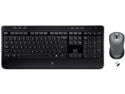
Logitech MK520 Wireless Keyboard and Mouse Combo — Keyboard and Mouse, Long Battery Life, Secure 2.4GHz Connectivity
Pros: Well it won't function at all so it's none.
Cons: This unified receiver concept requires the use of the operating system in order to link/pair-up the mouse, kybd and receiver. So if you don't have an opsys on the system as yet you can't use this keyboard and mouse. That means you have to have a second set of wired kybd & mouse while you're configuring the system and load the software. Their older stuff had the link buttons on the underside of the units and was independent of any opsys. Really, really dumb.
Overall Review: This was confirmed to me by Logitech over the phone and he did say they're supposed to come pre-paired up. Mine was not and trying to do that on another PC didn't work either. Really annoying because now I have to spend money to send it back just because of their inherent design flaw. I've always loved their products and I've been a customer since day one when they opened their doors.
4/10/2012See more detail
Doesn't cool stock CPU
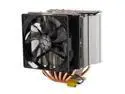
COOLER MASTER RR-H612-20PK-R3 120mm Sleeve with 6 Heat Pipes Hyper 612 PWM CPU Cooler Compatible with Intel 2011/1366/1155/1156/775 and AMD FM1/FM2/AM3+
Pros: It did fit in my Gigabyte Board which has the memory slots close to the cpu socket. Looks nice.
Cons: My case has no cutout behind the cpu socket so to instal & remove this cooler means pulling the MB. Ugh! Well I've tried this cooler twice now and if you run a load test one of the four processors jumps to over 60C pretty quickly. Forget about any sort of overcloking. This is an AMD Phenom II x4 975 black edition. The first time I thought I had too much heat grease on it. They call for a thin layer in the directions. So I called and followed a specific order to use a 2mm ball and let the cooler spread it out. It's no better. Maybe even a bit worse. Shouldn't this thing be able to cool this processor with no overclock settings under a full load?
Overall Review: I'd like to get this to work but ... maybe I should have gotten the processor with the stock fan.
1/30/2013See more detail
Fianlly I got 2TB
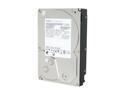
Hitachi GST Deskstar 7K3000 HDS723020BLA642 (0f12115) 2TB 7200 RPM 64MB Cache SATA 6.0Gb/s 3.5" Internal Hard Drive Bare Drive
Pros: I finally found the full 2 TB
Cons: I had to return it because it showed up as having 32GB or something. When I received the replacement it showed 1 Tb and not 2? I was running XP and the toaster style drive holder I was using via eSata only supported 1TB. But after upgrading my MB I discovered that even under Win 7 Pro it only showed 1 TB? After a bit of web detective work I found that a utility Ddat2 lite was able to unlock and reveal the full capacity of the drive! Kind of a scary looking utility to use by the seat of your pants. I wouldn't do it with data on it. What in the H*LL is this all about??? Are they making 2TB drives and then setting the capacity depending upon what they need to sell that week?
1/28/2013See more detail