
Your Browsing History


Max P.
Joined on 05/25/03
0
0
product reviews
- 13
Works on 240 Watt PSU
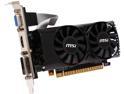
MSI GeForce GTX 750 Ti 2GB GDDR5 PCI Express 3.0 x16 Graphics Card N750 Ti-2GD5TLP
Pros: Currently running this in a SFF Lenovo desktop with a Core i5 3470, 8gb ram, and a 240 watt psu. I've Been able to run BF4, BL2, Skyrim, and Crysis 3 all at high/Ultra settings. This is a impressive little graphics card.
Cons: None so far
Overall Review: When you factor in performance/power consumption, this is probably one of the best performing low profile ready graphics on the market.
1/21/2015See more detail
It does the job (Not the official header for the X300)
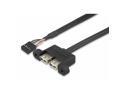
For ASRock DESKMINI USB CABLE
Pros: It works great. The X300 is lacking in USB ports so having a few extra for low power devices (wireless mouse/keyboard receiver) is a big help.
Cons: It's not official part for the X300. It's basically a low-profile usb 2.0 header that comes attached to a metal bracket that you have to remove before mounting it to the X300. The ports are white and the mounting screws are silver so the aesthetics won't match the black case if that matters to you.
Overall Review: Overall, It does what it's supposed to do and it's cheaper ($9) than the official X300 usb header ($22) I've read a lot of people having difficulties fitting the system back into the case once you get the header mounted. On the inside of the front panel of the X300 case there should be a metal clip. Hook the usb cable and the front panel header cable in there, bend it inward a bit to secure the cables, and that should make sliding the system back into the case much easier. You still may have to adjust the cable a bit but it should save a lot of headache.
5/5/2023See more detail
Awesome performance in small package
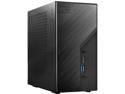
ASRock DESKMINI X300W AMD X300 mini PC Barebone AMD AM4 Socket W/O CPU HDMI,DisplayPort, D-Sub Gigabit LAN 155 x 155 x 80 mm (1.92L)
Pros: Small footprint. It's basically the same size as a standard ATX power supply Easy to install CPU, RAM, and storage surprsingly amount of expansion for such a small form factor
Cons: WIsh it had one or two more usb ports. I know there's a header you can buy seprately but that's not always easy to find.
Overall Review: I set up mine with a Ryzen 5700g and it worked out of the box with no BIOS update required. If it ships with BIOS version 1.7 or higher it should support Ryzen 5000 series out of the box. I was also able to easily overclock the 3200mhz RAM to 3600mhz. I recommend using an aftermarket cooler such as the Noctua NH-L9a-AM4. The stock Wraith AMD cooler will fit as well if you remove the fan shroud. I would highly recommend either of these over the incliuded cooler.
2/9/2023See more detail
Great price/perfomance card
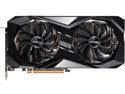
ASRock Radeon RX 6700 XT Challenger D Gaming Graphic Card, 12GB GDDR6 VRAM, AMD RDNA2 (RX6700XT CLD 12G)
Pros: Possibly one of the best value cards for 1440p performance Easy to install
Cons: Like others reviewers have stated, I did notice the coil whine. I was able to significantly reduce this through undervolting and setting a frame rate cap at just under my monitor's refresh rate. I recommend anyone that owns an AMD card to look up undervolting guides on your card. This can really help with temp issues and coil whine. AMD's software makes things pretty simple to do this.
Overall Review: Overall this is a great card if you're comfortable with doing some tweaking.
1/27/2023See more detail
Works great!
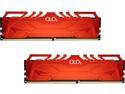
OLOy 32GB (2 x 16GB) DDR4 3200 (PC4 25600) Desktop Memory Model MD4U163216CFDA
Pros: -Works at the speed advertised (3200mhz)
Cons: None so far. It's RAM
Overall Review: I have these installed in an Asrock B450m-Pro4. The XMP profile works with no issues at 3200mhz In case anyone is curious, these are showing as Samsung chips under CPU-Z.
5/17/2020See more detail
Excellent PSU
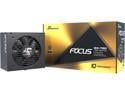
Seasonic FOCUS GX-750, 750W 80+ Gold, Full- Modular, ATX Form Factor, Low Noise, Premium Japanese Capacitor, 10 Year Warranty, Nvidia RTX 30/40 Super, AMD GPU Compatible, Ref# SSR-750FX
Pros: 80+ Gold Excellent quality Fully modular all black cables
Cons: None so far
Overall Review: I replaced a failed brand name PSU with this one and so far it has exceeded my expectations.
12/4/2018See more detail