
Your Browsing History


Peter B.
Joined on 06/20/06
0
0
product reviews
- 3
More Card than I needed
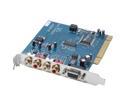
M-AUDIO Audiophile 2496 24-bit 96KHz PCI Interface 4-In-4-Out Professional Audio Card with MIDI
Pros: Clear sound
Cons: No direct Linux support.
Overall Review: I purchased this card to improve the sound my "music" computer sends to a pretty good stereo system. The built in sound carried a fair bit of hiss with it. The new card drops the hiss level way down. As a result, the high frequencies sound quite clear. I run KDE and Kmix is quite frustrating to work with. It guessed the wrong channels to display. There is no master volume control for both channels. You adjust each channel separtely, something that hard to do with a mouse. Alsamixer, with its keyboard interface is much easier to work with. Mercifully, the individual multimedia programs (like Kaffeine) have their own volume controls. You do a base setting with Alsamixer, and then do all further controls with your multimedia apps. I gave the card a 5 based on that fact that the Linux support is workable, and that the sound output is excellent. This card transforms your computer into a true hi-fi device.
5/3/2008See more detail
Linux Perspective
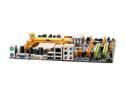
BIOSTAR TForce TF7025-M2 AM2 NVIDIA GeForce 7025 Micro ATX AMD Motherboard
Pros: Good all-in-one board.
Cons: Linux support lacking. Running "lspci" gives you many instances of the word "unknown." Networking not reliable if you operate it as a server.
Overall Review: Ubuntu Feisty and PCLOS 2007 will boot and drop you to busybox, because they can't see the CD-ROM drive, or the hard drives. Debian sees the CD-ROM drive and one SATA hard drive. If you have more than that, you can install a Sidux kernel. Recent Debian kernels (2.6.20+) also fight non-free video drivers (think Nvidia). Again, use a Sidux kernel. Fedora did the best, recognizing all drives, and not fighting with the closed source drivers. You need the 100 series Nvidia drivers for Linux operation. A word on the built in NIC. It's by Realtek, and works for normal browsing. It falls down with Linux when you want to stream stuff from a server. I purchased a separate NIC to fix the issue.
7/12/2007See more detail
Linux Impressions
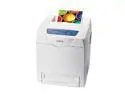
Xerox Phaser 6180DN Workgroup Up to 26 ppm Color Ethernet (RJ-45) / LPT / USB Laser Printer
Pros: A cheap, solidly built, printer with good output.
Cons: A very, very tall printer that "thinks" a while before printing complex documents
Overall Review: You get a lot of little pamphlets with different titles, but with exactly the same content. The main documentation is a PDF on the enclosed CD. It's not bad. Linux users buy without fear. Give the printer a fixed IP and an appropriate netmask, and tell cups you want to print there. The default CUPS port is 9100, and this printer supports that. The printer also does a nice job with the default, generic Postscript driver. Xerox also supplies a driver of its own for Linux users in an RPM. Debian type distro users can use Alien to convert it. The drivers then show up under "Xerox," for some reason. :) The Xerox driver gives you more color control (not really needed), paper tray addressing (some I didn't need), plus something called "Enhanced image quality." The latter is an attempt to wring a little more dynamic range out of 600 dpi. You get slightly less contrast and smoother gradients. Overall, the integration with KDE's printer utilities is flawless.
8/26/2008See more detail