
Your Browsing History


Nissa R.
Joined on 10/15/07
0
0
product reviews
- 4
flawed
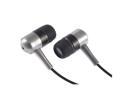
Rosewill RH-189 3.5mm Connector Canal Earphone
Pros: It has decent sound quality and you can hear low frequencies with it
Cons: A flaw in the design causes the ear pieces to fall apart.
Overall Review: The left side fell apart first; when it did I had to solder the wires back on the speaker and glue the casing back together.
9/24/2009See more detail
Not good quality
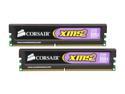
CORSAIR XMS2 2GB (2 x 1GB) DDR2 800 (PC2 6400) Dual Channel Kit Desktop Memory Model TWIN2X2048-6400
Pros: Average performance ram when they work
Cons: one of the sticks went bad
Overall Review: My computer started crashing all the time after I installed this ram. I ran memtest and it reported that the ram checked out fine, but I eventually pinpointed the problem to one of the two sticks and have had no more trouble after replacing the bad stick I didn't think that I would have any problems with this ram because of all the good reviews, but I did.
9/24/2009See more detail
Bad Luck
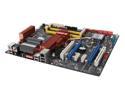
ASUS P5E LGA 775 Intel X38 ATX Intel Motherboard
Pros: It's fast and has lots of overclocking options. It booted up on the first try and worked great for a while.
Cons: after a week or two the CMOS started forgetting who it was and all the settings were set to default. Then I had to replace the on-board battery. Then the BIOS became corrupted and I tried to reflash it with the EZ flash utility. Then it would not post and I had to send it to ASUS to get the BIOS reflashed. Then when I got it back it worked for about a week and the BIOS became corrupted again. So I reflashed it again and the BIOS picture became corrupted, but it still booted up. I haven't had any problems with the board since then.
Overall Review: I replaced my old MSI board with this one because the MSI one got where it wouldn't post sometimes. When the P5E started giving me problems I was in school and I was trying to make do with it, but I eventually had to send it back when it would no longer post.(I became very angry when I had school work to do and my computer would not turn on) While I was waiting for the P5E to be repaired I put my old MSI board back in my computer. After getting it back and going through a second set of BIOS corruptions, it is now running smoothly. I guess ASUS has problems with some of these boards. I would not recommend using this board in a computer that you do work on, because you may get one of the bad ones like I did.
5/2/2009See more detail
the gecube version
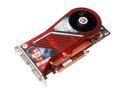
DIAMOND Viper Radeon HD 3870 512MB GDDR4 PCI Express 2.0 x16 CrossFireX Support Graphics Card 3870PE4512SB
Pros: I have the GECUBE version of this with an ASUS P5E. It plays CRYSIS on High @ 1400x1050 and UT3 on maximum @ 1400x1050. It is also quiet.
Cons: I have had trouble getting drivers to work properly with the card. I had a Radeon X1600 before and when I installed the 3870, half of my programs like 3dmark06, GTA SA, Quicktime, and other ones didn't work. I thought that some of the old drivers were still on my computer so I reformatted it and installed all the new drivers and it still didn't work.
Overall Review: I put my X1600 in the secondary pcie slot and set it as primary display adapter and all the programs work correctly.(this is after i reformatted the computer) This may be a gecube 3870 problem, but it is no longer on newegg as of now. ASUS P5E, E6400 2.9Ghz, 3gb Corsair 800, Radeon 3870, Radeon x1600pro, XP pro 32bit
1/27/2008See more detail