

Your Browsing History


Marc B.
Joined on 08/13/03
0
0
product reviews
- 2
It's a BIG case!
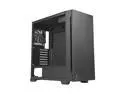
Antec Soundproof Panel Quiet Middle Tower PC Case P10C
Pros: This case is big, really big. It makes it easier to fit and connect all the parts inside. Coupled with a low noise power supply, it makes this computer nearly silent. I like that it's a minimalist case, pretty much just a big black box, with clean lines and no flashing lights. But that's just my preferences.
Cons: There is quite a lot of unused room inside the case. If space is not a concern in your work/play area, then it's not a big deal.
Overall Review: I'm pleased with this case. If I was to do it again, I might get one a bit smaller, but there's certainly nothing wrong with it.
8/1/2023See more detail
Good Product, Terrible Documantation
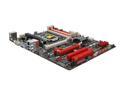
BIOSTAR TZ68A+ LGA 1155 Intel Z68 HDMI USB 3.0 ATX Intel Motherboard
Pros: This is a great buy. You get the latest technology for an unbeatable low price. I was amazed that I didn't even have to buy a graphics card without any noticeable drop in video performance. It's a no-frills board, but it has all the features I needed and wanted.
Cons: The BIOS manual is terrible, as in terribly uninformative. It hardly contains anything beyond what's in the BIOS itself. All I was looking for is a little bit of explanation telling me what the settings are. For example, the box shows this to be an "Energy Using Product" and there is in the BIOS an option to enable or disable "EuP Control" (I deduced, perhaps incorrectly, that EuP is the acronym for Energy Using Product). Would it be so hard to write a couple of sentences in the manual, telling us what enabling or disabling this option does? Does it reduce power consumption? How? How much? Does it slow down the computer? If Biostar is going to take the trouble to include this feature on their board, the least they could do is tell us what it does. Same thing for other features such as ASPM Support, ACPI Sleep State, Local x2APIC, VT-d, IGD Memory, EHCI Controller, etc... I should not have to search Wikipedia to find out what these settings are for. It should be in the manual.
Overall Review: I'm taking 2 stars off because of the poor documentation. And I'll be happy to add them back if Biostar ever comes up with a decent manual. Some people may think that if one doesn't know what these settings are for, then one should not touch them and just use the factory defaults. But contrary to the manual's assertion that the defaults are "optimized for this system", I found that the defaults seem to give precedence to compatibility, and disable many of the newer features that one may wish to have in a new machine. For example the board supports the new UEFI BIOS, but UEFI boot is disabled by default. I found that enabling it speeds up boot time considerably, but there is not a word about it in the manual. Sleep also defaults to CPU Stop Clock instead of Suspend to RAM. The EuP control I mentioned above defaults to Disabled. They spent millions producing a technologically advanced board; they could afford having an engineer spend a couple of days writing an informative manual.
8/14/2011See more detail
seller reviews
- 1
It works as advertised
The gadget arrived quickly and worked as advertised on my Hyundai. I could not install the software on the CD, but all the codes are available on the web, so the CD was superfluous anyway.
On-time
Delivery
Product
Accuracy
Customer Service
Satisfactory
8/14/2012See more detail