
Your Browsing History


Paul B.
Joined on 07/15/06
0
0
product reviews
- 1
Don't forget the XMP settings. Don't use automatic.
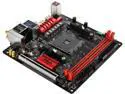
ASRock Fatal1ty X370 Gaming-ITX/ac AM4 AMD Promontory X370 USB 3.1 HDMI Mini ITX AMD Motherboard
Pros: Great small board with great, easy to use BIOS. Works as advertised, once I figured out the problem. Fast with my Ryzen 1700x. No other issues.
Cons: During initial install and setting BIOS to boot from USB, I restarted the computer to install Windows 10. During the install, I got the Blue Screen Of Death (BSOD). Error waas IRQL NOT LESS OR EQUAL with no specific code. Restarted and it happened once more, but eventually finished install. The BSOD would continue intermittently, usually with the IRQL error, on occasion DRIVER IRQL NOT LESS THAN EQUAL, and a few times with other errors. All aspects but my M.2 Samsung Pro drive were new--that I wiped before installing W10. Tried to reinstall Windows 10 a couple times. BSOD would appear often, but sometime a full computer use cycle would be okay. Most often, the BSOD occurred just after startup. I saw one of the of reviews mentioning the XMP memory settings. I was using a set of 32GB G.skill 2400 RAM. I checked the BIOS and the Auto setting was still checked , but the RAM was listing at 2133. I ticked the manual setting to 2400...and everything was fixed. Considered it was likely a memory access fault--I had tried every online fix known to man for the IRQL fix, including updating all suspect drivers--which might explain why it happened during the W10 install initially before any drivers were install, and explain the variety of the several other BSOD codes along with the usual IRQL error. Now, it's perfect. I would not recommend using the auto setting for RAM detection until there's a BIOS update. That's my two cents after a two day headache. I'm just relieved it's all perfect. Wish I would have found it sooner.
Overall Review: Great product. Happy as a clam. Beats the issues the Biostar owners seem to have. This review is for the AsRock review rebate program
7/24/2017See more detail