
Your Browsing History


Mr. K.
Joined on 11/12/04
0
1


product reviews
- 13
Great Case at the Right Price
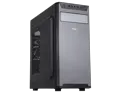
Sama Jazovo-BK Black USB3.0 Steel ATX Mid Tower Computer Case, 3 x120mm Black Fan (2 x front, 1x Rear Pre-Installed)
Pros: Good case for the right price. Has a useable drive bay which is lacking in a lot of other cases. I still use CD's for music. Side case cooling grid for two 120mm fans which are right over graphics card and CPU, great cooling. I just use a tower copper 4 pipe air cooler with one fan for AMD 5600X CPU at 70-75c full game mode. Large enough for plenty of room for my long Sapphire RX 7900 GRE card. It keeps cool at about 50c in full game mode. Grills on side and back are large holes and do not restrict air flow. Low to little noise due to open grill holes. Fans spaced off grill surface to reduce any fan noise.
Cons: Would have liked an open grill on front panel to enhance the air flow from the two front fans. So, I made modifications to the front after gaming. Had a couple of grills. Used Dremel tool to cut open the front panel. Pulled front panel. Bent tabs back that hold the metal panel to the front frame. Marked and cut holes. Not quite a line up with the fans, but more functional. Reduced temperatures on both graphics card, and CPU by about 5c -10c in heavy gaming. Yes, the case steel is thin, but you are just trying to put a computer together, not go to war.
Overall Review: This is a good looking back to basics case without all the glamor. It has 3 places for 2-1/2 drives. Look for the two hole patterns on the panels for 2-1/2 drives. Use PWM fans throughout the case to keep noise down to zero. Control your fan speeds through motherboard BIOS. Overall quality of case build is good.
8/13/2024See more detail
No Output to Monitor(s) - Switched to Sapphire model Instead
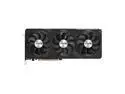
GIGABYTE Radeon RX 7900 GRE GAMING OC 16G Graphics Card, 3x WINDFORCE Fans 16GB 256-bit GDDR6, GV-R79GREGAMING OC-16GD Video Card
Pros: Can't say much. Ran into issues with the card.
Cons: I tried multiple monitors with this new card, but no luck. Sent it back for replacement but opted for Sapphire RX 7900 GRE instead. Which worked perfect. Newegg backs up everything they sell.
Overall Review: Sorry I had to return it. Never fun to go through returns. I remembered a few years back when I bought a Gigabyte motherboard, I also had issues with it. Sapphire Graphics Card worked right out of the box with no hitches.
7/27/2024See more detail
Is It Worth To Upgrade from 5600X
AMD Ryzen 7 5700X3D - Ryzen 7 5000 Series 8-Core 3.0 GHz Socket AM4 105W None Integrated Graphics Processor - 100-100001503WOZ - International Version With Warranty Of Three Years
Pros: AMD has a good product
Cons: - Not the upgrade performance I would expect
Overall Review: My opinion is that it is not worth changing from a 5600X 6-core CPU to a 5700x3d CPU and here is why. You would be better off to invest your money in an AM5 socket motherboard if you are looking to upgrade. It is hard to squeeze out more performance out of AM4. I just swapped my CPU from a 5600X 6-core to a 5700x3d CPU. Playing Battlefield 2024 I see very little that would have justified spending $ 220.00+ on 5700x3d. At least in my setup. The 1% low seems to be a bit better, but hardly noticeable in actual game play. Battlefield 2042 top end FPS still runs 90 110 when running 1440p screen versus 5600X CPU. One caveat is that I set GPU FPS limits of 60 150 FPS. I hardly notice any difference in display speed at 60 150 setting. They say the human eye struggles to see any changes after 60 FPS. So why would I beat myself up trying to get 300 500 FPS. I feel the same about the graphics card. I DE-tune it down to 60 150 FPS to keep the temps cooler and card to have a longer life. Reduces the strain on the overall system. I run a CPU air cooler two tower, with 3 fans attached, which keeps CPU temps in the 74c range running Battle 2042 at 1440p. My system: AsRock Phantom Gaming 4 a/c. Corsair Vengeance 3200mhz (set at 3200mhz.). AMD Graphics Card 7900 GRE 16mb memory. My computer is extremely quiet. Outside of gaming you can't hear hardly any sound. My case fan speeds are set in BIOS on motherboard. As heat rises, fans increase speed. But even when hot, sound is pretty low. Not like some computers when running sound like they are taking off an airport runway.
2/11/2025See more detail
Buy It if you are if you have mid to high level graphics card
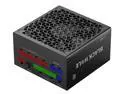
SAMA Black Hole 1200W 80PLUS Gold Power Supply ATX3.0 PCIE 5.0 Full Voltage PSU 12VHPWR Full Modular ECO FDB Silent Fan ATX Gaming Power Supply Support 3090Ti 4070Ti 4080 4090 GPU Black
Pros: I use this with Sapphire RX 7900 GRE graphics card, AsRock Phantom Graming 4 ac, motherboard. I can't tell you how long I looked for a power supply that would work with this graphics card, and mother board. Power on the motherboard is 8 pin, and 4-pin. On the graphics card, 2 X 8-pin. This power supply comes with enough harnesses to fill every spot on the power supply. You could go to 4 X 8 pin on graphics card if needed. And harnesses certainly are long enough. When I buy a power supply I usually go 50% higher than what people recommend by just adding up the loads on the components. They said a 750 watt was what is needed, so I bought a 1200 watt. Peak demands like in gaming can blow right past the 750 to 1000 watts. I know. I listened to recommended watts in the past and blew up my computer. The fan on the power supply is quiet. Power supply adjust fan speed according to load on the power supply. The wire is multistrand and flexible. Not hard like so many other "cheaper" power supplies.
Cons: Everything about this power supply looks top drawer from the packaging to the power supply and wiring itself. As I have only run it for a couple of weeks, I can't say anything Con about it now. I worked in the electronics industry for 18 years in manufacturing products like this. I designed many harnesses from power supplies to automotive lighting. We will see how long term performance goes with a demanding card like the RX 7900 GRE.
Overall Review: Compared to other power supplies, I would buy this based just on looks. When you get it, you would understand why. The actual product performance backs up the looks.
7/27/2024See more detail
Good card - Fast
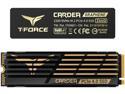
Team Group T-FORCE CARDEA Z44Q M.2 2280 2TB PCIe Gen4.0 x4, NVMe 1.4 Internal Solid State Drive (SSD) TM8FPQ002T0C327
Pros: This card is so fast. Windows loads in about 24 seconds. Games load really fast. It is just fast and my ASRock Phantom Gaming 4 ac is set up to take full advantage of this beast.
Cons: No issues in working using it, except there are some tricks to get it up and running and recognized by Windows 11. Be sure you format it correctly as a GPT and not an MBR. My computer did not qualify for Windows 11 until I formatted my drives as GPT drives. Very little is mentioned of this requirement of Windows 11. Everyone thinks their computer won't run Windows 11, but format GPT and it qualifies. I know, I got soooo aggravated trying to figure out why my computer would not qualify. Even my AMD BIOS said I had fTPM active. These computer companies are getting lazy in letting their customers know what works and how to set up right up front.
Overall Review: I would certainly buy this again. But it is important your motherboard is specified to run it. Else you won't get the best performance form it.
7/27/2024See more detail
I Like AsRock Motherboards
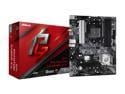
ASRock B550 Phantom Gaming 4/ac AM4 AMD B550 ATX AMD Motherboard
Pros: Two-ounce copper on motherboard acts like an overall heat sink and spreads the heat out to dissipate. The Wi-Fi and Bluetooth work great. Good strength signal. I had the same motherboard without the Wi-Fi and Bluetooth for 4-years before lightening blew it out. Played well in heavy gaming. You will love the BIOS controlled fans. You can set them exactly like you want them. Keeps extremely quiet. Even when gaming, if you set them up as needed, they are quiet.
Cons: The first motherboard I got did not function. Newegg replaced it without a hitch. Excellent customer service. Overall, I have had good experiences with AsRock. They back their products with their policies, and partnership with NewEgg.
Overall Review: Would order this motherboard again. With or without the wifi and blue tooth.
7/27/2024See more detail