




 here!
here!
I’m your shopping assistant for PC builds, upgrades, and everything tech.
Got questions? Ask away!
Start a conversation
here!
I’m your shopping assistant for PC builds, upgrades, and everything tech.
Got questions? Ask away!
Start a conversation

Joined on 04/22/03
Just fine
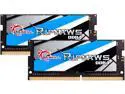
Overall Review: It's memory; it works or it doesn't. No problems with mine.
Works great, but has one fatal flaw
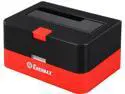
Pros: The red button on the front is a physical eject lever that pushes up the disk and separates it from the SATA connectors. I'm not sure this is really necessary, but it does have a nice feel to it. (With most cradles, you just pull the disk out.) Spring-loaded flap keeps out dust and preserves a nice appearance when a 2.5" disk is inserted. I'm using this with an SSD and getting pretty solid 600 MB/s throughput. So the USB3 implementation is legit.
Cons: There is a gigantic, bright, flashing red activity light right in the center of the front panel. Incredibly annoying - you don't want this anywhere within your field of view when working on a computer. It's easily covered with tape, but that kind of spoils the appearance. Who could ever have thought this was a good idea?
Overall Review: Would be great except for the light. Unfortunately, I think that's probably sufficient reason to select a different cradle.
Fake USB 3.0
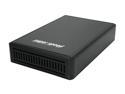
Pros: Solid case construction with robust power supply. Comes with a nice USB3 cable. Partially works as a USB2 enclosure
Cons: This thing seemed to work OK for me as long as it was plugged into a USB 2 hub, but when I attempted to switch it to a USB 3 hub or even a direct USB 3 input, I noticed that it was causing some kind of interference that brought the system to its knees. Same effect on both OS X and Windows 7. Now that I look into this more closely, I think that even with USB 2 cabling it's generating some kind of interference with other USB devices. I've had a relatively flaky USB setup over the last year, and surprise surprise, cutting this little gem out of the loop seems to fix everything. Unfortunately, there doesn't seem to be any actual manufacturer with a web presence or any possibility of a firmware update. Ergo, it's just a doorstop at this point.


