




 here!
here!
I’m your shopping assistant for PC builds, upgrades, and everything tech.
Got questions? Ask away!
Start a conversation
here!
I’m your shopping assistant for PC builds, upgrades, and everything tech.
Got questions? Ask away!
Start a conversation

Joined on 04/20/08
Good value for money
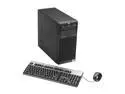
Pros: This is a nice little box. The price is great, I don't think I would have been able to build something similar from parts for $600. I needed to add 2 PCIE cards and a drive to the box, which was very easy. The box is easy to open, and comes with the needed screws attached to the case, which is very convenient. The system has everything you expect from a server: LOM, accessible over the network, and a serial port. Great for a simple server or a server OS developer like me.
Cons: The standard amount of memory in the box is 2G, which is of course too little. These days even most new laptops come with 4G. So the price is slightly deceptive, as you'll likely need to add more memory. I added Kingston KVR1333D3E9SK3/6GI (3x2G DDR3 ECC UDIMMs), for a total of 8G. Still, this is not a major issue, even with the extra cost it's still good value for money.
Problematic in my network setup.
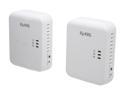
Pros: They are easy to install, and initially worked well. Speed was good.
Cons: After a while, I noticed some problems with my network setup. I have a number of computers behind a Netgear GigE switch, which then go to the Zyxel powerline device. On the other side, connected to the other adapter, is the cable modem. This setup has always worked fine with my old Netgear HDX101 powerline adapters. It worked fine for a while, but then I noticed connections started hanging from different computers behind the adapter. I investigated the Netgear switches: they were not the problem. I looked at the cable modem: not the problem either. Neither is the switch/wireless attached to it. That only left the Zyxels. So I put my old Netgear adapters back, and things have been fine since.
Overall Review: I can't be 100% sure that the problem is with the powerline adapters, but I seem to have rules out all other possibilities. Maybe it's a specific interaction between them and the little netgear switches.
Cool 'n Quiet
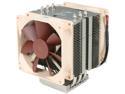
Pros: It's very quiet, and it keeps my AMD Opteron 6348 nice and cool. So cool, that I'd overclock if the CPU/motherboard would allow.
Cons: A minus, but not enough to take off an egg, is that screwing the clamps to the base can take some patience, as there isn't a whole lot of room to work with, and the angle is a little awkward. Still, that's not a major issue.
Overall Review: As with all coolers of this type, you must be careful to have enough room to work with, especially with regard to memory modules. If your DIMM slots are close to the CPU (which they usually are), then some types of memory will be too tall to coexist with this cooler. It's advisable to look for "low profile" memory if you plan to use memory modules in DIMM slots close to the CPU. I used G.Skill 'Ares' series modules, which fit, with about 2mm to spare.


