
Your Browsing History


David A.
Joined on 05/01/03
0
0
product reviews
- 5
Works Great! Use WPS If you can!
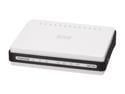
D-Link Xtreme-N Duo Wireless Bridge/Access Point (DAP-1522) Wireless N300, Dual-Band, Fast Ethernet
Pros: Small, come with mounting screws, works great as a wireless bridge to connect PS3, Xbox etc... to network when wireless router in another room. Getting between 100-200Mbps throughput between router & bridge. There are specifics you will need to follow to get the full 300Mbps.
Cons: Documentation is lacking. It comes on a CD, or you can DL it from the D-Link website. The "Bridge" mode light blinks orange when in use, which typically means error/problem. Would prefer green or blue.
Overall Review: I have a DLG-4500 router, and wanted this to connect, my PS3 and TV to my network so I can stream video to them from the computer room. MP3 did fine, but video (before the DAP-1522) would buffer etc... Tried to set up manually, but didn't seem to work too well. Here is what I did: Configure the router with the security type you want. Then hook up power to the DAP-1522 (no CAT5 connection yet) and use the WPS, works like a champ. Unplug power and move to location, plug power in to unit, hook up Computer/PS3/BluRay etc via CAT5 to LAN port on 1522 and away you go. In bridge mode it WILL use the static IP of 192.168.0.50. If you are trying to configure manually you will need to leave it as Static IP. Once I did the WPS, it was a breeze.
1/23/2009See more detail
Cheap, fast, and no problems
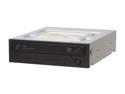
SAMSUNG 22X DVD±R DVD Burner 22X DVD+R 8X DVD+RW 16X DVD+R DL 22X DVD-R 6X DVD-RW 16X DVD-ROM 48X CD-R 32X CD-RW 48X CD-ROM Black SATA Model SH-S223Q LightScribe Support
Pros: SATA, LightScribe
Cons: None
Overall Review: This replaced a Plextor I had for years. It rips CDs and burns pretty well. For $25 what do you have to loose. It could take a dump in a year and I'd be happy to get another one.
4/2/2009See more detail
Sweet Monitor! - Drivers could cause bad picture!
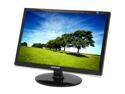
SAMSUNG 2253BW Black 22" 2ms(GTG) DVI Widescreen LCD Monitor with HDCP Support 300 cd/m2 DC 8000:1
Pros: Widescreen, quick display (2ms Grey to Grey) and no dea pixles. Plenty of options in the OSD. It's a Samsung!
Cons: Minor: No height adjustments, the piano black finish does show dust/finger prints quite easily. The controls are a little awkward, but, once set up you probably wont touch them very often, so it's not a big deal.
Overall Review: When I first got this monitor I hooked it up and was disappointed with the picture. It didn't look as good as my SyncMaster 214T. I played around with the settings, calibration etc, and like a lot of others, I got a picture I was happy with. Shortly after I got the monitor I ended up doing a full re-install of Vista x64. W/O the nVidia drivers installed, I set the monitor to its native resolution and I was blown away! Wow, this thing DOES get an awesome picture! After installing the Vista updates, I finally (and with hesitation) installed the latest nVidia drivers for my 9800 GTX. Sweet! Still, a stunning picture! Here are my current settings on the monitor itself: Brightness: 60 Contrast: 50 Gama: Mode 3 (Mode 2 doesnt look too bad either) I have not touched the nVidia Color control. My Vista (over 1y/o) was an upgrade from XP, so that could have been part of the issue. Try uninstalling all your vid drivers and starting there if you have a bad pic.
1/19/2009See more detail
Will run at 1066, SPD set at 800MHz
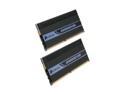
CORSAIR DOMINATOR 4GB (2 x 2GB) DDR2 1066 (PC2 8500) Dual Channel Kit Desktop Memory Model TWIN2X4096-8500C5D
Pros: I put this in my EVGA 780i SLI "For The Win" and it shows up as 800MHz. After doing a little more reading on the Corsair site, I found out the SPD *is* programmed for 800MHz with 5-5-5-18. However it has been tested to run at 1066 with 5-5-5-15-2T and you will probably need make these changes manually.
Cons: Corsair's documentation could be slightly more explicit on the settings/information. But if you do this regularly, im sure it's not an issue, and that's who they are geared towards.
1/7/2009See more detail
Pretty Darn Fast!
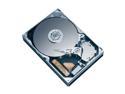
Western Digital Raptor WD1500ADFD 150GB 10000 RPM 16MB Cache SATA 1.5Gb/s 3.5" Hard Drive Bare Drive
Pros: It's fast! Great to put your OS on and commonly used files (Office, Visual Studio, SQL Server for me)
Cons: None
Overall Review: After using Vista on this, and Vista on a 'standard' SATA 7200 RPM drive on a family members machine (both fresh installs), I can really tell the difference. If you already have extra RAM, and are looking for another performance boost pick up one or more of these. You wont look back!
1/15/2008See more detail