
Your Browsing History


Steve G.
Joined on 02/15/05
0
0
product reviews
- 24
Incredible multi-tasking
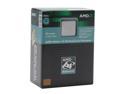
AMD Athlon 64 X2 3800+ - Athlon 64 X2 Manchester Dual-Core 2.0 GHz Socket 939 Processor - ADA3800BVBOX
Pros: Tested multi-tasking in Passmark... turned on all options, both cores maxed out, but bounced off the top... and still gave me breathing room (I opened outlook during the test, just a tad slowly) unlike my XP3200, which (if I could move my mouse) I'd have to cancel out of, or do a hard reboot... Plus AMD utilities to assign programs to the cores - very cool compared to the old "dual CPU systems, where the software had to be written for it (Photoshop, already optimized, friggen FLIES on this thing, and we're talking a mATX mobo, ATI 300... and it's the in the low rent district of the AMD X2's.
Cons: C&Q feature is kinda flaky, especially combined with my mobo's own cooling solution. But it had some neat results on occasion - like setting the cool and quiet on, and the board's mode to 40c, all fans shut off - with no adverse effects on programs I was running - talk about cool and quiet! (I think there were no adverse effects anyhow). Well, it still works, anyhow. I just use one or the other now, not both. A totally silent PC with that much horsepower is kinda... scary. Gaming will be slower, going from a 2.2 to a 2.0 chip, but the new GPU's should cover that loss if I need it. I'm going console more anyhow - tired of the "upgrade for gaming" routine on PC's - consoles are what they are for several years.
Overall Review: This M2 thing is a dangerous move for AMD, going to DDR2 and new socket at the same time... and endlining 939, which could have been made DDR2 - gonna standardize the memory market, but probably alienate some users. (like me - I ain't got the cash to burn every other day - the CPU folks could use some console philosophy... optimize what you got to work with - every new hardware release means 200 MS patches, etc., (please don't start, linux/mac, er InMac Dual Cores* -this is about all of us. Anyhow, These 3800s are hard to come by at times, but offer the best price/performance mix of the lot. I suppose with another "tweakable" motherboard, and good ram/cooling, I could get some pretty high speeds out of it. I'm just disappointed that mobo mfg's are already discontinuing 939 boards they just released, probably in anticipation of the M2, or realizing that the competition is becoming the better product - but what's left of the 939 mobos are getting much cheaper
2/2/2006See more detail
I wish I coulda seen it in full action
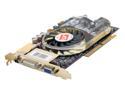
ATI All-In-Wonder X800 XT 100-714200 Radeon X800XT 256MB 256-bit GDDR3 AGP 4X/8X Video Card
Pros: RMA'ed, although I love the AIW series... had 3 of them so far. That this was an XT made it x-tra special, considering it was cheaper than the regular XT's, without the video... and radio.. it also seemed thinner, and thin is in. Only tested it under an old DX8 game, BZ2... but lawdy, it smoothed out the rough edges my old card had...on max settings at max resolution 1600x1200 (hard to play actually, cuz the icons and stuff are so small)... but the appearance... snow that looked like snow.... fire that burned like fire... and machine gun/cannon fire that left a sorta tracer in the air.... woulda been a whole new experience, if I'da kept it, but I think it was too much for my asus to handle... and was contributing to my power crashes. I did not hear the fan rise during this test
Cons: I had tried this in combination with a RAID card upgrade... that gave me too many headaches to Dx properly. My last AIW had a decent media player skin, with easy to follow controls on screen.... this looked like a boomerang on acid. I couldn't find another skin for it, or shape... be nice if they imitated WMC 05, well, simpler... square is good, square is easy to understand. it's hip to be square. Whoever approved the boomerang, take a sabbatical, please. Come back when you can blend practical and cool, instead of LSD and the Outer Limits. It draws a lot of power, had its own 6 prong plug... was loud, but with the case shut, not too bad of a fan... I assume tho, that under full gaming load, it would have been attention getting - but that's a cost of PC gaming I suppose.
Overall Review: flicker/wait during channel surfing... the boomerang (only other option I found was the remote)... FM radio worked good... SVid and RCA cable pods were coolish. Hope ATI hires someone sensible to design the on screen controls - used in a HTPC system, it would be hard to read, it was hard to read leaning into the monitor - don't ruin it with these bizarre on screen control designs that are almost unusable. The delay between channel switching/surfing was annoying but the photo quality, or video qualtiy, is where it rocked, and where ATI tops everyone else, every time.... now ease of use and sheer horsepower... that's another story - ATI's got some work to do there. I'm ok with ATI tho... less power, higher quality. let the frame counters gloat over the 4.5 fps they can't see without an FPS tool... while I enjoy seeing the veins in the leaves of the trees I'm hiding beind...
2/2/2006See more detail
A bit disappointing
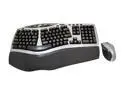
Logitech 967692-0403 Beige & Black 105 Normal Keys 12 Function Keys RF Wireless Ergonomic Desktop Comfort Laser
Pros: PS2 or USB, decent range, never had interference cutouts. Smaller footprint than other ergo's I've tried. F Keys are not premapped - no "gaming action" required at boot to get to bios (brand M has fixed this, I've heard).
Cons: New drivers (secure connect, kept asking me to connect the keyboard first, then try again - drivers "out of the box" worked fine). Right shift key is t-i-n-y. Some letters rubbed off (i, l, s) within a couple of months - a problem not particular to Logitech.
Overall Review: Not a bad keyboard considering the solid, almost interference free connection up to 8 feet (brand M would drop connection at 8 inches some days). Wish all MFG's would "etch" letters, rather than print on.
7/21/2007See more detail
80% Great - 20 % Suck
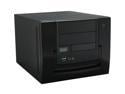
APEVIA X-QPACK-NW-BK/420 Black Aluminum 1.0 w/ ABS plastic front panel Micro ATX Desktop Computer Case 420W Power Supply
Pros: Beautiful - snazzy, attractive... and solid - once assembled and sitting on my desktop - reviews about flimsiness (see cons) are soooo true, until assembled. PSU, no problems so far with MSI mATX, x2 3800, dual WD 250KS's, dual Lite-On DVD's (see cons). Fully assembled tho, runs very cool - temp probes accurate. Handle easily supports the weight, even swinging (not like a weapon, just tote-mode). About 2 inches/6 cm of space between front of tray and front of box makes for room for PSU cable storage, if you run an alternative PSU. Not too big, would look good on a file cabinet... fits fine on my desk (24x48)
Cons: Very weak/soft aluminum mobo tray - stripped one standoff head with normal pressure (normal if it were a brass standoff) - they cannot be replaced - have to replace/repair the mobo tray. Will not work with any "right side passive/active cooling - about 1 cm of space between PCIE and rail. Did I say soft? Back panel flexes like popout DVD slot plugs - push it out from the front with your fingers, and push it back in at the base. Aluminum slot holders (for the mobo) very "catchy" and required much wiggling/tapping (tap light) to get the tray back in. Included fan is loud, but uncontrolled. PSU itself is pretty quiet - cables are all just long enough from the included PSU, which is 2x rail (18a, 15a, on 12v). Box comes with no instructions - front panel connectors had to be rewired (easier at plug end with X-acto blade to lift prongs). USB and FireWire cables way too long. Mixed bag of rounded and rough edged aluminum in frame - be wary, go slow.
Overall Review: Took a few tries to assemble. Best advice is remove PSU first, get mobo on board, add all your slot stuff outside the box, if possible. Build the rest from the bottom up with the tray outside - if you use a floppy/whatever... get that in and wired first (you won't be able to reach it/see it after DVD's are in, if using both trays). DVD's are easy enough. USE SHORT DVD's!!! I got two Lite-On 165's, and they end right at the back of the DVD tray. Removable HD bracket easy enough (I used 2 SATA II's with right angle connectors - WD, uses flex power - no problems there. Pre-cable everything you can inside the box, then slide the mobo back in, plop in PSU, and connect yer goods. There is ample room to get to all the mobo connectors after the PSU is in - just tight, expect a few scrapes. Now to get a good (standard) vid card.... and maybe a new PSU. NeoPower 480 is a no go - plugs/switches have to be >1+ cm from all edges, and internal cabling - 5cm from right (preferably)
5/13/2006See more detail
Perfect - considering low price.
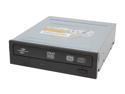
LITE-ON Black 16X DVD+R 8X DVD+RW 8X DVD+R DL 16X DVD-R 6X DVD-RW 5X DVD-RAM 16X DVD-ROM 48X CD-R 24X CD-RW 48X CD-ROM 2M Cache ATAPI/E-IDE DVD Burner With LightScribe
Pros: Got two of these.. one lightscribing, one burning - mini production lab hehe... except the lightscribe is still only like 1.5-2x.. Can only attest to DVD+ RW and cd/dvd burn (all I've tried so far).. VERY SHORT, got thse for an X-Qpack - back end aligns exactly at the end of the DVD tray. Perfect fit. Perfect match. Stay pretty cool too, after 4-5 sequential burns, compared to what they replaced.
Cons: Quiet enough during spin up, but still "get your attention" (just during spin up - ear-within-a-foot quiet during playback) Too much labeling on DVD door (personal preference - not a flaw) - Would preferred they were embossed/debossed, not screened.
Overall Review: First time using Lite-On - low cost kinda skerred me off a bit - Bios updates? Well, I survived L*, and others... I'll survive these (maybe)... cheap enuff for sure... but hopefully they'll hold out till HD/Blu come into affordability range... wish they were SATA :-?
5/13/2006See more detail
More flex than others

VANTEC 18" Blue ATA 66/100/133 IDE Round Cable, 3-Connector Model CBL-100IDE18-BL
Pros: Heavier construction than some I've tried, yet more flexible - reliable connection. All-mode-compatible and shielded - boot connector tabs didn't rip off on the first (or 10th) pull - but YMMV.
Cons: Harder to work with in SFF, but any round cable is - these have enuff flex tho...cable sheath slides over inner mesh - not really a con, just an irk.
Overall Review: May switch back to flat ribbons, or go SATA (e.g., Plextor SATA DVD/CD) - am a bit nervous about that leap tho - despite Plextor's rep for quality - it's compatibility I'm concerned with.. Current mobo has SATA as IDE mode... may try it, dunno yet... (early adopter anxiety)
5/13/2006See more detail