
Your Browsing History


Andrew H.
Joined on 02/24/05
0
0
product reviews
- 12
Very good for the price
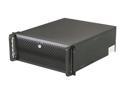
Rosewill Server Case or Chassis - RSV-R4000 - 4U Rackmount - 4 x Included Cooling Fans, 8 x Internal Bays
Pros: Lots of space. Quick attachment of drives. Strong - with good internal supports.
Cons: Same problem - on switch and reset switch are reverse labeled. A bit noisier than I had expected - mostly the front fans. Attachment for 3.5 in drives a little cheap but OK.
Overall Review: Made this into an audio PC to rack mount with an amp and other audio gear. I had to remove the front door because it got in the way of some front panel cabling to my sound card expansion. Looks like it will hold 5.25 drives in its 3.25 bay - but not sure.
3/12/2011See more detail
Not a Full Size 3.5 - Munchkins!
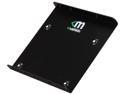
Mushkin Enhanced MKNSSDBRKT2535 2.5" to 3.5" drive adapter bracket
Pros: Nice finish and hardware.
Cons: Doesn't fit into a Rosewill 3.5 inch quick install bracket that expects a regular size drive - so only gets attached at 2 of 4 points.
Overall Review: What were these munchkins thinking? Poor engineering.
11/12/2011See more detail
Using almost all its features
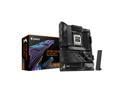
GIGABYTE X870E AORUS ELITE WIFI7 AM5 LGA 1718, ATX, DDR5, 4x M.2, PCIe 5.0, USB4, Wi-Fi 7, 2.5GbE LAN, EZ-Latch, 5-Year Warranty
Pros: It has been 13 years since I last built up a PC but was forced to with Microsoft shutting down Windows 10. I've probably built 6 PCs from scratch since the 1980's but have upgraded dozens over the years - friends and churches. This is my second Gigabyte - all the others were Asus. Why are people complaining about the x16 bus having an optional split into 2 Nvme x4 plus an x8? It still gives you two other x4 Nvme (one being gen5). That allows plenty of storage for just about anyone. I can only see using these other two slots if you wanted to configure a RAID. So they gave an option that makes sense. I was lucky enough to score a 5070 GPU at MSRP. And by golly it sits on the x16 bus as gen5. My Nvme sits in the CPU slot as gen5x2. My other sits in the D slot as gen4x4. They both perform to their specs - so says Samsung magician. It's as good as it gets. I initially brought up the board with the internal Ryzen 9900 graphics. It works. I've utilized most of the front panel USB connections. As far as I can tell they are all working. I don't know what some reviewer meant by them not all working at once - if I encounter this, I'll update my review. I installed 2 32G sticks of DDR5600. I expected to have to go into BIOS and set it to 5600 but it adjusted automatically. My MB is in a 4U rack chassis. I have no need for RGB. (Seriously, what's the point?)
Cons: I had a similar first time power up experience as others. Mine booted (single short beep) but I had no video and the VGA led was complaining. I installed a video card and still no video. Removed the video card and suddenly get video with a message to reset BIOS - which I did and all was good after that.... Until I Q Flashed BIOS - which proceeded to completion and then when it reset the PC it went black. Multiple resets - still black. But then I completely powered down and it all came back to normal - phew! My main complaint on this board is that it says it supports 7.1 audio and I don't believe it - at least easily. The rear panel gives you 4 channels - I think. You have to get the rest from the front panel header which looks like it only gives 2 outputs and 2 inputs. Even if it could be configured to give 4 outputs, good luck finding a header that works with it. You'd have to build a custom interface to this header. Someone should invent a selection of rear brackets that can interface to various internal headers. Audio, USB, RGB One other complaint: I'd like to set this PC to power on via keyboard keypress (like my old Asus did). I'll be darned if I can find a way to do this. Asking AI is useless.
Overall Review: I've only a week on it but I'd recommend it.
3/24/2025See more detail
It went 5x2
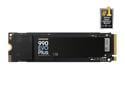
SAMSUNG 990 EVO PLUS SSD 1TB, PCIe Gen 4x4 | Gen 5x2 M.2 2280, Speeds Up-to 7,150 MB/s, Upgrade Storage for PC/Laptops, HMB Technology and Intelligent Turbowrite 2.0 (MZ-V9S1T0B/AM)
Pros: On my new motherboard it works as a gen 5 2-lane vs gen 4 4-lane. So with Samsung magician, its performance compared to another stick operating at 4x4, is just an epsilon poorer - but not enough to complain about. Its performance almost matches its spec. When I can get a 5x4 at a reasonable price, I'll upgrade and get twice the speed.
Overall Review: Got it "free" with the Gigabyte motherboard but is exactly what I would have bought anyway.
3/24/2025See more detail
a little fiddling
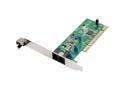
Rosewill RNX-56AG Agere 56Kbps PCI Bus (Plug & Play) Internal V.92 PCI Data/Fax/TAM modem Windows 8 Compatible
Pros: hey, a fax machine for a fiver
Cons: build of the bracket is not up to spec - I know because I've designed PCI cards.
Overall Review: PC didn't recognize it at first. Found that it wasn't seating well until I did a little reajustment of the bracket. PC now sees it - I've yet to acually send a fax, but don't expect any problems.
2/21/2013See more detail
Back to reasonable prices
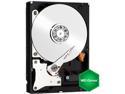
Western Digital WD Green WD20EARX 2TB 7200 RPM 64MB Cache SATA 6.0Gb/s 3.5" Internal Hard Drive Bare Drive
Pros: Quiet, SATA3, 2T, price
Cons: lack of installation instructions - I always have to review initialization and partitioning
Overall Review: Except for a SSD, my windows 7 machine's storage was a pair of SATA1 drives and an ATA drive salvaged from my XP machine pushing 10 years old. This WD Green drive replaces the old drives with tons of storage remaining. My machine is now a lot quieter and lower power. There should be a speed increase - I haven't noticed it yet. Now as long as the reliability holds up... I made sure my BIOS was up to date, because I think a lot of DOAs are motherboard problems - just my opinion.
2/21/2013See more detail