

Your Browsing History


Gary M.
Joined on 04/09/08
0
0
product reviews
- 25
Sharp monitor
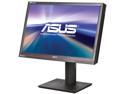
ASUS ProArt Series PA246Q Black 24.1" 6ms P-IPS Height/Swivel/Pivot Adjustable LCD Monitor w/2 USB hub, Card Reader & Display port 400cd/m2 50000:1 DCR
Pros: 16:10 format for that extra vertical space! IPS panel. Good viewing angles for people who watch movies on their PC. No backlight bleed to speak of (probably due to a CCFL backlight as opposed to LED). Good contrast. Color is pre-calibrated at the factory. Stand has height, tilt, swivel, and rotate adjustment options. Sturdy overall construction. Easy to access OSD buttons. DisplayPort, DVI, and HDMI options. No dead pixels on my unit or any technical defects.
Cons: Does not have a very low brightness setting and therefore may be too bright for users who use the PC for long periods in a darker environment. The lowest brightness setting ends up negatively affecting color accuracy. Since it's a larger display with a CCFL backlight and not LED, consumes more energy. This monitor doesn't do a particularly impressive job with displaying HD movies, but I don't watch movies on my PC much anyways.
Overall Review: I bought this monitor not because I'm a graphic arts professional, but mainly because as I searched for a replacement for my dying Samsung display, I wanted my new monitor to have the 16:10 ratio and I was intrigued by the IPS panel technology -- getting super accurate colors sounded good even though I might not be able to fully appreciate its capabilities with my intended uses. With that in mind, although this monitor was technically fine out of the box, I have to admit there was also nothing particularly impressive about it either. I think there are better options for users who don't have color-critical needs. For those that do, I would recommend this monitor, but not as much for more typical users who would just be web browsing, hardcore gaming, or frequent movie watching. I tried the 23" PA238Q first and as mentioned in that review, I don't think ASUS is watching the quality control enough on that model; the 24" is definitely high quality and seems solid.
1/13/2012See more detail
Extreme backlight bleed
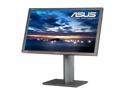
ASUS PA Series PA238Q Black 23" 6ms HDMI Height,Swivel,Pivot & Tilt adjustment LED Backlight Widescreen LCD Monitor 250 cd/m2 ASCR 50000000:1
Pros: Lots of features. Packaged well.
Cons: Extreme backlight bleed and super poor backlight uniformity out of the box. Depending on how you look at it, either my unit had backlight bleed on the left 2/3rds of the screen, or an overly dark, permanent shadow-like "feature" on the right-hand 1/3rd, and in the middle it was a like a spotlight shining up from the bottom. This bleed and poor illumination uniformity was significantly visible from a solid black screen, to solid red, green, blue, and the desktop and apps in the OS. Pretty bad even with the brightness turned way down. Didn't spend a lot of time testing this monitor out as I've never seen a new monitor look so bad out of the box.
Overall Review: This monitor came with a calibration sheet that was presumably verified by a human, but I honestly have no idea how they could let a monitor like this pass quality control. Perhaps my unit got jarred in shipping (no damage to packaging though), but it's clear from my experience and many similar complaints that the quality control just isn't happening with this particular monitor. I've requested a refund and will be looking into a different model, preferably with 16:10.
1/6/2012See more detail
Great for HTPC
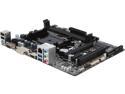
GIGABYTE GA-F2A78M-HD2 (rev. 3.0) FM2+ AMD A78 USB 3.0 HDMI Micro ATX AMD Motherboard
Pros: - So far, it seems to be the usual Gigabyte quality - Slightly smaller dimensions for a micro-ATX board, at least compared to the Zotac micro-ATX board it replaced. Not at all a problem for fitting into my nMEDIAPC 1000B HTPC case -- even better actually to have some room freed up.
Cons: - None so far.
Overall Review: - Note that this is a fairly minimalist mobo as far as micro-ATX boards go. For example, only two memory slots. Using with: - AMD A6 6400K CPU. - Noctua NH-L9a CPU cooler. - nMEDIA PC 1000B HTPC case. - HyperX 8GB KHX1600C9D3LK2/8GX memory
5/10/2014See more detail
Problem free 2.5 years later
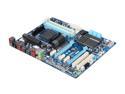
GIGABYTE GA-970A-UD3 AM3+ AMD 970 + SB950 USB 3.0 ATX AMD Motherboard
Pros: -Gigabyte quality. -Gigabyte reliability. -Plenty of features and expandability.
Cons: -SATA ports face horizontally. This isn't a significant con though, as it really just forces you to get a bit more creative with your cable management.
Overall Review: May not have all the latest fads packed in, but has a lot of great up-to-date features with typical Gigabyte reliability and quality.
5/6/2014See more detail
Impressive
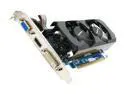
GIGABYTE GeForce GT 430 (Fermi) 1GB DDR3 PCI Express 2.0 x16 Low Profile Ready Graphics Card GV-N430OC-1GL
Pros: This is a great little card and with the rebate it's an even greater deal. Have a secondary PC made up of older parts (although not too shabby) and don't want to put a lot of money into it. Just plan to surf the web, play some non-resource intensive games, and watch Netflix/Youtube. Before this card, both YouTube and Netflix video was choppy. After this card, they both run as smooth as the net connection will allow. The card comes nicely protected with plastic caps over all the i/o parts.
Cons: None at this time.
Overall Review: Always been a big fan of Gigabyte motherboards and now will always consider their video cards.
2/10/2012See more detail
Great Ol' Monitor
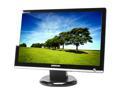
SAMSUNG 21.6" WSXGA+ LCD Monitor 5 ms D-Sub, DVI-D 216BW
Pros: 21.6" sized screen with 16:10 ratio is just about the perfect size display for all-purpose PC use from web browsing, document editing, videos, and gaming. Colors are vivid and and sharp, even with brightness turned down. For a TN-based panel, the viewing angles are pretty good, although I've never really had this anywhere but straight in front of me. 16:10 display ratio gives that extra vertical room for more info per page and more to see when gaming. Not a "hardcore" gamer, but never noticed any ghosting or lag playing FPS games.
Cons: The included stand was horrible -- I don't even remember if it could be articulated in any direction whatsoever. I replaced it with a Neo-Flex stand (height, rotate, and tilt options). After 5 years, this monitor is still putting out a great display, but I think the power supply is failing, has the display blanks out when first powered on and needs to be cycled a few times before it warms up and functions normally.
Overall Review: Although this is a discontinued model, I thought I'd give it some props before I finally get it replaced and provide some feedback on it for anyone who might be considering purchasing this monitor used. As I search for and test out potential monitor replacements, I keep comparing them to this one!
1/12/2012See more detail