
Your Browsing History


Zach L.
Joined on 09/07/04
0
0
product reviews
- 5
Great for photo/video users
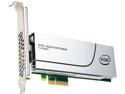
Intel 750 Series HHHL (CEM2.0) 400GB PCIe NVMe 3.0 x4 MLC Internal Solid State Drive (SSD) SSDPEDMW400G4R5
Pros: Super fast. Great for video editing/preview/rendering
Cons: I don't think the average user would see an improvement over a SSD. General computing you wont see a big difference at all. But start doing heavy lifting with multi large video files for rendering.... big difference in what you can do.
5/17/2015See more detail
Just fine for me
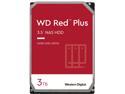
WD Red Plus 3TB NAS Hard Disk Drive - 5400 RPM Class SATA 6Gb/s, CMR, 64MB Cache, 3.5 Inch - WD30EFRX
Pros: I know tend to write reviews when things go wrong... so I thought I'd add this one. Ordered 4, all work just fine. Speed is fine, and they are working great in 2 RAID 1 arrays. better life span and support than the green drives
Cons: none so far
5/17/2015See more detail
Very happy with this
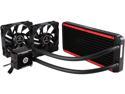
Enermax Liqtech 240 All-in-One Liquid Cooler 27MM Thick Radiator w/ Duo High Pressure Airflow Fans
Pros: Built a new build specifically for video editing. I'm not a huge over clocker, but did OC my CPU for this build. 5820k running at 4Ghz idles 33-38, and stress est max was 65. Easy to install, super sturdy, quiet. Even on the stress test the fans didn't go to full rpm (nice and quiet!!!)
Cons: none so far
5/17/2015See more detail
Nice
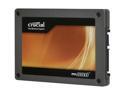
Crucial RealSSD C300 2.5" 64GB SATA III MLC Internal Solid State Drive (SSD) CTFDDAC064MAG-1G1
Pros: Very fast. I had a 10K RPM Raptor Raid 0 setup before for my C drive, and this thing is MUCH faster to boot windows 7, and to load programs.
Cons: Expensive
Overall Review: I decided to get 2 of these for a raid 0 boot drive, and while it is nice, I don't think it is really needed. The benchmarks are great, but for 95% of what I do with my computer (listed below) I can't tell a difference between a single ssd or a raid 0 set up (I ran a single disk for a week or two before setting up the raid 0 setup). Everything is MUCH faster than with my twin raptors, but in raid zero or single drive setup, I couldn't really tell a speed difference for boot time, program start time (CS5,Vegas, etc), render times for HD video etc. Again MUCH better than a standard hard drive, but I couldn't tell much practical difference between a single drive and a raid 0 set up. If I did it again, I would just buy a larger capacity single drive.
12/29/2010See more detail
No hard feelings
Microsoft Windows Vista Home Premium SP1 64-bit for System Builders
Pros: Everything seems to do what it's supposed to do, and does it well. I love the search functionality (from what used to be the start menu you can key in anything from a program title, to a key word and it will find e-mails, programs, documents etc. very quickly and easily).
Cons: I think the key is building a system that can run Vista well. My machine was built with Vista in mind ( 5.9 on the hardware test) and has no problems. If you try to run this machine on hardware that was cutting edge....3 years ago, I think you will be very disappointed. My machine isn't a super-hyper speed, liquid nitrogen cooled gaming machine, but I built a good, fast machine (Raid 0 10K RPM drives for C drive, 4 gigs of 1066 ram (thinking of going to 8...but 4 seems to be fine even running CS4) strong graphics card (9800) 3ghz woofdale etc.).
Overall Review: I know the cool thing to do is to Vista bash, but I have to say that I really haven't found anything to gripe about. The interface isn't that different than XP. Just like older versions to XP, there are some small things you will have to get used to, but nothing major. If you can get around in XP, you will be able to get around in Vista very quickly. I haven't had any driver issues or program issues (i don't have games from 9 years ago I still play.....). So for me, I do'nt have any regrets about Vista.
3/17/2009See more detail