
Your Browsing History


Kyle R.
Joined on 08/14/09
0
0
product reviews
- 5
Great MB For My First Ever Build.
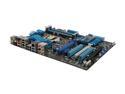
ASUS P8P67 PRO (REV 3.1) LGA 1155 Intel P67 USB 3.0 ATX Intel Motherboard
Pros: After over a year of debate with myself I decided to take the plunge Black Friday/Cyber Monday weekend and buy the parts I needed to build my own computer from scratch. I had been looking around for quite some time at the piece parts and had recently ironed it out to the i7-2600k Intel chip as the backbone for my Video/Photo/Audio editing system. Next step... Motherboard. To me, the board was well made. Everything installed easily and I had no problems with the form, fit, or function when installed in the case. Once everything was installed, it powered on fine and I was into Windows in about 15 seconds. It has worked like a champ. I chose this board also because it has a built in Firewire port. I didn't want to have to add, just because. I need the 1394 due to some audio recording equipment I have that uses that interface. I absolutely love the GUI based BIOS implementation. It makes it so easy to overclock! Great job on that. Overall, I'm very very pleased with it.
Cons: None.
Overall Review: My build components: - i7 2600k - ASUS P8P67 Pro Rev 3.1 - Corsair Obsidian 650D Case - Corsair Vengeance 16GB 1600 - Corsair H60 - EVGA GTX 560ti Superclocked - Seasonic X750 Gold - Sony Blu Ray Burner - Win 7 Pro - AFT Pro-55u Card Reader - Crucial 128GB SSD, CTFDDAC128-MAG-1G1 - DELL U2412 - Logitech Illuminated Keyboard Also, with this configuration, my Windows Experience index is 7.8 for the CPU, and 7.9 for everything else. Pretty awesome! One last note, I learned that if at all possible, wait until Black Friday/Cyber Monday to buy your parts. I saved almost $500 by doing so! That's some serious savings!
12/12/2011See more detail
Beautiful board, horrible noise.
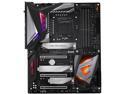
GIGABYTE Z390 AORUS MASTER LGA 1151 (300 Series) Intel Z390 ATX Intel Motherboard
Pros: Solid Build and Quality, Ease of Setup, Looks Amazing - LEDs are nice.
Cons: Coil whine and computer noise through speakers.
Overall Review: ** Edit 2/28/19 ** So I've had this up and running for a few months now and as others have noted, the coil while and computer noises that come through the speakers is pretty annoying. I've tried multiple solutions including changing some bios power settings and upgrading to premium XLR audio cables that run into my Yahama HS5's. The only thing left to do is buy an outboard USB sound card and run audio through that to see if it helps, but not sure I want to spend more money at this point. ******************** This was my first build using a gigabyte mb. I've used ASUS in the past with great success, but for this new photo/video editing system build, Gigabyte had what I was looking for at the price range I needed. (Total system cost around 1,900 thanks to sales and rebates) System: i9 9900k 64GB Corsair Vengeance 2666 500 GB Samsung Evo m.2 1TB Samsung Evo SSD Corsair 115i Pro AIO cooler Corsair Obsidian 750D EVGA G2 750W Power Gigabyte 1070Ti When I first got the mb out of the box, I was immediately impressed with how it felt. It was hefty and the fit and finish were amazing. Of course looks only goes so far if it doesn't work. Fortunately once I got everything put together and hit the power button, it booted up with no issues. Navigating in the BIOS was easy and getting everything set up was straightforward. Overall I'm very satisfied with this purchase and won't be hesitant to consider Gigabyte mbs in the future!
2/28/2019See more detail
Going strong since 2011
SeaSonic SS-750KM3 750W ATX12V V2.3 / EPS 12V V2.91 SLI Ready 80 PLUS GOLD Certified Full Modular Active PFC Power Supply New 4th Gen CPU Certified Haswell Ready
Pros: Quiet. Long Lasting.
Cons: None I can find.
Overall Review: Around Black Friday shopping season in 2011 I decided to build my first computer. This was the power supply I chose to power the i7 2600K based system back then. Fast forward 7 years later, my home built system is still going strong only having swapped out my GTX560Ti graphics card for a GTX1070 to take advantage of more CUDA cores for use with Adobe Premiere and Photoshop CC. Now in 2018 I'm looking to upgrade my processor, RAM, and MB to LGA 2066, but still plan to use this power supply with the new system since it is still working and not showing any signs of issues.
10/18/2018See more detail
Perfect case for my first ever build
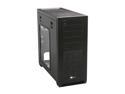
Corsair Obsidian Series 650D (CC650DW-1) Black Aluminum / Steel ATX Mid Tower Case
Pros: I chose this case mostly due to watching the Newegg video feature on it. What sold me was: (1) Size-plenty of room to work inside. For my first time, I didn't want to have to be concerned about space constraints. (2) Pre-installed ATX standoffs. Not a big deal to put in yourself I'm sure, but still, one less thing to have to worry about. (3) Window - I liked the side window (4) Cable routing features and black interior - I liked the fact cables are routed through grommets to help hide clutter. Also there appeared to be a good amount of room behind the motherboard mounting area. However, upon building, it isn't as much as you think and could stand a couple more mm, but it's not bad. (5) Easy on-off side panels - I love the quick latching feature. Makes it super handy to get inside with minimal effort. (6) Tool-less bays - these work pretty good. However I got the AFT Pro Card reader, and it doesn't latch in place. Gonna have to screw it in. No big deal there.
Cons: None
Overall Review: I also want to add that everything fit perfectly inside with no issues. My motherboard came with an additional dual USB 3.0 slot mount header, so I put that in the 8th slot in the case and hooked it to the MB. Then ran the case USB3.0 passthroughs out the back and plugged them into that. So, now I have 2 on the front and the 2 on the MB on the back. Works great! My build components: - i7 2600k - ASUS P8P67 Pro Rev 3.1 - Corsair Obsidian 650D Case - Corsair Vengeance 16GB 1600 - Corsair H60 - EVGA GTX 560ti Superclocked - Seasonic X750 Gold - Sony Blu Ray Burner - Win 7 Pro - AFT Pro-55u Card Reader - Crucial 128GB SSD, CTFDDAC128-MAG-1G1 - DELL U2412 - Logitech Illuminated Keyboard Also, with this configuration, my Windows Experience index is 7.8 for the CPU, and 7.9 for everything else. Pretty awesome! One last note, I learned that if at all possible, wait until Black Friday/Cyber Monday to buy your parts. I saved almost $500 by doing so! That's som
12/23/2011See more detail
Much better than the AMD 1090 I had.
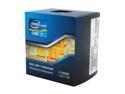
Intel Core i7-2600K - Core i7 2nd Gen Sandy Bridge Quad-Core 3.4GHz (3.8GHz Turbo Boost) LGA 1155 95W Intel HD Graphics 3000 Desktop Processor - BX80623I72600K
Pros: After reading around on a lot of websites, I kept seeing that this CPU had similar performance to the i7 970, 980, 990 series. I couldn't justify the higher priced 1366 platform, so I went with this 2600k and have been completely satisfied. I do a lot of HD video editing and Photoshop work, and with the combination of other components noted below, this chip rocks. Also with the ASUS motherboard, it's super easy to get this to 4.0+ GHz with the push of a button. And it's stable!
Cons: None.
Overall Review: My build components: - i7 2600k - ASUS P8P67 Pro Rev 3.1 - Corsair Obsidian 650D Case - Corsair Vengeance 16GB 1600 - Corsair H60 - EVGA GTX 560ti Superclocked - Seasonic X750 Gold - Sony Blu Ray Burner - Win 7 Pro - AFT Pro-55u Card Reader - Crucial 128GB SSD, CTFDDAC128-MAG-1G1 - DELL U2412 - Logitech Illuminated Keyboard Also, with this configuration, my Windows Experience index is 7.8 for the CPU, and 7.9 for everything else. Pretty awesome! One last note, I learned that if at all possible, wait until Black Friday/Cyber Monday to buy your parts. I saved almost $500 by doing so! That's some serious savings!
12/21/2011See more detail