

Your Browsing History


Robert D.
Joined on 12/12/10
0
0
product reviews
- 22
Great Solution, But Some Gripes
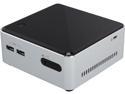
Intel NUC BOXD54250WYKH1 Mini / Booksize Barebone System
Pros: - Decent performance - Low price - Can use standard 2.5" HDs (!!) - Can drive 4k monitor - Upgradeable (to some extent) - Lots of features too numerous to list here (such as built-in IR sensor, Wifi Antenna, Headphone & MICROPHONE jack, gigabit ethernet, two internal USB, dual channel RAM) - Low power - Anandtech says it's < 28 watts under load! - 4 USB ports -Robust design, keeps cool, sturdy -Includes a power cord (Not sure what that other user was talking about)
Cons: - Driver issues 1. Default bios settings wont boot - this is takes 2 seconds to fix but another user mentioned it so I thought I'd verify it. BIOS is intuitive and easy to work 2. Windows 7 didn't have LAN drivers or drivers for my Intel WiFi card (not included). This wasn't a huge deal but just remember that having a Win7 install on a USB stick will not get you up and running. Reminds me of the days of XP where I'd lose my LAN driver and didn't have access to a 2nd rig to get one (tears ensued). This was made an even greater bugaboo because of #3: 3. No drivers included - Come on intel, even a $0.25 USB stick with SOME drivers would've been nice - 1.35volt RAM - less ubiquitous, I'm told, than 1.5 volt - REMEMBER TO GET THE RIGHT RAM. Another user here on newegg took a star or two off because they apparently broke the thing by using the wrong RAM (my sympathy meter is reading at 0% for this person). See my setup below - No Built-in WiFi - would've been nice to free up one of the two PCIe slots and not have to pay $25 for 802.11ac card - No eSATA - Newegg specs says there is... I don't have any eSATA devices but I'm sad I don't have it. - Mini HDMI - required $10 adapter ... sadface - The gimicky Intel jingle circuit in the packaging didn't work when I got it (Considering RMA; this is an outrage)
Overall Review: My Setup: 8GB RAM in two 4gb Crucial sticks DDR3-1600 #N82E16820191523 120GB 2.5" SATAIII Mushkin SSD #N82E16820226424 Intel 802.11AC/BlueTooth adapter (7260HMW) #9SIA24G2179255 StarTech MiniHDMI - > regular HDMI adapter #N82E16882158100 Phillips 42" TV Windows 7 My long PCIe slot is unused. Couple of random thoughts: - Since this thing DOES include Intel SRT, what might be a cool thing to do would be to throw in a 64GB mSATA drive AND a high capacity 2.5" platter drive for a great media-center type deal. - I'm using this with a wireless keyboard and mouse for something like a media center PC. With its IR sensor this makes a great solution. - Make sure to install ALL the latest drivers. Intel has a bundle on their website for D54250WYK (no H) which is the mobo this uses
10/12/2014See more detail
H60 - Leaks & Strips
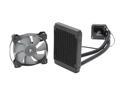
CORSAIR Hydro Series H60 (CW-9060007-WW) High Performance Water / Liquid CPU Cooler. 120mm
Pros: Cheap, very quiet, cooled well before it died. Kept my 4770K very cool while running very quietly
Cons: As with a bunch of other reviewers on here, I too had a leak, though not disastrous like others had. I bought a new computer case and was moving my components over, before I got the cooler totally disconnected I noticed a liquid on the fan connected to the radiator. Yep, it was leaking out of one of the fittings. Luckily it didn't explode all over my computer case like the experience others had. Not that it mattered anyway, the screw holes on the radiator are incredibly soft metal and stripped with minimal effort. It literally would never mount again. I was extremely careful with this product, but it failed anyway. Very frustrating.
Overall Review: Not to be deterred, I replaced this with yet another corsair cooler, the H90 (basically the 140mm version of this). What's the definition of insanity?
1/25/2014See more detail
Great board, just look closely at the specs vs Fatal1ty ITX
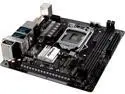
ASRock Z270M-ITX/ac LGA 1151 Intel Z270 HDMI USB 3.0 Mini ITX Motherboards - Intel
Pros: - Z270 - Dual Gigabit! - Asrock tools are great, less bloaty than ASUS (stay out of your way) - Great BIOS interface with tons of options - Tons of USB/SATA connectivity (though 6 sata is pretty standard with Z270) - Dual M.2 If you yank the wifi (theoretically) - Update: Another pro: M.2 is on top of the board for better cooling
Cons: - On board HDMI is only 1.4 (4k at 30hz max) - You can only OC one ram chip - No USB 3.1 - No Thunderbolt 3 - Some coolers may not work (see below) - Just 2 fan headers (probably normal for ITX)
Overall Review: My Config: Asrock Z270M ITX as above i7 7770k H90 Corsair closed loop cooler (140mm) GTX 1080 - ASUS strix 32gb RAM 4x6TB drives in RAID 10 (Intel RST... yeah yeah, fake raid whatever) 120gb PCIe 4x m.2 boot drive Node 304 Fractal case I was building an HTPC with gaming capability and it was a tossup between this and the Fatal1ty Z270 ITX by ASROCK. The Fatal1ty has a stupid name but has a USB 3.1/Thunderbolt 3 slot! More important to me, it's also got an HDMI 2.0 slot. I decided in the end that I was going to use a discreet GPU in this little rig (GTX 1080) so the onboard video didn't matter and I couldn't care less about Thunderbolt since I have SIX SATA III ports and a 16x PCIE! (as in : what am I going to use it for???). I subtracted a star because one of the biggest selling points on Kaby Lake over another proc for me was 4k content, and this does NOT do 4k at 60hz from the iGPU!! This board was obviously fit for an HTPC/NAS with its dual LAN and it really is shameful it doesn't have 4k at 60hz. The Fatal1ty has HDMI 2.0 but that's clearly more of a gaming board with its dual slot RAM Overclocking and fancy red colors. Again, if you're using a dGPU it doesn't matter, that's the only reason I bought this board. On the H90 cooler: I got this to work by not installing the "support ring." If you leave it on, it gets propped up on the transformer-looking doo-dads next to the capacitors adjacent to the processor. This keeps it from sitting flat. The ring is obviously superfluous once you have the cooler secured, it just helps to hold the screw ring in during installation. On the Node 304: I love this little case, but if you're going to use it with an H90, make sure your dGPU if you have one does NOT have a backplate. If it does, you'll have to drill some new holes for the rear 140mm fan like I did. Without the backplate, others have reported about 2mm clearance (good 'nuff). Obviously without a dGPU you'll have no issues. This is the first ASROCK I've bought, I usually buy ASUS. I love the included tools with the Asrock and how they're not in your face all the time. No floating arrow in the bottom Right corner! I believe it's because all the settings put in place by the tools are stored in the BIOS but I might be wrong about that. I would definitely recommend this board to anyone who has read the specs and knows what they're getting and I'm going to put Asrock on the short-list of manufacturers I trust in the future! UPDATE: By the way, m.2 PCIe 4x drives seem to get pretty darn hot, having it on top of the board almost certainly makes it much cooler and gives the opportunity to add after market heat sinks. One user who had his itx board with the m.2 on the bottom reported temps approaching 75c. Yikes! I can't figure out how to get my drive temp yet but if it's high at least I can put on additional cooling. UPDATE (18 months later): still going strong. The M.2 I bought eventually fried and I switched to a regular SATA ssd. The rest of the above config is working as well as the day I bought it.
10/9/2018See more detail
So much room for activities
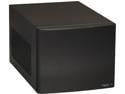
Fractal Design Node 304 Black Aluminum/Steel Mini-ITX Small Form Factor Computer Case
Pros: - Up to 6 x 3.5" hard drives - Silent! - Room for some watercoolers (see below) - Full sized graphics slot (What what??)
Cons: - Must remove 2 x 3.5 hd bay holder if using a full sized GPU - Limited on PSU selection if using a full sized GPU - Full sized GPU may interfere with 140mm watercooler (see below) (above are nitpicks, obviously)
Overall Review: My Config: Asrock Z270M ITX/ac dual LAN i7 7770k H90 Corsair closed loop cooler (140mm) GTX 1080 - ASUS strix 32gb RAM 4x6TB drives in RAID 10 (Intel RST... yeah yeah, fake raid whatever) 120gb PCIe 4x m.2 boot drive Node 304 Fractal case EVGA 600 BQ On the Node 304 + H90: I love this little case, but if you're going to use it with an H90, make sure your dGPU if you have one does NOT have a backplate. If it does, you'll have to drill some new holes for the rear 140mm fan like I did. Without the backplate, others have reported about 2mm clearance (good 'nuff). Obviously without a dGPU you'll have no issues. When building my NAS/HTPC/gaming rig, this was my dream case. It fits everything I wanted in there and more. Great job, especially for the money, fractal! UPDATE: Okay now I've noticed the problems people were seeing with the front panel QC issues. I've literally barely touched the PC and the front panel headphone /microphone icons have been almost totally scraped off. More importantly, the headphone jack on the front has recessed and now the 1/8" miniplug jacks short when I plug in speakers (the loud "hum" indicating a fault). Yep, it's got QC issues, knocking off 1 star. I'm not returning it as I don't plan to use the miniplug, but I bought this for $60, now that it's up to $80 that's a lot less forgivable. For $60 it's still a deal as there's not much else like it especially if you want a 4-6 x 3.5" drive DIY NAS. I can probably fix the front panel if I wanted to but I sure hope I don't have the powerswitch issues others have had. I bet these are common issues. I wonder what's happening (maybe packaged wrong? donno)
2/17/2017See more detail
Working Great With i5 4250 NUC
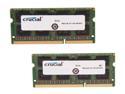
Crucial 8GB Kit (2 x 4GB) DDR3L 1600 MT/s (PC3L-12800) SODIMM 204-Pin 1.35V Laptop Memory - CT2KIT51264BF160B
Pros: - Fast - Cheap - Crucial!
Cons: - Would not make pancakes, no matter how much I wanted it to
Overall Review: Working great with my new NUC BOXD54250WYKH1
10/12/2014See more detail
Amazing sound, great battery life, Mac compatible
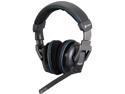
Corsair Vengeance 2100 Circumaural Wireless Dolby 7.1 Gaming Headset
Pros: - Great sound - Great Battery life - Great Software (for Windows, anyway) - Works well with toggling between computers (such as on a USB switch) - Comfortable for my head - Surprisingly light weight - Mac Compatible - Can get very loud (though still sounds good) - USB! - Very robust design - Incredibly good price for what they are
Cons: - No Mac Software (though listed as "mac compatible", which it is otherwise), therefore no 7.1 sound on Mac
Overall Review: I just got a roommate so I needed some headphones for gaming/movies/whatever. I also have a USB switch and a 2 computer setup including a Mac. I use my USB switch and it quickly detects in Windows and Mac, without hardware emulation (basically a "dumb" switch). I don't have a ton of experience with headphones but I tried some Gamecon wired headphones to have a basis for comparison. These edged out those pretty easily in a lot of respects including bass and comfort. I was not expecting them to be so light considering they were battery powered. I am happy with the battery life but I keep them wired to USB (note the USB port is for power ONLY, requires wireless dongle for audio) so as to not wear out the battery. These headphones feel like they will last a very long time. Make sure you enable 7.1 audio in the software after you install it. Corsair software is not intrusive but gives you a task-bar icon. You may want to tinker with the equalizer in the software. You can make your own presets but it comes with some good ones by default.
7/28/2014See more detail