
Your Browsing History


John A.
Joined on 11/16/04
0
0
product reviews
- 6
Definitely a good CPU.
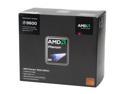
AMD Phenom 9600 Agena 2.3GHz 4 x 512KB L2 Cache 2MB L3 Cache Socket AM2+ 95W Quad-Core Processor
Pros: True quad core, runs cool and quiet. The stock heatsink and fan do a pretty good job keeping the CPU cool. I had a hard time deciding if I wanted to go with Intel but ultimately I went with AMD and I'm glad that I did. This is a awesome CPU for the price.
Cons: Sadly, con's do exist. I went with the BE hoping to squeeze 2-300MHz out. Unfortunately that is not possible. This CPU is not very overclockable, its basically a hit or miss CPU. But rarely do people get 9600 BE's that will overclock with 100% stability. Even when its minial like 200MHz. I read man reviews and the increase in performance doesn't really seem to be worth the overclocking hassle. AMD's Overdrive doesn't make it any easier either. Prepare for random lock ups and blue screens. :( I'm running mine 100% stock and it has been an awesome performer. The only reason I gave it a 4 Egg rating was due to the poor overclocking results.
Overall Review: I paired this with a MSI K9A2 Platinum 790FX, 4GB of G.Skill DDRII 800, and a HD 3870 512MB video card, I couldn't be happier. I'm now running the full Spider platform and I absolutely love it.
2/21/2008See more detail
Hi quality with affordable cost
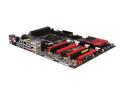
ASRock Fatal1ty X79 Professional LGA 2011 Intel X79 USB 3.0 ATX Intel Motherboard
Pros: Everything pretty much. - Overclocks well - Looks great - Has four PCI-E 3.0 slots - VRMs heatsinks cool fairly well - 16+2 VRM design <-- HUGE PRO.
Cons: This board only has one or two real cons. - If you're using a massive air cooler, like a Noctua NH-D14 or Thermalright Silver Arrow, you won't be able to use the first PCI-E 3.0 slot for your video card. It's too close to the socket, hinders the use of a card if you're using a big air cooler. - The BIOS could use some work, seems generic in a lot of ways when you compare it to ASUS', Gigabyte, and MSI's UEFI BIOS'. Despite its generic looks, it does work well though.
Overall Review: Honestly, I don't see why people would spend $300+ when this board overclocks just as well as the $400+ "Premium" boards. You're not going to find a more feature filled board for less than $300, period. This is the board to get, unless you like spending $100+ more for no reason.
4/12/2012See more detail
No need for the III Extreme
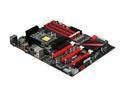
ASUS Rampage III Formula LGA 1366 Intel X58 USB 3.0 ATX Intel Motherboard
Pros: Very high quality, aesthetically appealing (black and red theme), easy to use BIOS options and overclocking menus, high memory compatibility, highly capable of overclocking, low profile (yet effective) VRM/MOSFET heatsinks same with NB, easily fits Noctua's massive NH-D14 heatsink. Also, it came Creatives X-Fi chip onboard. I honestly have no reason to suggest the Extreme model over this board to anyone, this one is easily superior (Google it, plenty of cons on the Extreme). Overclocking Experience - i7 950 @ 4.0 (1.24v) STABLE - i7 950 @ 4.2 (1.26v) STABLE - Current 24/7 - i7 950 @ 4.4 (1.35v) - Benchable, possibly stable - i7 950 @ 4.6 (1.4v) - Max Bootable, unstable AWESOME BOARD. :)
Cons: To be honest, my only complaint is this board not having the Blutooth ability that the Extreme has. Other than that, I have no real cons to list.
Overall Review: This is a fantastic successor to the P6T Deluxe v1/2. I had a P6T Deluxe v2 and it was the best 1366 board that I had used, until my Rampage III Formlula arrived. I started my i7 adventure with a DFI T3eH8 which was well over $300 when I bought it almost 2 years ago. At that time, it was THE hardcore overclocking board to get. To my surprise, it was a pretty crummy board. The VRM's got insanely hot, the NB got insanely hot, the BIOS was a joke, the stability of the board after overclocking was horrible despite being stable during testing, the T3eH8 was simply a way overpriced board. After my first DFI experience with the T3eH8, I decided it was time to go back to ASUS and pick up a P6T Deluxe v2...the difference was night and day. So, moral of the story... ASUS boards are solid. They overclock well, has great longenvity, plenty of memory compatibility, easy to use BIOS, and their boards always look great.
12/14/2010See more detail
GTX280, why bother?
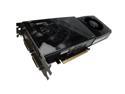
XFX GX260NADBF GeForce GTX 260 Black Edition Core 216 896MB 448-bit GDDR3 PCI Express 2.0 x16 HDCP Ready SLI Supported Video Card
Pros: - At its stock clocks, it is right under a stock clocked GTX280. You basically have GTX280 performance for a $100 less. -Quiet. For how much this card does, it stays quiet while doing it. I previously have two 3870's in CrossFire and those were much louder. -Overclockable. Even though its factory overclocked, it still has room. I was able to hit much higher core clocks with ease. Max stable so far was 740MHz. -PhysX -Cuda -Came with Far Cry 2 -Did I mention its basically a fricking GTX280? Buy this already!
Cons: -Ummm? None.
Overall Review: If you are a ATI fan, please do not shy away from the 260 series cards. The 4870's are a hell of a deal but honestly IMO, they run really hot and with todays cooling technology they shouldn't be running so hot from the factory. The latest driver release fixes that issue but then you have to deal with the fan noise. I've had ATi 3870's in CrossFire and I really hated how loud they were. Even under no load, they were loud. I wanted a single GPU solution that was quiet and had room for overclocking. The XFX GTX260 BE is already overclocked and has room for more overclocking. It is MILES quieter than ONE of my 3870's. Even at 85% fan speed, it is still quieter that one of my 3870's was at 60%. I am loving this card big time.
12/8/2008See more detail
CrossFire - Don't forget about it
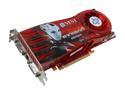
MSI Radeon HD 3870 512MB GDDR4 PCI Express 2.0 x16 CrossFireX Support Graphics Card RX3870-T2D512E OC
Pros: Solid card, beautiful. I'm a big fan of the dual slot cooling because it keeps the inside of the case cooler and allows the hot video card to vent the air outside of the case. I paid this up with my existing Sapphire 3870 for CrossFire and I'm more then pleased with the performance. I can play Crysis at 33FPS in 1680x1050 in HIGH or Medium at 52FPS. I have both of my 3870's overclocked to 830/1230 using [Riva]Tuner to keep the fans pegged at 50% duty cycle. Awesome card, I'd recommend this to buyers looking to keep their case as cool as posssible. I'm not a fan of the single slot cards. Dual slot hands down.
Cons: none.
4/21/2008See more detail
Four Egg rating, ONE reason why.
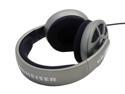
Sennheiser HD 485 3.5mm/ 6.3mm Connector Circumaural Explore new sound dimensions Headphone
Pros: Awesome clarity. I've had these for a whopping one day and I'm already in love with them. Very crisp, solid sound. Very comfortable, awesome build quality, detachable cable, replaceable ear covers/muffs. It came with a headphone holder, and I actually like the color of these cans. In games I can hear things I've never heard before, the sound positioning is pretty dang good.
Cons: One con, and one con only. Noise. These are loud. What I mean is, anyone around will have no problem hearing what your hearing. They do not keep sound INSIDE the cans unfortunately. That is the only downside to these.
Overall Review: They are the best cans in this price range HANDS DOWN. If your looking for a good gaming headset, pair these with a Logitech USB mic. Perfect combo, its what I use.
3/5/2008See more detail