

Your Browsing History


CRAIG C.
Joined on 10/04/05
0
0
product reviews
- 10
I like it a lot!
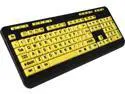
Adesso AKB-132UY EasyView Luminouse high contract 4X large print yellow keycap, multimedia USB keyboard, for low vision
Pros: -You can see the letters without reading glasses even in a dimly lit room. -The buttons actually depress unlike some of the new flat slim keyboards. -The buttons do not click, they are quiet and very sure feeling.
Cons: -none-
Overall Review: -I would recommend this to anybody who has trouble seeing their keyboard. -I would recommend this to bold people who decorate in bright colors. :)
2/4/2016See more detail
Too small mouse ball
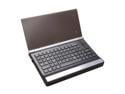
IOGEAR GKM571R Black USB RF Wireless Keyboard with Trackball, Scroll Wheel and Backlight LED
Pros: If the mouse ball were bigger it might be a perfert HT remote.
Cons: The mouse ball is awful. I can feel it rolling under my thumb, but the tracking doesn't engage much of the time. To make it engage you have to bear down, which causes it to slip under you thumb. This is very frustrating. The best you can hope for is a jerky movement.
Overall Review: I am going to order something else. I will be looking for something with slightly bigger keys and anything other tht a tiny mouse ball.
1/21/2012See more detail
It's a good MB with lots of options.
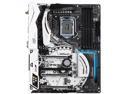
ASRock Z270 TAICHI LGA 1151 Intel Z270 HDMI USB 3.1 ATX Motherboards - Intel
Pros: Supports up to three NVMe PCIe M.2's in RAID formation - Intel all the way! Bluetooth and wifi built right in. Nice fit and well made. LED under chipset heatsink with external LED plugin for your own strip. Software controlled... Best UEFI I've used so far. Price is right.
Cons: The manual's leave a lot to be desired. It is 100 pages thick, but it is in multiple languages. There are 3 different manuals for this motherboard, and you have to download instructions from the website to boot. Cmon ASRock. You can do better than that... It's silly
Overall Review: If you don't want to spend the big bucks on an Intel 750 PCIe drive, then buy a couple of the Intel 600p M.2's and RAID0 them together. I have two other computers with Intel 750's, and this RAID0 with the 600p's is every bit as fast for way less money. See the Q&A below for my steps on how to RAID the PCIe M.2 solid state drives. It took me all day and two emails to ASRock to figure it out. Now it is installed and fast!
2/10/2017See more detail
Great monitors
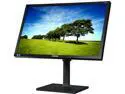
Samsung S24E650BW 24" LED LCD Monitor - 16:10 - 4 ms
Pros: -Bright colors and no dead pixels on the two I just bought. -Nice little pop-up windows above the buttons when booting. I also own the predecessor to this monitor, and love it. I was delighted to see the pop-ups. Nice tough Samsung -I like that in horizontal mode, the screen is eye level. I hate all the monitors with short little stands. Who wants to be looking down all day at a monitor. It hurts my neck.
Cons: -none so far. I have the predecessor to this and have never had any troubles.
Overall Review: -If you are buying a monitor, buy one that will pivot. That way the monitor stand can allow the horizontal monitor to be higher up and at eye level. -Good price and performance. I have a 1440 at home with a short little stand and I like these 1200 that are taller better.
2/4/2016See more detail
Taldron? An expert?
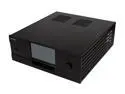
Moneual Black Aluminum MonCaso 972FB ATX Media Center / HTPC Case
Pros: Taldron, you don't even own one of these. Who the heck are you to tell people these things. This case comes with a touch screen, a remote, front buttons for controlling buttons, it is well made, and it is better looking than any HTPC case I've seen. It actually looks like it belongs in a home theater. As a person who has a LOT of money invested in my HT, this is important. I like this case, and as far as I know it is the only HTPC case of it's kind. Eventually other quality builders like Lianli will make htpc cases with touch screens. When that happens, it will drive the prices down. But for now, this thing is great. If you don't have the money, then buy something else. If you can afford one, this thing rocks.
Cons: Price
11/26/2013See more detail
Big improvement
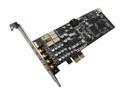
ASUS Xonar DX 7.1 Channels 24-bit 192KHz PCI Express x1 Interface Sound Card
Pros: Sounds terrific. I fired up Transformers in Netflix, the the surround processing is spot on, as is the clarity and definition. It truly made my Promedia Ultra 5.1 come to life!
Cons: The install CD would not run, and I had to download the drivers and utilities directly from Asus.
11/29/2012See more detail