

Your Browsing History


John M.
Joined on 02/05/04
0
0
product reviews
- 6
better for hotrods than low-powered servers
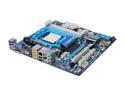
GIGABYTE GA-MA785GMT-UD2H AM3 AMD 785G HDMI Micro ATX AMD Motherboard
Pros: Works. BIOS appears friendly for overclockers, though I'm not doing that.
Cons: If you look around, you can find some really great memory that runs at 1.35V. This motherboard defaults to powering the memory at 1.6V though, and the BIOS only lets me increase from there, with no options to decrease. Worst case, I'm eventually going to fry this memory. Best case, I'm not going to reap the rewards of the low-power tech advances.
Overall Review: If you're trying to build a "green" machine, I recommend against this board. If you're not obsessed with power minimization, though, this board should be fine.
1/22/2010See more detail
Good for a few months, then death

Western Digital WD Green WD10EADS 1TB 7200 RPM 32MB Cache SATA 3.0Gb/s 3.5" Internal Hard Drive Bare Drive
Pros: Worked fine for about 4 months..
Cons: ..and then click, click, click on power up. I don't expect 'em to last forever, but 4 months is a joke, so it only gets 1 egg.
Overall Review: I guess the thing to do with cheap drives is buy 'em in threes; RAID1 a pair and keep a spare around to remirror the survivor as soon as the inevitable failure happens. That triples the cost but will get you reasonably reliable storage.
12/21/2009See more detail
Good board for lots of disks
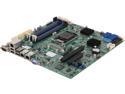
SUPERMICRO MBD-X10SL7-F-O Micro ATX Server Motherboard LGA 1150 Intel C222 DDR3 1600
Pros: If you were just going to end up buying a motherboard and PCIE SAS adapter, then this gets you the same thing, but cheaper. Out of the box, without any additional cards, expanders, multipliers, etc, this board can run 14 drives.
Cons: I might have slightly cleaner cabling, if the SAS ports were just two SFF-8087 connectors rather than eight SATA connectors.
Overall Review: Drivers for the onboard ethernet were added to Linux in version 3.5. If you're getting this board as an upgrade to an existing system, you might need to update your kernel. Ubuntu 12.04 users in particular, should read up on "LTS Hardware Enablement Stack." Flashed the SAS adapter to "IT mode" from the UEFI shell, using files downloaded from Supermicro's site. This was utterly painless and drama-free. I'm using this in a Lian Li PC-D8000, but I can easily imagine that this may be the board that Norco RPC-4224 users are looking for, too.
10/21/2013See more detail
Buying a second one
BUFFALO AirStation N300 4-Port Dual Band Wireless Ethernet Bridge and Gaming Adapter - WLI-TX4-AG300N
Pros: Painless (no wireless driver hassles) and fast, but it was the 4 ports that put it over the top.
Cons: Weird setup address (1.1.1.1) but since it's a bridge, there isn't really a "right" way to do that, I guess.
Overall Review: I liked it so much that I'm buying another one for a different room. Maybe by the time I own half a dozen of 'em, I'll have convinced SWMBO to let me run wires through all the walls, but until then, thanks Buffalo.
10/12/2010See more detail
As good as it looks
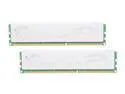
G.SKILL ECO Series 4GB (2 x 2GB) DDR3L 1333 (PC3L 10600) Desktop Memory Model F3-10666CL7D-4GBECO
Pros: Runs at the fast 7-7-7-21 1333 MHz as advertised.
Cons: none, but see other thoughts
Overall Review: Make sure you get a motherboard that lets you adjust RAM voltage _down_ from defaults. Not all of them do. Sadly I am currently giving this RAM 1.6V volts and I'm worried I'm eventually going to fry it. (Though so far, so good after a couple weeks now.) But that's not the RAM's fault; it's my fault for not researching mobos/BIOSes enough.
1/22/2010See more detail
Works, low-profile
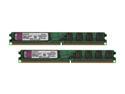
Kingston ValueRAM 2GB (2 x 1GB) Unbuffered DDR2 800 (PC2 6400) Dual Channel Kit Desktop Memory Model KVR800D2N5K2/2G
Pros: Works.
Cons: I guess there's slightly faster DDR800 out there, not that there's anything wrong with this.
Overall Review: I bought this because I read it's low-profile. And it is, indeed. Here's what I didn't see in the specs and got with my ruler: these DIMMs are 17 mm (just under 3/4 inch) tall. Handy for those mini-itx projects in cramped cases.
9/17/2009See more detail