
Your Browsing History


Nathan T.
Joined on 11/20/03
0
0
product reviews
- 12
Works Well
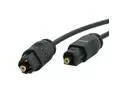
StarTech.com Model THINTOS10 10 ft. Thin Toslink Digital Audio Cable Male to Male
Pros: Works well and easily implemented. Has protective nips on end, where as some cheaper optical cables don't.
Cons: Not really a con, all optical cables are fragile and have to be handled with care, do not bend cables FYI. I didn't with mine but to share some tech knowledge with dealing with a variety of optical cables (network and audio), its never a good idea to crimp or bend cables....let them lay naturally as best possible.
1/7/2014See more detail
Unsure what to think about this drive...
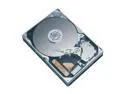
SAMSUNG SpinPoint P Series SP1203N 120GB 7200 RPM 2MB Cache IDE Ultra ATA133 / ATA-7 3.5" Hard Drive Bare Drive
Comments: I've had this drive for almost over a year now and have noticed that this drive has a design flaw. Namely the power port is losely attached to the circuit board. Meaning if you get one of these new power supplies with stiff power cords (Ultra X-Connect type cables to precise) that aren't that flexible, they will seperate the power connection from the board intermittantly shutting the drive down. Up until recently it has become a nuisance to the point if I sit down in my char next to comp (which sits up in a desk) the system will instantly freeze and can hear the HDD "spool down". I've checked it out numerous times and have known about this problem since I put this fairly new powersupply in. Unlike Maxtor and WD Sam doesn't secure the ports as part of chassis making them quite flimsy, so beware. >>>On the flipside of this the drive has been awesome and fast for the money and besides the problem above has been the best drive I've had.
11/21/2005See more detail
Great Card....but a few things to consider.
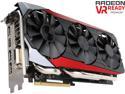
ASUS Radeon R9 390X 8GB GDDR5 PCI Express 3.0 Graphics Card STRIX-R9390X-DC3OC-8GD5-GAMING
Pros: -Card performs ArmA 3 and many other games like a champ!! I run with 2-3000m in both view and object distance at 40-50Ffps with settings on High, especially after Apex update. -Runs Assetto Corsa at 2160 with 85Fps with all settings maxed out with 16 cars on track, 24 cars on track drops to 60 Fps. I race mostly with 1080p since graphics difference is minimal, 24 cars on track at Nurburgring, it's absolutely beautiful, especially with Photographic render settings. -Runs games like BF4 on Ultra at 2160p -Renders for professional work (Revit) like a dream!!! -Interface with 4K TV's can work like a charm (most of the time), with Sony, minimal problems (see con), Samsung it can be wonky at times. -GPU Tweak has been a great program that came with the card from Asus to use with the card, gave some base clocks that run fine as there's really no need to run custom overclock as the above experience was with default clocks. I used it to optimize and shutdown system services that weren't needed, along with memory defragmentation (can't comment this really works, but a slight and minimal performance gain)
Cons: -Video out detection. TV (Sony XBR 850c) usually has to be on for about 15-30 seconds to recognize video. Never a problem before over HDMI with other AMD cards. Samsung you need to cycle inputs. Might be a global HDCP issue. -Died after 6 months with nominal temps and usage of low base clocks from GPU Utility.
Overall Review: I can't say that they are bad cards or yours will go bad, but understand that even though it's a 3yr warranty, you may have limited options for replacement, even in first year. No replacement cards were available as I'm guessing stock is flushed out, and 480 has launched. For a premium card that I've only owned for 6 months, launched less than a year ago; it makes me say "Hmmmm?" Contacted Support, only option is to have RMA that will repair card, even for one of their flag ship high end cards in first year. Awaiting response from support after I wasn't happy with RMA option will take for 3-6 weeks for repair only. Not a good sign for a card to "clock out" after 6 months, 13 days. Expected at least 1-2 years of hard use with some issues coming up later in life. I use this machine for both Professional rendering and gaming and the results and performance have been outstanding with AMD gaming cards. I like the balance of a medium cost solution, for exceptional performance for both professional and gaming needs. So far have 3 Workstations that perform excellent, but first dive into Asus STRIX cards as others are HIS cards (280x, 7950, 6950). With great experience so far with Asus Strix, I recently purchased this week an Asus 380X STRIX for additional rendering and Workstation for studio. I'm feeling a little disappointed at the moment. Newegg may verify my purchase of this Asus STRIX 390X 8GB OC model and the STRIX 380X 4GB OC this week. System: AMD 9590 with Thermaltake Water 3.0 Extreme S 240 Cooling Asus Sabertooth 990FX Rev 2.0 16GB Corsair Vengeance 1866 512 850 Pro SSD 256 850 Pro SSD WD RE4 2TB ULTRA X4 850 Watt Thermaltake v51 Windows 10 Pro X64
7/28/2016See more detail
Awesome fricking card!!! I love it!
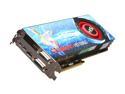
HIS Radeon HD 6950 2GB GDDR5 PCI Express 2.1 x16 CrossFireX Support Graphics Card H695F2G2M
Pros: Awesome at running ArmA 2 and Operation Arrowhead as those games are beasts to run! I also do some modding for the game and 3D Modeling. I love it and of course a major improvement over the HIS 3850 Turbo X I've had for over 4years now!
Cons: Weird issue from Windows 7 now where upon boot I get a "scrolling" boot screen similar to Vista's boot (but without it saying Vista) instead of the Win 7 flag animation. This is over HDMI and passing through my Yamaha RX-V467 to a Dell MP5100. But other then that I love it.
Overall Review: I did have to perform some surgery to the backside of my old Aluminum case in order to be able to plug in a either HDMI or DVI. So no biggie as teh case is old and I need a new one. Had some port issues when I got the 3850 a while back too but not as bad. Be sure to take measurements before buying the cards also, ITS MASSIVE long wise, so make sure you have enough clearance. I measured, researched then bought and have no issues! Also you will need reinstall your Catalyst and drivers if using a previous Radeon card also, but that's stating the obvious.
3/9/2011See more detail
Massive and realistic

Arma 2: Operation Arrowhead PC Game
Pros: Great game, unlimited customizations (if you know how to model and script) which has one of the largest modding communities since OFP, and it looks great if you have the "horsepower" to run it.
Cons: Not much a con, more of set expectations. The environments and the level detail require a powerful PC to run. Understand running with minimum requirements on the larger maps, and playing multiplayer on custom missions will tax your system further, see my configuration below as a good base to enjoy the game.
Overall Review: I run the game at 50-70FPS depending on number of scripts running, what is happening (buildings being destroyed, etc) and certain mod content can cause significant FPS drop depending on the performance of your PC. Another factor is how much "view distance" you set and the person who created the custom "Mission" (some refer to it as a "map", a "mission" utilizes either all or a small portion of the "map"). A mission creator can dictate how much view distance you see though fog or dust in the distance. Enabling high view distances can allow you to see mountains in good detail 10KM away but will hamper performance. So set your settings accordingly and beware some missions require high performance. My configuration: AMD 2GB 6950 by HIS (HDMI) -> Dell MP5100 @ 1920x1080 30hz AMD 955BE clocked to 3.8 on air cool DFI LanParty DK 790FX-M2R 4GB Corsair XMS2 DHX
3/9/2011See more detail
its not Win 7 64Bit
Autodesk AutoCAD LT 2010
Pros: Intuitive design with Ribbon interface. Get used to it and start to know it it makes sense once you get used to it.
Cons: Its AutoCAD and its expensive (lol).
Overall Review: AS far as performance issues with Win 7 64Bit, no issues and runs like a champ except with Dynamic input, adjust your tooltip transperency settings to 2% or more, having at zero causes performance issues, we noticed this in XP so its not Win 7 64bit related. We are running most our machines in Win XP as there's an issues with importing to Impression 3,till they get that fixed we wont run Win7
2/18/2010See more detail