
Your Browsing History


Dana W.
Joined on 12/03/04
0
0
product reviews
- 10
So simple to set up, yet people are complaining about the setup
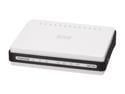
D-Link Xtreme-N Duo Wireless Bridge/Access Point (DAP-1522) Wireless N300, Dual-Band, Fast Ethernet
Pros: First I'd like to say to anyone needing a honest review of this unit, please take heed. This device is so simple to set up it's unreal. I got this unit running in 10 minutes flat. Upgraded the firmware, went thru the manual (vs automatic) setup wizard and I was done. The connect is fast as well and I have it mated to my DGL-4500.
Cons: The WPS didn't activate but who cares. Too much automation is bad in my opinion. I just set the device up manually.
Overall Review: I saw some reviews guiding people on how to get this bridge setup in bridge mode and here it is again. When you receive the device, plug it in, download the latest firmware to the PC you are going to use to upgrade the firmware. Next, plug the PC directly to the unit. Go to your network card properties and change your IP address to 192.168.0.51 (forget about going to 192.168.0.50). The subnet mask should be 255.255.255.0, then hit ok. Open a web browser then type http://dlinkap and you should be at the config page of the device. You can upgrade the firmware from the firmware section and use Setup to set up your device. Very easy. After you finish the setup, go back to your network card and set it back to DHCP then click ok. Anyone that says they have a high level of technical experience and can't set up this device needs to take more training on basic setup of home networking devices. A router is harder to set up.
10/15/2009See more detail
What can I say?
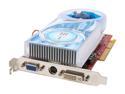
HIS Radeon X1650PRO 512MB GDDR2 AGP 4X/8X Graphics Card H165PRQ512AN-R
Pros: The card itself looks to be quality while inspecting it for the first time. Nothing bad to say here.
Cons: ATI has the most terrible driver support I've ever seen in my life. When installing the drivers, I kept getting a message from the install package saying that the drivers could not be found for my OS or device. Ridiculous! I got to HIS's and ATI's site to download the latest drivers......the same garbage happened everytime I'd uninstalled and reinstalled. Spent 4 hours all for nothing. I thought that since it had been a while since I owned an ATI card, they would have gotten their acts together on the driver installation packages. Their worst install packages I have dealt with ever in life. I'm going back to nVidia so I can be happy again.
Overall Review: ATI, please hire someone that can make a decent driver package. I can't imagine someone that has little knowledge of how this stuff works would be able to trouble shoot these issues when they arise. Kudos to Newegg though! You guys are great!
2/1/2008See more detail
If you buy, do not upgrade to firmware 1.20 and above!!!!!!!!!!!!

D-Link DGL-4500 Gigabit Gaming Router 802.11a/b/g/n 2.4/5GHz Selectable Dual Band Xtreme N
Pros: Very good router for gaming and streaming
Cons: Dlink is having issues with their 1.20 and above firmware and it's all over the internet. People have been trying to get Dlink to fix the issue but it seems that people are getting fed up with Dlink banning them from their forums and complaining about the issue. The issue is the router halts after 4 to 6 days of up time, then has to be rebooted. Everything works fine afterward. I upgraded to the 1.21NA firmware without knowing about these issues and I now have the same problems but the router was rock solid while I was on the older firmware 1.15. DO NOT UPGRADE PAST THIS FIRMWARE!!!!!!
Overall Review: Newegg, I somehow thing you should get involved being that I know a lot of people (as well as myself) have purchased this item from you guys and more people probably will continue to by this product. I feel that Dlink is pulling the wool over the all of the retail store's eyes by continuing to let you all sell this item and not giving the info that so many have found out thru testing and research. People are going to the BBB over Dlink's behavior throughout this whole ordeal as well. Just an FYI. It's all over the internet so check it out.
12/9/2009See more detail
So simple to set up, yet people are complaining about the setup
D-Link Xtreme-N Duo Wireless Bridge/Access Point (DAP-1522) Wireless N300, Dual-Band, Fast Ethernet
Pros: First I'd like to say to anyone needing a honest review of this unit, please take heed. This device is so simple to set up it's unreal. I got this unit running in 10 minutes flat. Upgraded the firmware, went thru the manual (vs automatic) setup wizard and I was done. The connect is fast as well and I have it mated to my DGL-4500.
Cons: The WPS didn't activate but who cares. Too much automation is bad in my opinion. I just set the device up manually.
Overall Review: I saw some reviews guiding people on how to get this bridge setup in bridge mode and here it is again. When you receive the device, plug it in, download the latest firmware to the PC you are going to use to upgrade the firmware. Next, plug the PC directly to the unit. Go to your network card properties and change your IP address to 192.168.0.51 (forget about going to 192.168.0.50). The subnet mask should be 255.255.255.0, then hit ok. Open a web browser then type http://dlinkap and you should be at the config page of the device. You can upgrade the firmware from the firmware section and use Setup to set up your device. Very easy. After you finish the setup, go back to your network card and set it back to DHCP then click ok. Anyone that says they have a high level of technical experience and can't set up this device needs to take more training on basic setup of home networking devices. A router is harder to set up.
10/15/2009See more detail
Great system
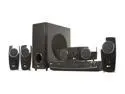
LG LHT854 5.1 Channel DVD Home Theater System
Pros: The sound, quality of the equipment.
Cons: LG now come on, what are the remote codes for this unit? I've looked all over the internet and there's no info at all. I would like to program my Direct TV remote.
Overall Review: I bought speaker stands for my rear speakers and I'm happy overall with the look these add to my living room. The sound is ridiculous in the best way!
8/9/2009See more detail
It works!!!
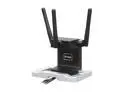
D-Link ANT24-0230 Xtreme N 2.4GHz Antenna
Pros: Not much else to say. It took me from 2 bars to 4 bars. My router is in my garage and my main PC is on my second floor.
Cons: Short cable.
Overall Review: D-Link, please make a 6 foot cable for this device.
7/9/2009See more detail
seller reviews
- 1
I love these products
This is the second PC build I've done in the Purebase 500 for my family. Easy to route cabling for a need appearance.
On-time
Delivery
Product
Accuracy
Customer Service
Satisfactory
1/3/2023See more detail