
Your Browsing History


Brant F.
Joined on 05/05/06
0
0
product reviews
- 5
Great little SDDs
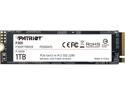
Patriot P300 M.2 2280 1TB PCIe Gen3 x4, NVMe 1.3 Internal Solid State Drive (SSD) P300P1TBM28
Overall Review: These things are great. I just added two, one for OS and other for games directory. Windows boot time went from 4-5 min on a standard HDD to 35 seconds on this! I would recommend buying an additional heatsink for them though. They run pretty hot (not sure what an average temp is for a SSD) just to protect your investment. Mine run about 110 degrees F with a stock heatsink that came with my Asus X570-Plus (Wifi) and around 140 on the one with no heatsink. I have ordered two ARGB heatsinks with a cooling fan to make sure they last a long time. Hope you enjoy yours!
7/30/2020See more detail
Finally got it working
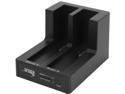
SYBA USB 3.0 2.5" & 3.5" Dual bay Black SATA III, HDD Docking Station for Easy Clone and Backup, CL-ENC50060
Pros: Cloned close to a TB of files in about 3 hours, all with the push of a button. It formats the drive for you so be careful which drive you stick in which slot. There downside to it though.
Cons: It can only format to MBR so if your trying to use a drive over 2TB you will wind up with a lot of unusable space. I found this out after cloning to a 4TB drive only to find I couldnt use 2 of those terabytes.
Overall Review: I wound up having to use Acronis to clone which has taken over a day. It would be nice if there was a selector switch to allow your your choice of format, MBR or GPT
11/6/2015See more detail
28" of HD goodness
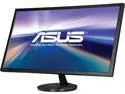
ASUS VN289QR Black 28" 5ms (GTG) HDMI Ultra-Widescreen LED Backlight LCD Monitor,300 cd/m2 ASCR 80,000,000:1 (3000:1) Built-in Speakers with Flicker Free Technology
Pros: Size, size, size, (yea guys, it does matter). Price was right on sale for 165! It really is a beautiful monitor, though not as good as my Asus 23.6" that started having capacitor problems after about 7 years. It is sharp, clear makes 720p images a tiny bit rough at the 28" size but I have not had any of the text issues that others complain about. My guess is they do not know how to properly calibrate a monitor of this, or any size. Lots of prebuilt settings to chose from that should suit most users needs. It is super bright, i had to turn gamma down to 72-78 range but it is not hard on they eyes even at 100 thanks to the blue light filter.
Cons: The blue light filter can make images dark so i keep mine off, the prebuilt settings take some getting used to and the buttons on the back are a wee bit inconvenient. I have not tried the built in speakers as i still have an old soundblaster audigy zx2 7.1 surround that cant be beat. Mine has 1 dead pixel in the top left 4 inches in and 2 down, not a big deal at this size but a bit of a disappointment from Asus as they rock. It takes 4 for an RMA and I am not to concerned about it as its red is only noticeable on black, green or other dark backgrounds. It does not affect my movie watching or game play (primary functions i use my computer for).
Overall Review: Take your time to get to know this monitor and it will not disappoint. Play with the settings and manually adjust it a bit and it is a great monitor. Text may appear fuzzy until you calibrate it correctly ( i noticed some pixelation on the win10 boot screen on text that was about 5 inches high until i tweaked it after playing with the settings)
12/14/2015See more detail
I love you Newegg
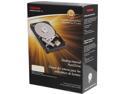
TOSHIBA PH3400U-1I72 4TB 7200 RPM 128MB Cache SATA 6.0Gb/s 3.5" Desktop Internal Hard Drive Retail
Pros: It's faster than most drives, it's very very quiet (as i had to put my ear to my docking drive when i cloned to it to even hear it working, exposed and all), it's 4TB of storage goodness!
Cons: None
Overall Review: I really wish I had bought two of these at the price i got it for.
12/14/2015See more detail
Still done have one that works
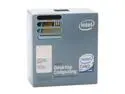
Intel Core 2 Duo E6420 - Core 2 Duo Conroe Dual-Core 2.13 GHz LGA 775 65W Processor - BX80557E6420
Pros: Couldnt tell ya
Cons: Going on two months and what will be my fourth - yes, i said fourth chip i still have yet to get one that works. I take that back... I had one that worked for 45 min before it died. This has been an absolute nightmare.
Overall Review: It just goes to show that some things are better bought locally. For what I saved buying from newegg over fXys i have spent sending it back to newegg, then waiting another week and a half for them to process the rma. Id rather have my money back and just buy it at fXys, if i get another that doesnt work, at least i can get a new one same day.
8/3/2007See more detail