

Your Browsing History


Matthew T.
Joined on 09/29/05
0
0
product reviews
- 13
Fantastic
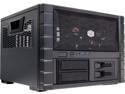
Cooler Master HAF XB EVO - High Air Flow Test Bench and LAN Box Desktop Computer Case with ATX Motherboard Support
Pros: 1. Removable motherboard tray that lets you swap components quickly. 2. Very sturdy construction. I had a HAF 922 in the past, and the side panels were a bit flimsy. No flimsiness here. 3. All black interior that's designed cleanly and easy to work in. 4. Handles on the sides of the case make transporting it very easy. 5. X-Dock is great for swapping hard drives, and the trays for it are the best I've used. 6. Plenty of room on the bottom half to store all of the ugly stuff. Fully assembled, you only see the parts worth showing off, and nothing obstructs airflow. 7. Remove the sides and the top (with six thumb screws), and you have a test bench with fantastic air flow. Put them back on, and you have a well-built and protective case that does not lose much in the way of air flow, due to all of the ventilation holes. 8. The 2.5" cage is removable if you do not need it. 9. Room for two 80mm fans and a 120 on the back, 120s or 140s on the front, and a 200 on top. Also room for radiators for water cooling.
Cons: 1. The fans are extremely noisy. Unless you wear closed headphones, you will want to replace them. 2. The 5.25" cage is not removable. I've no use for it, and it would make working inside the case even easier. 3. There's only room for two 3.5" drives. Not a problem for me, but if you plan on using more, you'll have to get creative. 4. No USB3 to USB2 adapter is included. If your motherboard does not have a USB3 connector, you will not be able to use the front USB ports without an adapter. 5. It's hard to get to the front dust filter. You have to remove the top, both sides, and pop off the front panel, which may result in one of the X-Dock drives coming loose if you're not careful. 6. Would have been nice to have rubber grommet holes between the front of the case and the motherboard tray to hide some unseemly cables. 7. I had difficulties getting my SSD to fit in the X-Dock. After screwing it into the tray, and sliding the tray into the dock, the drive was positioned too low to line up with the connectors. I tried both trays and both slots. I ended up not screwing in the two screws nearest the connectors, which left the drive loose enough to maneuver into the correct position.
Overall Review: I know the cons section is hefty, but they are all minor nitpicks that don't take away from the fact that this is a great case. It's unique, stylish (though many people seem to find it ugly), easy to work in, and fun. Normally I hate swapping cases because cabling never turns out the way I wanted, but this turned out great. All in all, for a hundred bucks, if you have the room for it, and are looking for a test bench or an easily transportable LAN case, or just want something fresh and new to try, give this a go. Cooler Master did a fantastic job, and I plan on using this case for a very long time.
11/17/2012See more detail
I didn't listen... I DIDN'T LISTEN!
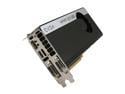
EVGA 02G-P4-2685-KR GeForce GTX 680 SC Signature+ w/Backplate 2GB 256-bit GDDR5 PCI Express 3.0 x16 HDCP Ready SLI Support Video Card
Pros: When it works, it works.
Cons: It stopped working.
Overall Review: Before buying this, I saw the reviews here. I figured it was a small batch of bad cards or a vocal minority. Apparently it's a large batch, and you can add me to what's becoming the vocal majority. Today, two weeks after purchasing, my computer started crashing randomly, resulting in blue screens, my monitor losing its signal, red artifacts, or any combination of the three. My old card works fine. Unfortunately I already filed the rebate, so a return was out of the question. I called up EVGA and got an RMA number. They covered the cost of shipping, which was nice of them. I then requested the baseline/inferior/cheaper 680 as a replacement, and they couldn't oblige, which was not nice of them. I'm afraid to even touch my replacement once it arrives. I'd rather sell it and have someone else deal with it. In summation, stay away from this card. I don't know if there's an inherent flaw in the design, or if there's a large stock of faulty cards, but it doesn't matter. Go for a different EVGA model or a different brand.
12/28/2012See more detail
Great Board, Minor Flaws
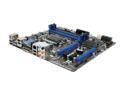
MSI Z68MA-G45 (B3) LGA 1155 Intel Z68 HDMI USB 3.0 Micro ATX Intel Motherboard with UEFI BIOS
Pros: I managed to snag this when it was $85 after rebate. At that price, and for a board with these features, it really can't be beat. Overclocking is dead easy. I was able to hit a stable 4.5GHz on my 2500k by changing the multiplier and nothing else. The board automatically increased the voltage and power limits to accommodate.
Cons: There's a bug in newer BIOS' that causes your multiplier to throttle unnecessarily. Stick with the original BIOS from June 2011 if you plan on overclocking. Having C-States (a power saving feature) enabled causes the board to produce a terrible coil whine. It's nearly inaudible at stock, but when overclocking the noise is so loud that it's ridiculous. Many boards do this, and there's no real harm in disabling C-States, but MSI's main selling point is their military-grade components that supposedly produce no coil whine. So much for that.
Overall Review: Unfortunately, since researching and resolving my first con took a few hours and gave me a headache, and the second con gave me an even worse headache, I can't justify giving 5 eggs. That said, if you stick with the original BIOS and don't mind coil whine or disabling C-States, this is a highly capable Z68 board. I absolutely recommend purchasing it when it's on sale. At full price, though, there are better alternatives from rival companies.
9/11/2011See more detail
Grocery Store Eggs Are Better

Test 033
Pros: Nothing.
Cons: Everything.
Overall Review: Grocery store eggs are better. They have a more varied selection (who wants brown eggs?), lower shipping costs ($45 for 3 Day? Really?), more professional customer service (when I inquired about these eggs, the Newegg rep thought I was joking), and a better return policy (I wanted to return these, but Newegg wouldn't let me since I removed the UPC). Also, these will probably be cheaper tomorrow. Terrible!
4/1/2011See more detail
Great Budget Card
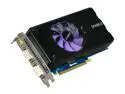
SPARKLE GeForce GTX 460 (Fermi) 768MB GDDR5 PCI Express 2.0 x16 SLI Support Graphics Card SXX460768D5UNM
Pros: What is there to say? Like all 460s, it runs cool (40-50c during games) and performs great for the price. Two in SLI will give you performance that's untouched by any single card in the price range.
Cons: Stupidly loud. After doing a bit of research, it seems it's due to the cooling system they've used, which differs from Nvidia's own design. I'm sure it cools better, but I would gladly take another couple degrees if it meant nixing the noise.
Overall Review: If you don't care much about noise, go ahead and get this. If you do, grab another 460.
3/30/2011See more detail
Beastly
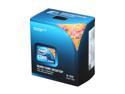
Intel Core i5-760 - Core i5 Lynnfield Quad-Core 2.8 GHz LGA 1156 95W Desktop Processor - BX80605I5760
Pros: This is one beast of a processor. Many people, myself included, have been able to overclock to 3.6GHz on stock voltages. That is simply amazing. Do a bit of overvolting, disable Turbo and power saving features, and with a good cooler you can expect to hit 4GHz. Would you want to, though? You'll have to decide if the extra heat and power consumption are worth it. Personally, I don't think they are.
Cons: No Hyper-Threading, but that has no effect on today's games. If you're future-proofing or doing heavy multi-tasking and want HT, get yourself an X3440 or a 930; nothing else is worth the money right now. Because of the way this is made, you will only have 16 lanes for PCI. Meaning, if you intend to do CrossFire or SLi, your cards will run at 8x/8x as opposed to 16x/16x. The downside to this is nearly unnoticeable with current hardware, but similar to above, if you're future-proofing or intend to use USB3/SATA3, you'll want to go with a 930. Stock cooler is bad, but that's to be expected with every processor.
Overall Review: All in all, if you're looking for a quad core processor and don't care about HT, CF/SLI, or USB3/SATA3, this is one of, if not the best option out there. You won't regret purchasing this.
8/6/2010See more detail