
Your Browsing History


Doug F.
Joined on 01/22/07
0
0
product reviews
- 6
Excellent Drive
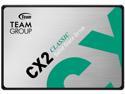
Team Group CX2 2.5" 256GB SATA III 3D NAND Internal Solid State Drive (SSD) T253X6256G0C101
Pros: They are affordable. It allows me to have drives specialized in format, partitions, and operating systems, while keeping everything organized and separate. It's a perfect drive for my Apple Minimac collection. I use the 1TB model for backups, the 256GB for keeping operating systems separated. In four years I have never had a failure.
Overall Review: Team products is recommended.
4/19/2022See more detail
Great Product - Better than expected
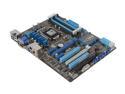
ASUS P8Z77-V LK LGA 1155 Intel Z77 HDMI USB 3.0 ATX Intel Motherboard with UEFI BIOS
Pros: It took me a while to get going on this project. But done now and got it launched without trouble. This one came with a very very nice processor socket. I had tried different places before and it did not go well. This place was perfect. Tx Douglas
Overall Review: Recommended
12/23/2023See more detail
SP All the Way

Silicon Power Ace A55 2.5" 256GB SATA III 3D NAND Internal Solid State Drive (SSD) SU256GBSS3A55S25NB
Overall Review: SP has always been a good choice. I use the for incremental back and they have been fine.
4/10/2021See more detail
Optimize System Performance with M2
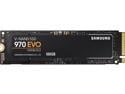
SAMSUNG 970 EVO M.2 2280 500GB PCIe Gen3. X4, NVMe 1.3 V-NAND 3-bit MLC Internal Solid State Drive (SSD) MZ-V7E500BW
Pros: Not much to write about yet, I am in the middle of an i9 build. But, I've used Samsung befoe and they are just fine. I have neverrhad any problems. The reason for m2 in the build is the high speed transfer for system performance. This will be the C drive.
Overall Review: Product highly recommended
2/27/2021See more detail
Wiz Bang Memory
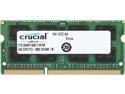
Crucial 4GB 204-Pin DDR3 SO-DIMM DDR3L 1600 (PC3L 12800) Laptop Memory Model CT51264BF160B
Pros: Easy to install - 5 minutes tops Worked right off without any further configuration Used in older Lenovo i5 laptop
Cons: None
Overall Review: It's what I expected for such an upgrade.
3/9/2020See more detail
WD Blue - All The Way
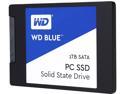
WD Blue 1TB Internal SSD Solid State Drive - SATA 6Gb/s 2.5 Inch - WDS100T1B0A
Pros: Thought old drive was getting old, but turned out to be bad ThermLake Box - New drive popped right in and has given no problems. Recomended
Cons: None
Overall Review: I am now using SSD drives in a USB3 interface box to store pictures on a quickly detachable and storeable device. SSD works great even for the largest of photo libraries.
4/30/2017See more detail
seller reviews
- 4
Great Cooler for My i9 build
You can't beat this for the price. Very nicely done!
On-time
Delivery
Product
Accuracy
Customer Service
Satisfactory
4/9/2021See more detail
Great Cooler for Sprint
Quality beyond expectations for the price. Has liquid cooling lines, pwm control - comes with heat paste - Everything that I would expect for the name Intel.
On-time
Delivery
Product
Accuracy
Customer Service
Satisfactory
3/15/2021See more detail
Amazing Storage Dock
I've used several of these to expand storage, yet have different drives exchangeable. If you have ever experienced a systems failure, due to drive failure, this is an answer. Keep a clone back up of the C drive. If it fails, you plug the clone in and off you go again. It saved my brother $800 in drive recovery alone as well as 4 days of time. Excellent concept.
On-time
Delivery
Product
Accuracy
Customer Service
Satisfactory
12/13/2018See more detail